Motorola Razr Fold review
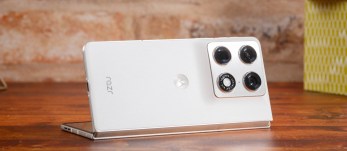
Verdict
In-depth review of the Motorola Razr Fold
Introduction, specs, unboxing
Introduction
The Motorola Razr Fold was initially unveiled in early January, but took its sweet time coming to store shelves. The long wait is finally over, as the Razr Fold has arrived in our office, together with the Moto Pen Ultra. But what's so special about this Fold?
Well, it's Motorola's first book-style foldable after numerous Razr clamshells. The Razr Fold comes with the largest screens, the heaviest of bodies, and arguably the classiest design in the segment.
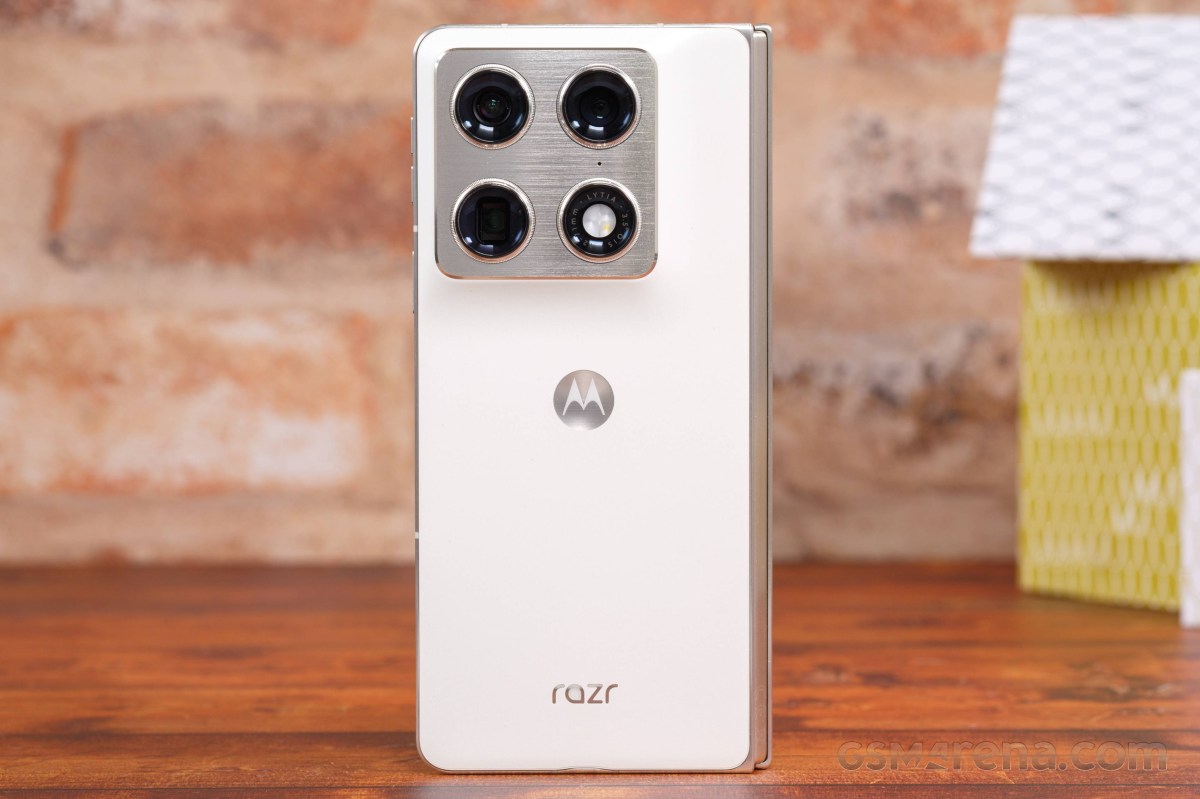
The Razr Fold styling is more business than designer, which is unusual these days. It pioneers the latest Gorilla Glass Ceramic 3 protection for its cover screen and comes with a stainless-steel hinge and aluminum frame. The phone is IP48/IP49-rated meaning it offers the highest level of water resistance, but is not fully sealed against dust.
The centerpiece of the Razr Fold is the 8.1-inch foldable LTPO OLED screen with 410ppi density, 10-bit color depth, 120Hz refresh rate, plus HDR10+ and Dolby Vision streaming support.
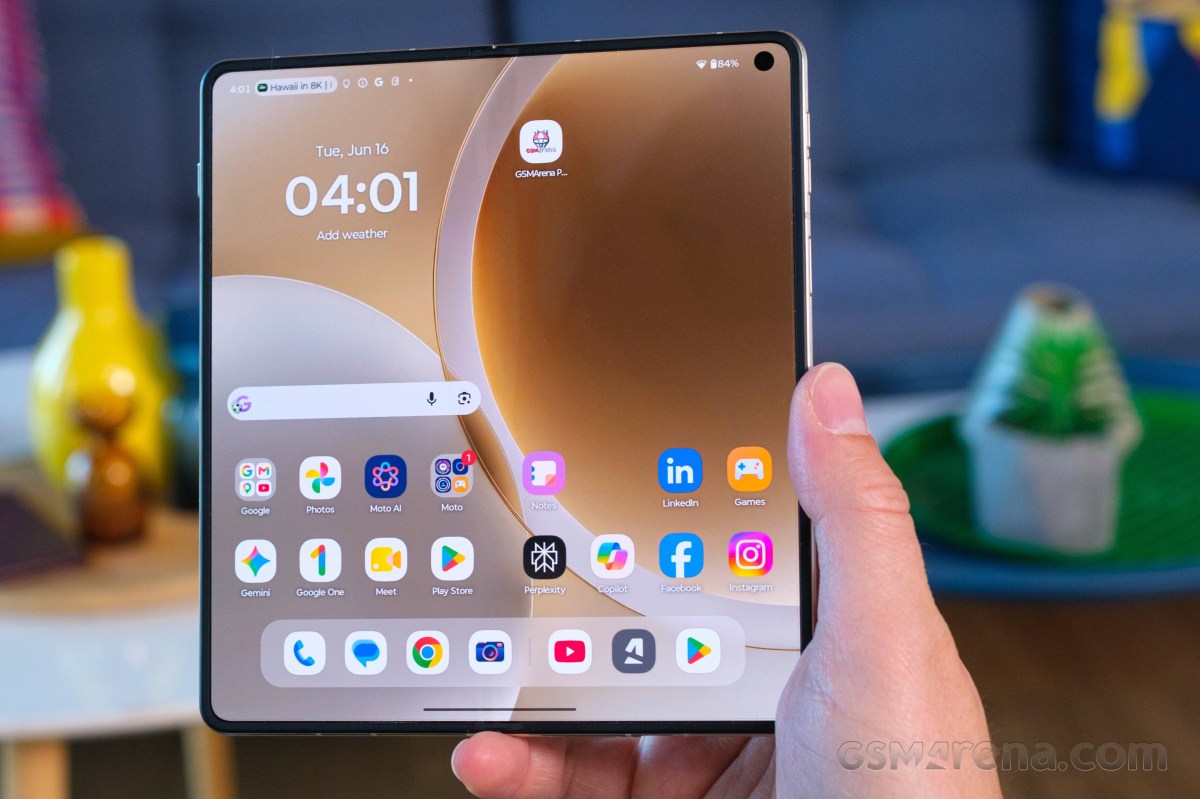
The cover screen is quite impressive, too - a 6.6-inch LTPO OLED panel with 1080p resolution, 10-bit color depth, 165Hz refresh rate, and it covering the same HDR standards as the foldable one.
The Razr Fold employs the Snapdragon 8 Gen 5 chip with 16GB of RAM. It's the second-best Qualcomm platform, with the Elite model being the top-tier.
The Razr Fold borrows its camera kit from the Motorola Signature. This means there are three 50MP imagers on the back - a wide-angle primary, a 3x telephoto, and an ultrawide camera with autofocus for macro capabilities.
The selfie cameras are uninspiring - a 32MP cam on the cover screen and a smaller 20MP one placed inside the foldable display.
The Motorola Razr Fold has symmetrical Dolby Atmos speakers tuned by Bose. It packs a 6,000mAh Si/C battery with support for 80W wired, 50W wireless, and 5W reverse wireless charging. The phone runs Android 16 out of the box and you can expect 7 major updates down the road.
Motorola Razr Fold specs at a glance:
- Body: 160.1x144.5x4.7mm, 243g; Gorilla Glass Ceramic 3 front, stainless steel hinge, aluminum frame, vegan leather back; IP48/IP49 water resistant (high pressure water jets; immersible up to 1.5m for 30 min), Stylus support.
- Display: 8.10" Foldable LTPO P-OLED, 1B colors, 120Hz, Dolby Vision, HDR10+, 6200 nits (peak), 2232x2484px resolution, 10.02:9 aspect ratio, 410ppi; Cover display:, LTPO P-OLED, 165Hz, 6.6 inches, 1080 x 2520 pixels, 1B colors, Dolby Vision, HDR10+, 6000 nits (peak), Corning Gorilla Glass Ceramic 3.
- Chipset: Qualcomm SM8845 Snapdragon 8 Gen 5 (3 nm).
- Memory: 256GB 12GB RAM, 512GB 16GB RAM, 1TB 16GB RAM; UFS 4.1.
- OS/Software: Android 16, up to 7 major Android upgrades.
- Rear camera: Wide (main): 50 MP, f/1.6, 23mm, 1/1.28", 1.22µm, multi-directional PDAF, OIS; Telephoto: 50 MP, f/2.4, 71mm, 1/1.95", 0.8µm, dual-pixel PDAF, OIS, 3x optical zoom; Ultra wide angle: 50 MP, f/2.0, 12mm, 122˚, 1/2.76", 0.64µm, PDAF.
- Front camera: Wide (main): 32 MP, f/2.4, 22mm, 0.64µm; Cover camera: 20 MP, f/2.4, 22mm, 0.61µm.
- Video capture: Rear camera: 8K@30fps (Dolby Vision), 4K@30/60fps (Dolby Vision), 4K@120fps, 1080p@30/60/120/240fps, 10-bit HDR10+, gyro-EIS; Front camera: 4K, 1080p.
- Battery: 6000mAh; 80W wired, 50W wireless, 5W reverse wireless, Reverse wired.
- Connectivity: 5G; eSIM; Wi-Fi 7; BT; NFC.
- Misc: Fingerprint reader (side-mounted); stereo speakers (with Dolby Atmos).
The Motorola Razr Fold screen supports stylus input and, like most of the Razrs, includes the Motorola Pen Ultra inside their retail package.
Now let's open its large black box and see what's inside.
Unboxing the Motorola Razr Fold
The thick black box of the Razr Fold has the official FIFA 26 logo on its sides, as Motorola is the official smartphone partner of Mondial 2026.
The box contains the Razr Fold, USB-C cable, and a transparent plastic case for both sides of the Razr Fold.
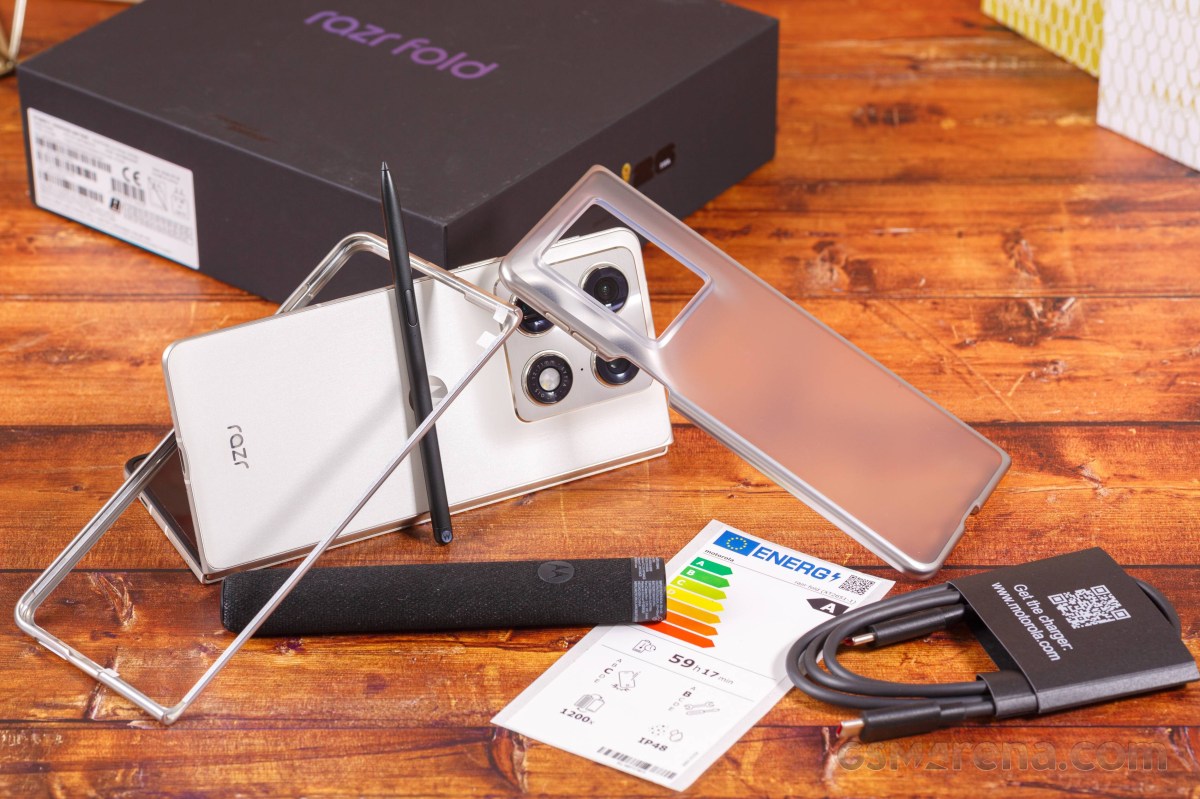
The sides of the bundled case have matching color to the Fold's frame, golden on this occasion.
The EU retail doesn't contain a charger, but it comes with Moto Pen Ultra and its charging bed. The bed is covered in black fabric, it has USB-C port for charging and a small battery indicator.
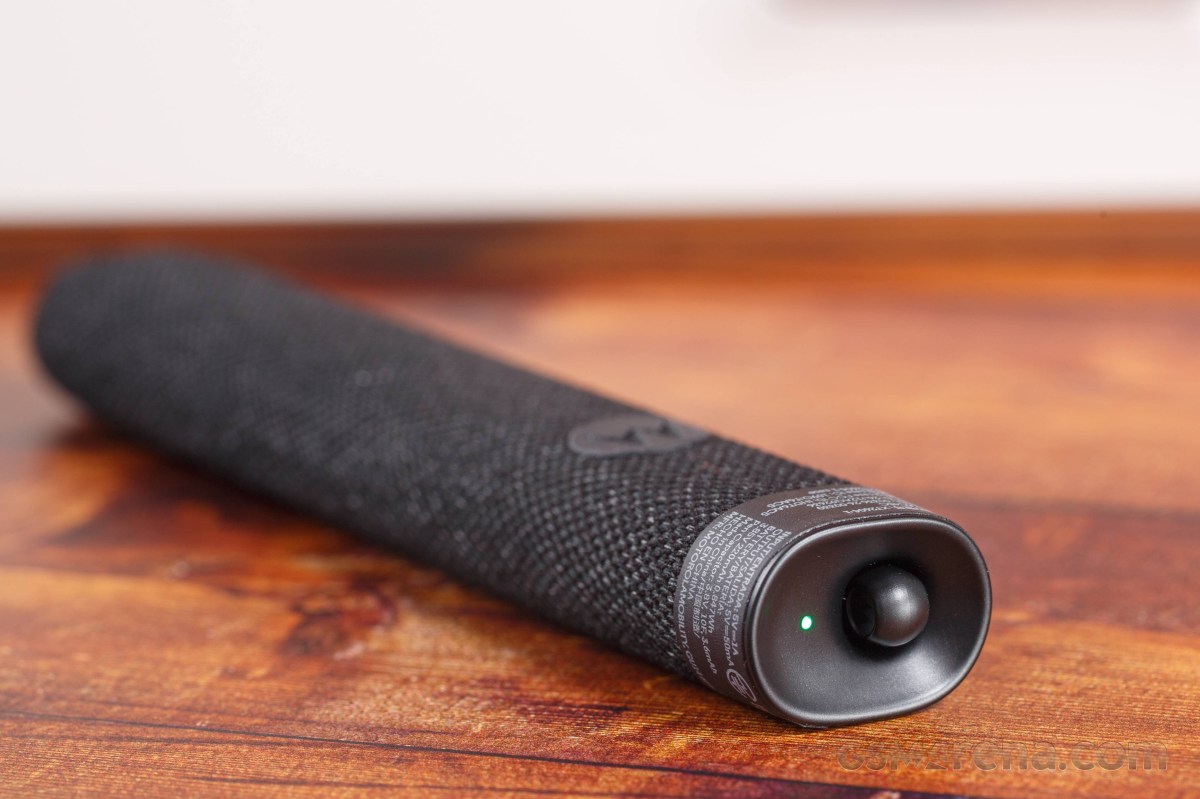
The box also contains a spare tip for the Pen Ultra.
Design, build quality, handling
Design, build quality, handling
The Motorola Razr Fold is not the thinnest or the lightest foldable on the market, but it sure looks has an unique charm to it. It has a certain class, a signature trait for Motorola, which makes it universally likable.
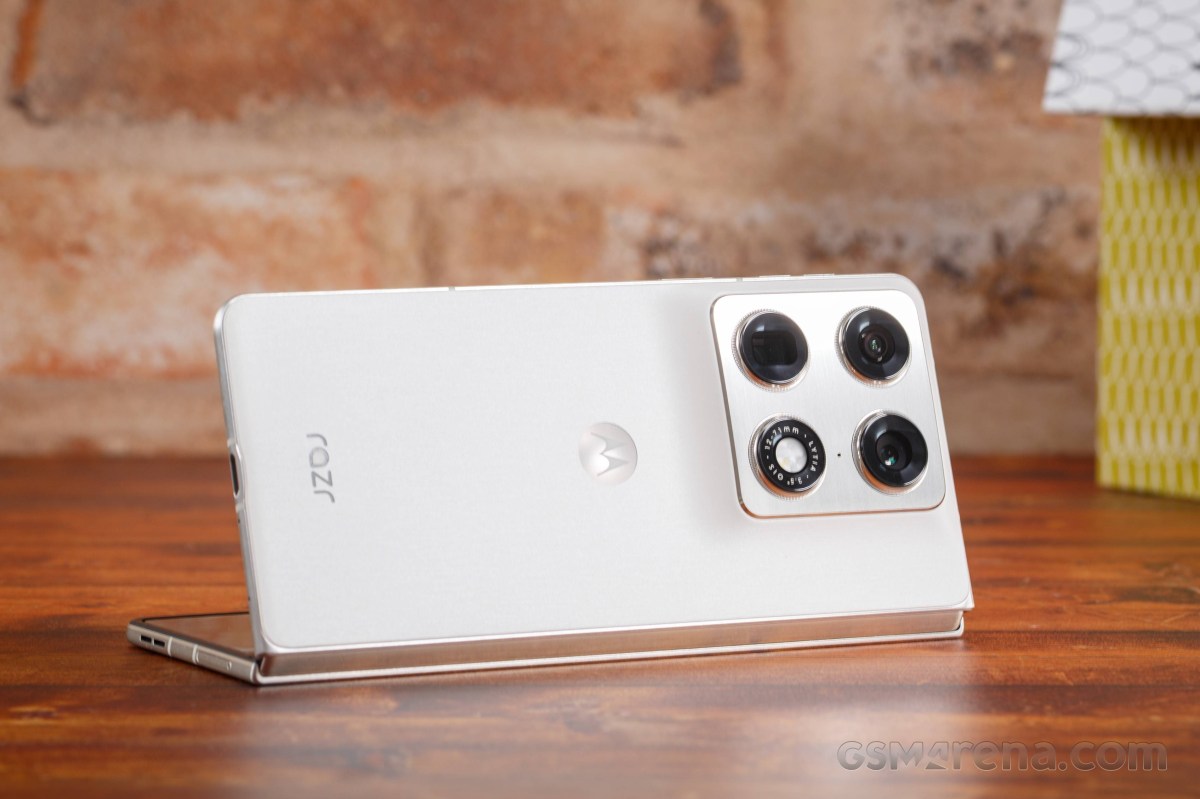
Let's start with the build, where Motorola has cut no corners when making the Razr Fold. It is the first smartphone to use the latest Gorilla Glass Ceramic 3 shield by Corning for the cover screen. The hinge is made of stainless steel and has the shape of a droplet to reduce tension and increase its durability. The chassis, including the frame and the camera island, is made of brushed aluminum.
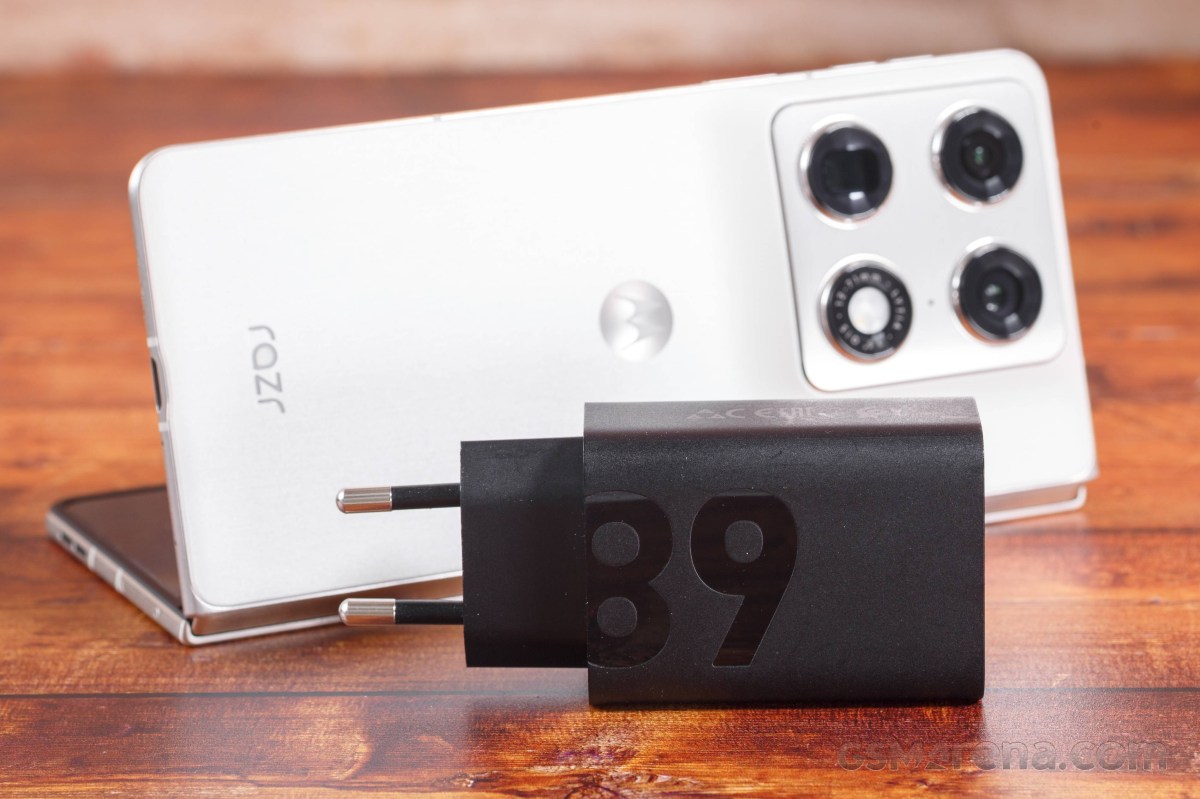
The back of the Razr Fold is worth exploring in detail. It is primarily made of high-quality vegan leather, but the texture is different depending on the colorway you get. The iconic Edge trait - the slowly raised camera housing - is evident, too. But unlike on the Edge series, the Razr Fold housing ends with an aluminum plate, making it look more serious.
Our Lily White version feels like silk, with a matte finish, and it's incredibly smudge resistant. It looks a bit like wood, but feels like an expensive fabric.
The Blackened Blue model has a grippier diamond-pattern texture that feels like rubber and looks like industrial material.
The foldable screen has an ultra-thin glass on top of it and a titanium screen place for distributing the inner pressure and reducing the crease. We can confirm that the Razr Fold feel virtually crease-less, which is great. Unless you specifically search for it, your fingers will have a hard time detecting it.
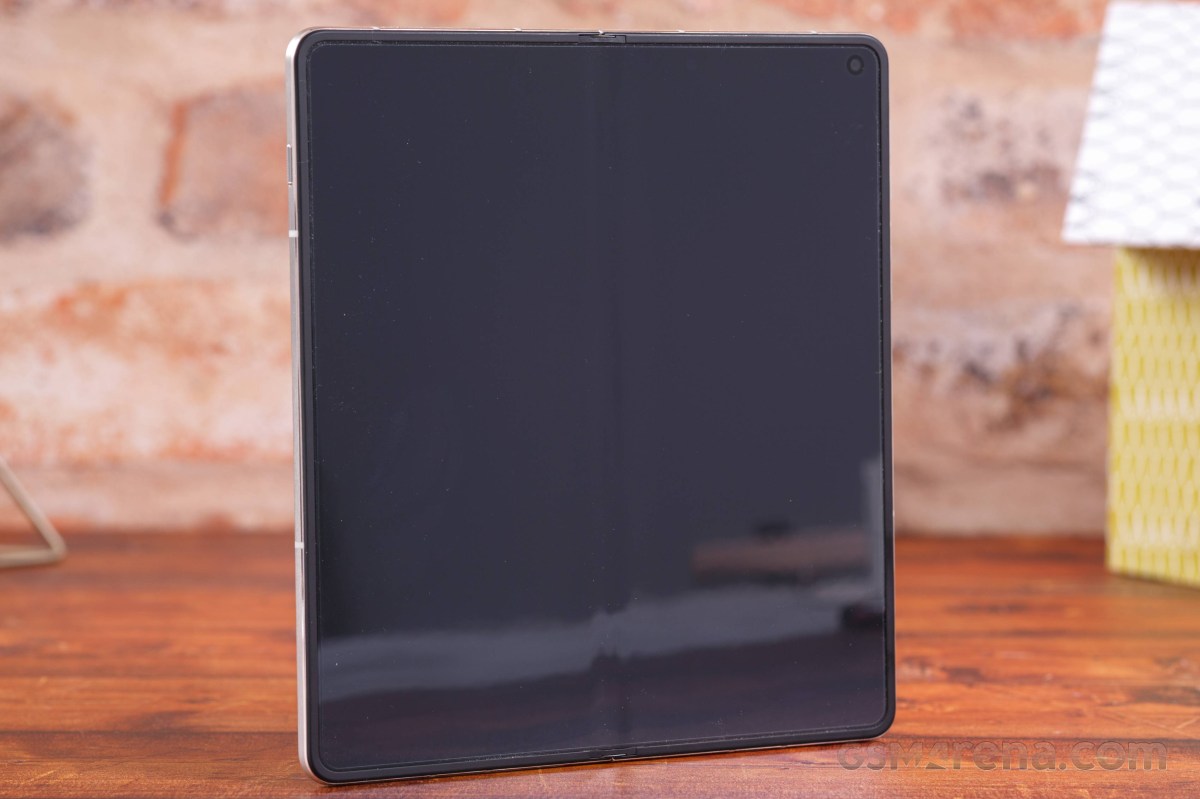
Sure, the crease can be visible under different angles, though we can't see you needing to use those in your everyday life.
The Razr Fold is IP48 and IP49 rated for basic dust, but complete water and pressurized water endurance. There are foldables with higher dust resistance on the market, so the IP4X rating is a step behind the best.
The 6.6-inch cover OLED cover screen has rounded edges and even bezels on all sides. It has a small perforation to make way for the 32MP selfie camera.
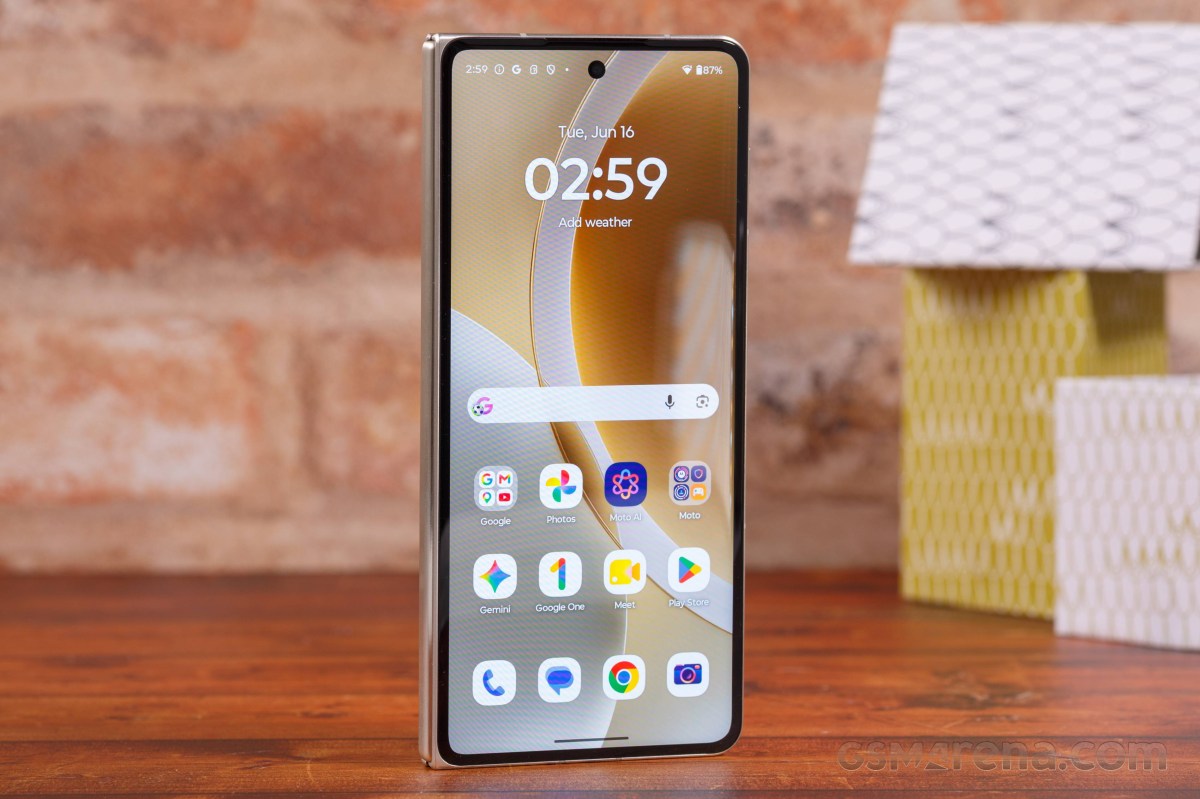
Above this screen is a barely visible earpiece.
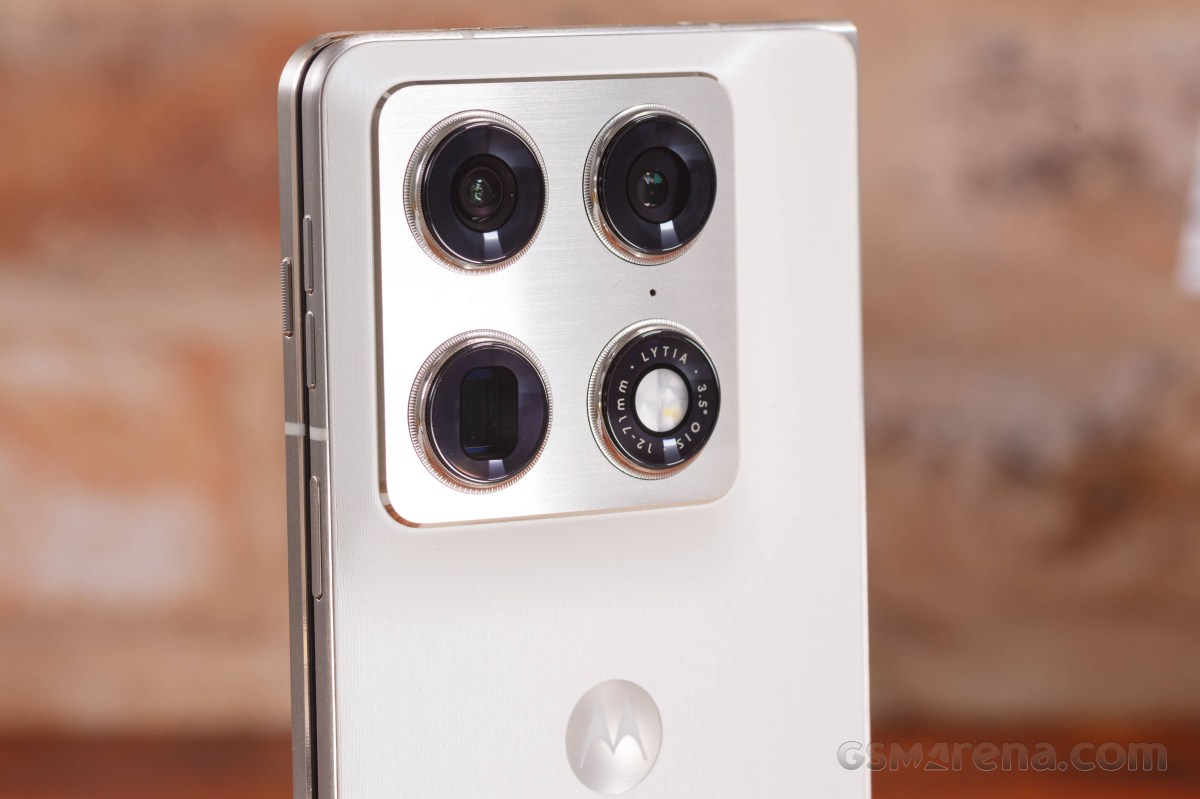
The back of the Razr Fold contains the square camera island - a large metal piece, its sides slowly rising from the back.
Here you can see the three 50MP cameras - main, 3x telephoto, ultrawide, plus the LED flash. Each of these four features a beautiful dial-shaped ring around it. You can also spot one of the microphones around here.
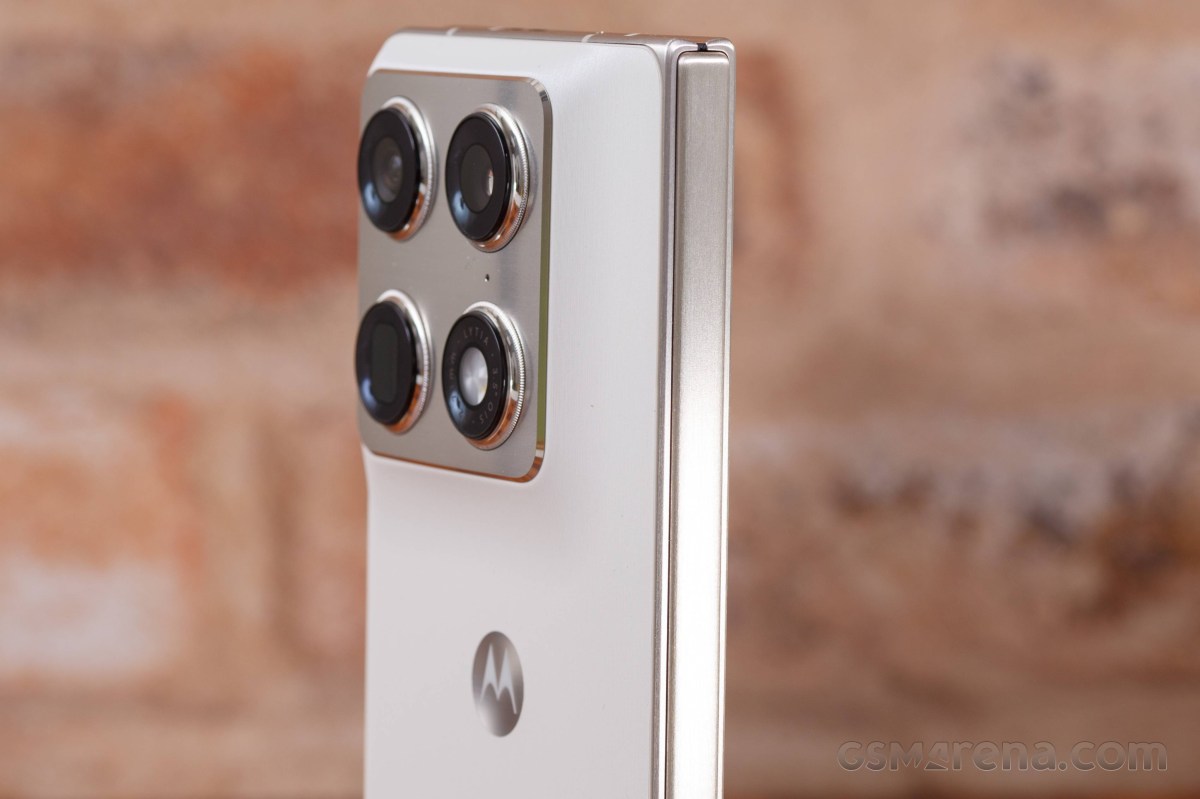
And before we open this Fold, we need to mention the brushed stainless-steel hinge.
When unfolded, the most interesting piece of hardware is the 8.1-inch foldable screen. While theoretically bezel-less, there is the usual plastic enclosure around it. The panel also has a punch hole for the 20MP front camera around the top right corner.
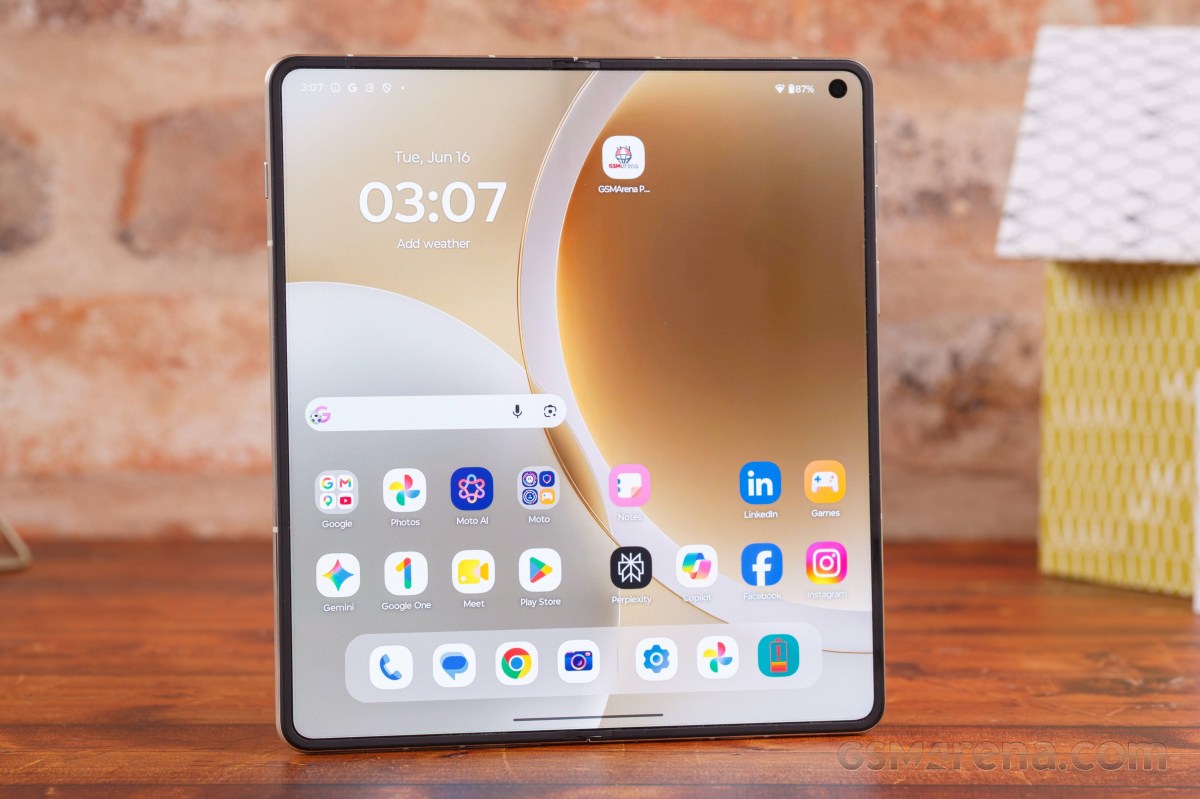
The crease can't be felt unless you try really hard, but it can be seen if you look at it from an angle.
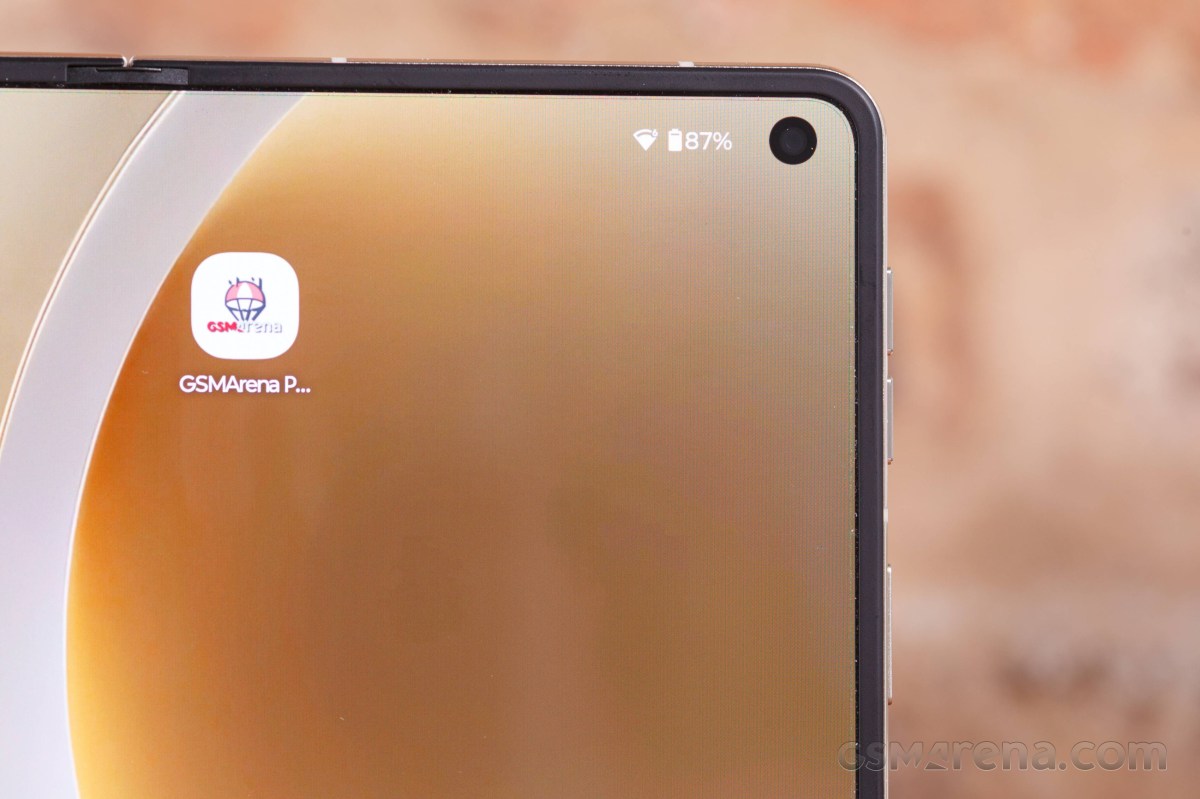
As far as foldable screens go, this one falls into the cream of the crop class, probably bested only by the Oppo Find N6 experience.
The thin aluminum frame has a lot of features.
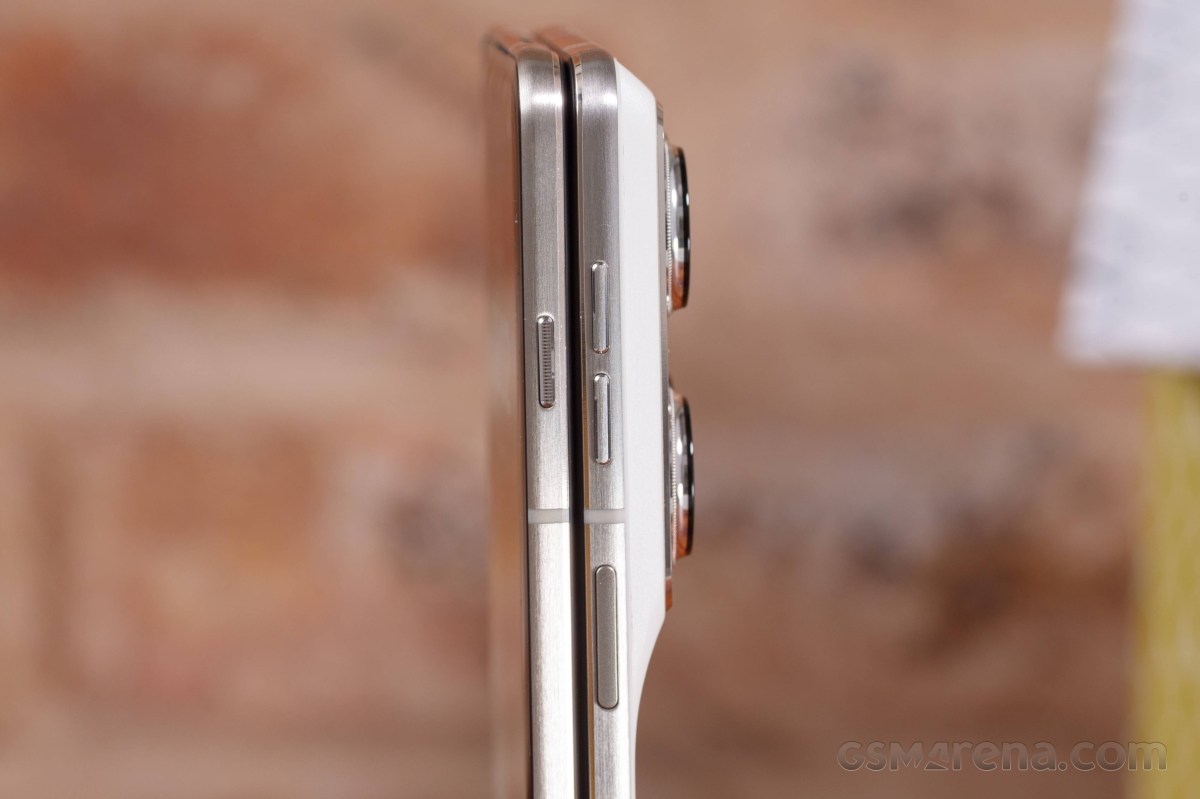
The AI key is alone on the left and you can customize its behavior.
The right side has the volume and the power/lock keys. The fingerprint scanner is embedded within the power key, it's always-on, and super fast and reliable.
The top of the Razr Fold has one of the speakers and two microphones.
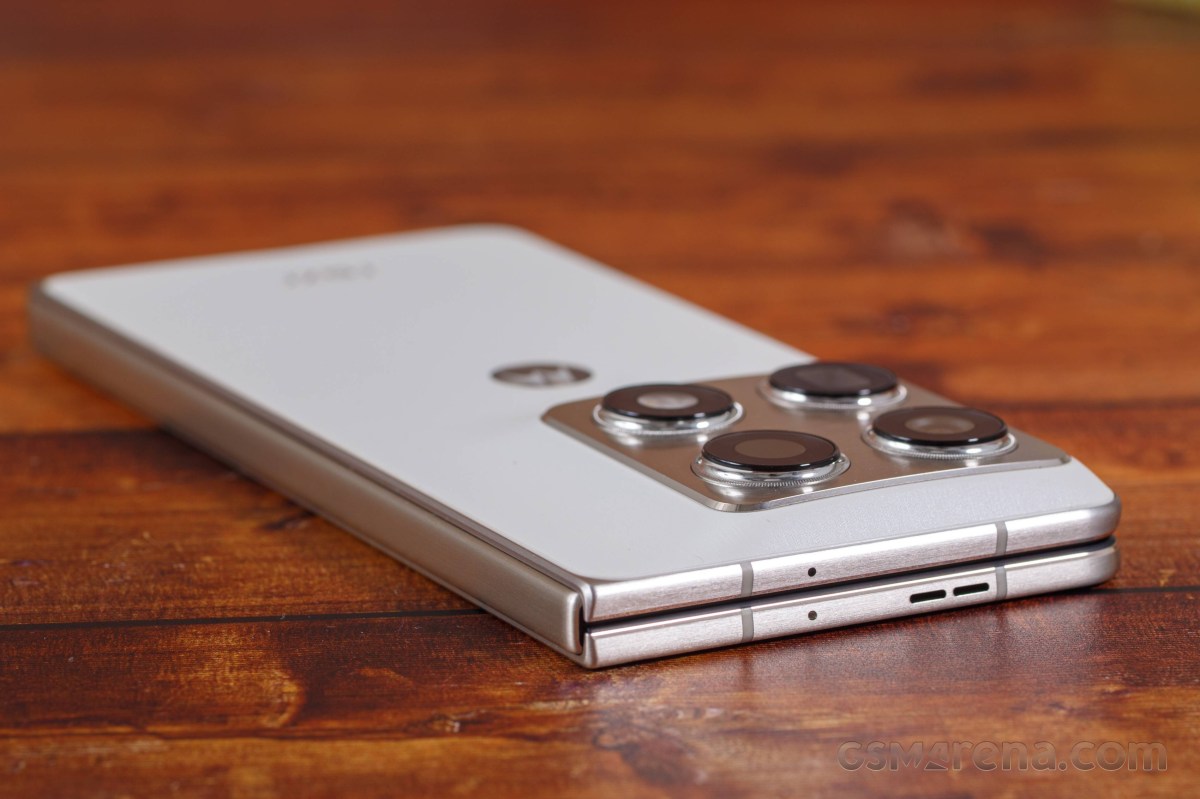
The bottom has the other speaker, two more microphones, the USB-C port, and the dual-SIM tray. You can also opt to use an eSIM or even two eSIMs instead of the physical slots.
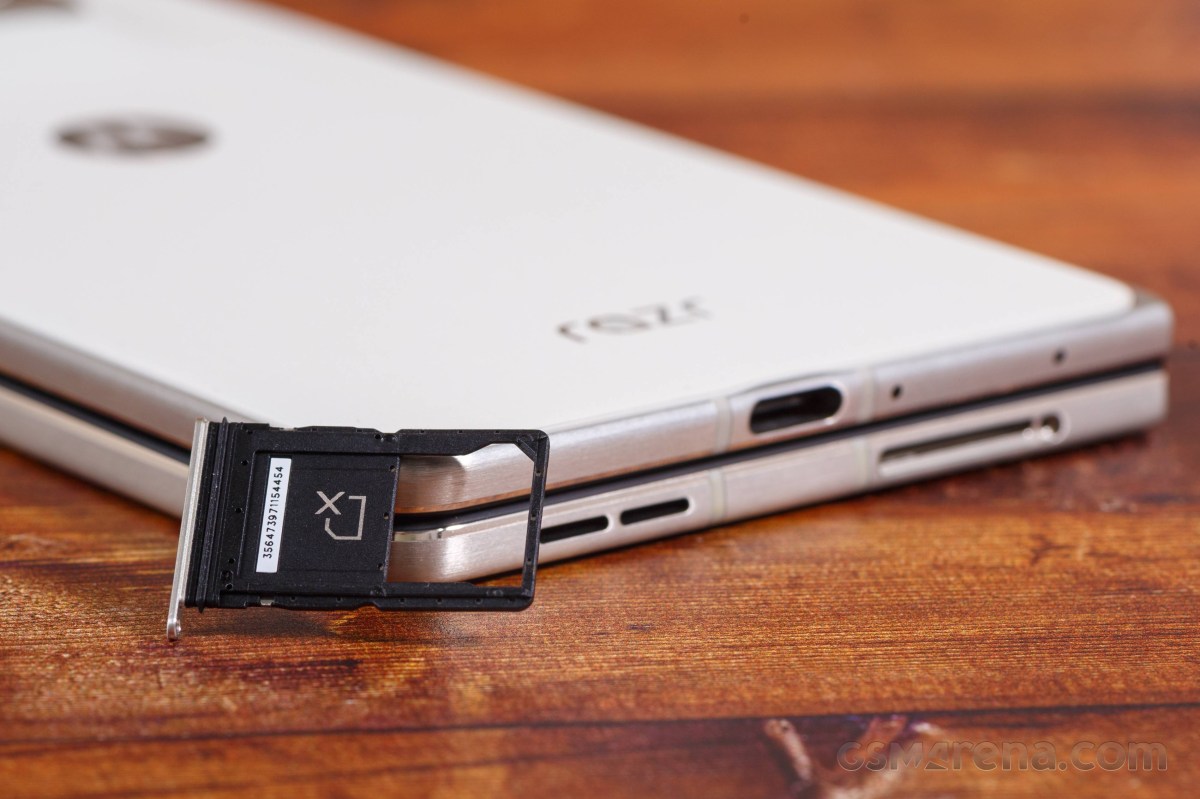
The USB connector supports Display Port 1.2 and high-speed USB 3.2 transfers.
The Motorola Razr Fold measures 160.1 x 73.6 x 10.1 mm and 160.1 x 144.5 x 4.7 mm when opened. It weighs 243 grams, making it the heaviest of the current crop of large foldables.
Having handled the Galaxy Z Fold7, the Find N6, and the Magic V6, we do not consider the Razr Fold to be a bulky or oversized device. Yes, it is a bit heavier, but it doesn't feel inferior to the aforementioned phones.
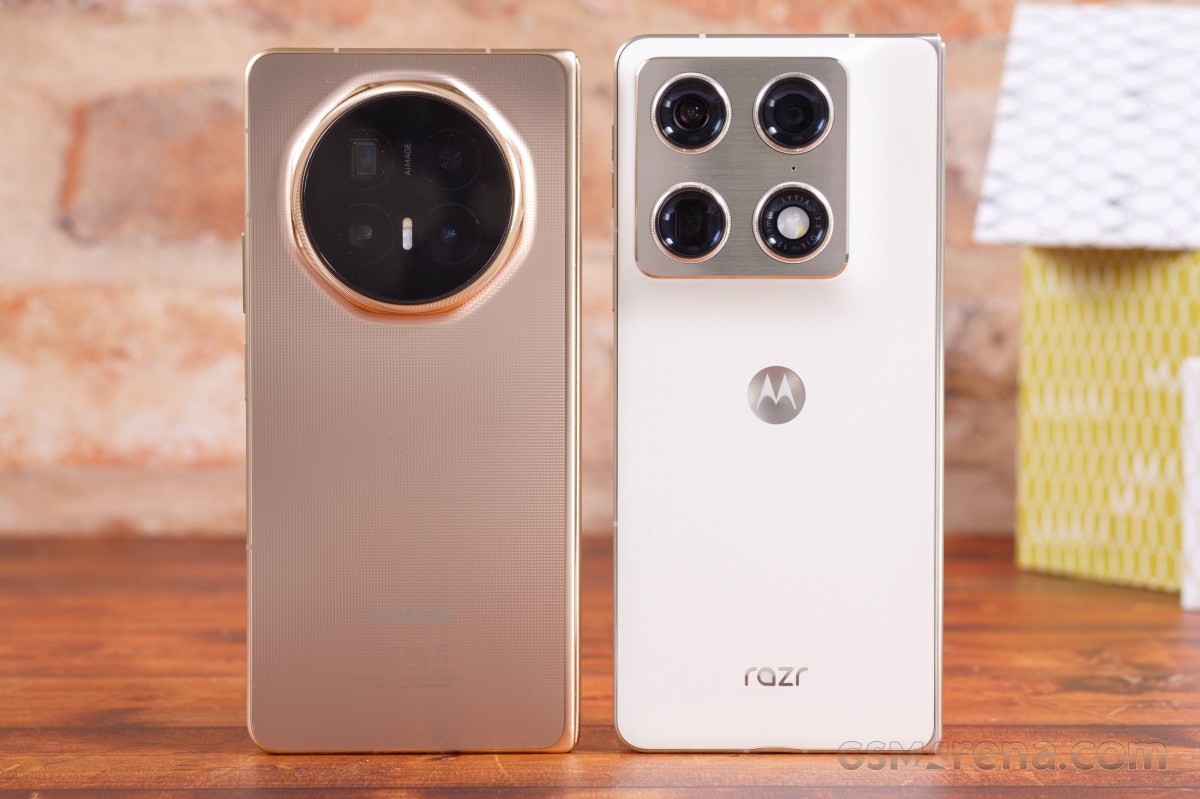 Magic V6 and Razr Fold
We did like the Motorola Razr Fold's hardware. In fact, we consider it the best looking foldable right now even if it's busier than the Galaxy Z Fold7. Maybe it's because of the signature Edge look. Or the barely noticeable curves around the cover screen and the back panel, which gives a hint of a premium you have a hard time pinpointing.
Our lab tests - display, battery life, charging speed, speakers
Displays
The Motorola Razr Fold has two high-end displays - a 6.6-inch cover OLED on the outside, and an 8.1-inch foldable OLED on the inside.
The foldable screen has a resolution of 2,232 x 2,484 pixels (410ppi) and support for 10-bit color depth, 120Hz refresh rate, HDR10+ and Dolby Vision. The advertised peak brightness for this panel is 6,200 nits.
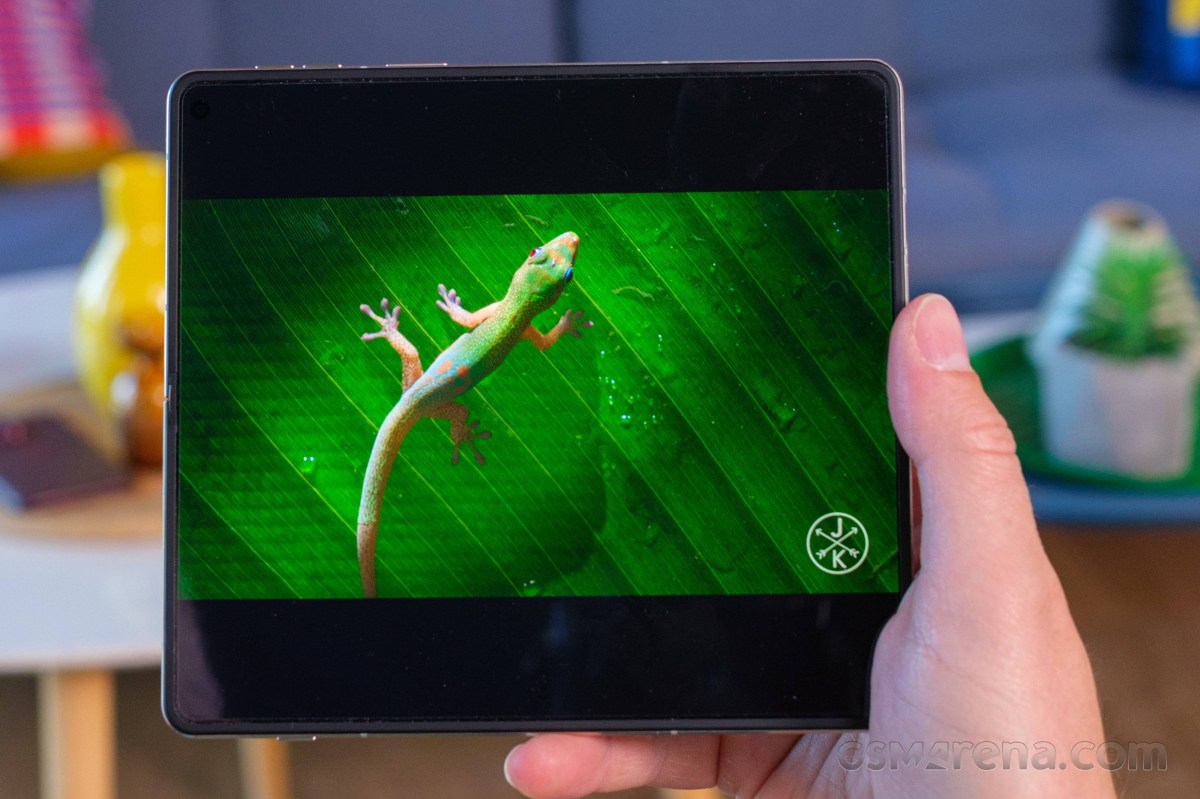
The cover screen has 1,080 x 2,520 pixel, 10-bit color depth, 165Hz refresh rate, HDR10+ and Dolby Vision supports. Its peak brightness as per the official specs is 6,000 nits.
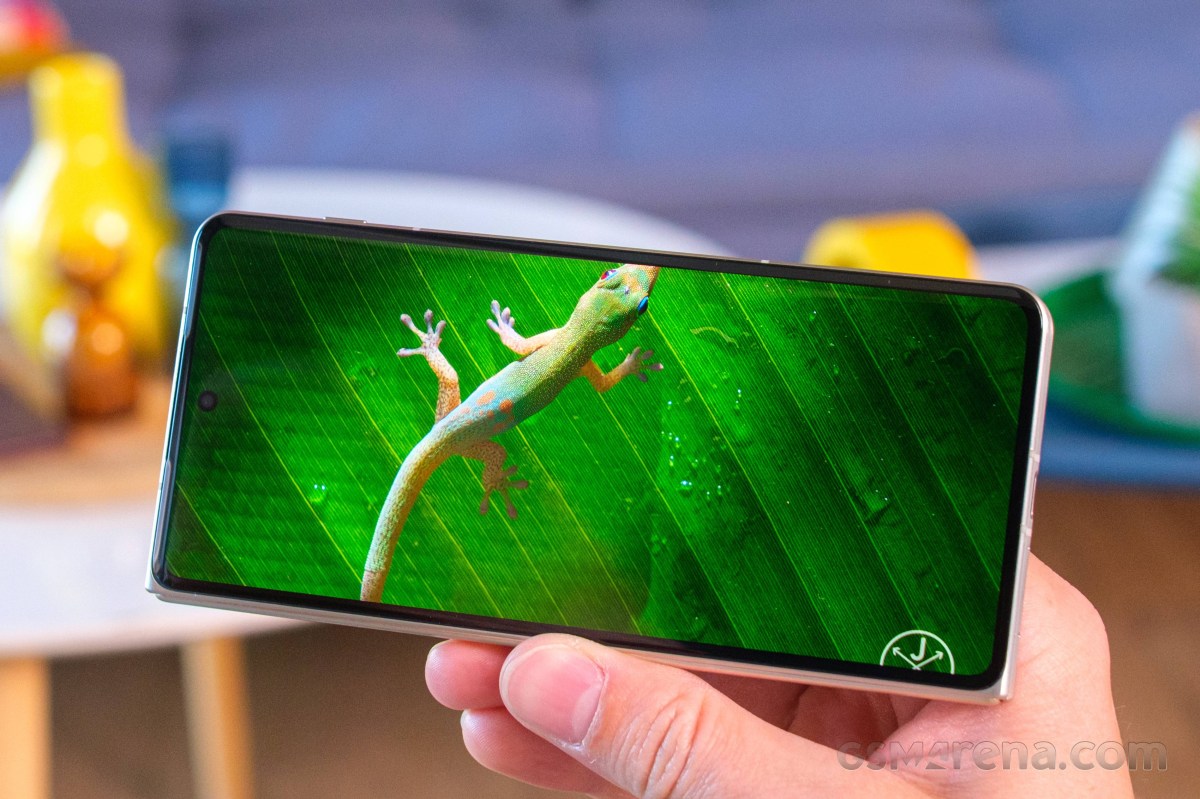
Both screens support the Motorola Pen Ultra, which is bundled with the Razr Fold.
We have completed our brightness measurements on both screens. As far as manual maximum brightness is concerned, the Razr Fold is fairly unimpressive - we observed 503nits on the foldable and 482 nits on the cover screen.
The maximum automatic brightness is solid across both panels - 1,478 nits on the foldable and 1,510 nits on the cover screen.
Finally, the Razr Fold posted some of the highest numbers we've captured for peak brightness (10% patch) across the book-style foldables - about 2,860nits on both screens.
You can see for yourself that the brightness performance was kept identical on both displays, which is quite rare. Even the minimum brightness was below 3 nits for both panels (2.9 nits for the foldable and 2.7 nits for the cover).
Max display brightness test
White test pattern (nits)
- Manual (75% fill)
- Auto (75% fill)
- Peak Auto (10% fill)
 Oppo Find N6 (cover, gallery)
 Honor Magic V6 (cover display)
Oppo Find N6 (gallery)
Honor Magic V6 (cover display)
Oppo Find N6 (gallery)
 Motorola Razr Fold (cover)
Motorola Razr Fold
Motorola Razr Fold (cover)
Motorola Razr Fold
 Galaxy Z Fold7 (Cover display)
Galaxy Z Fold7
Honor Magic V6
Oppo Find N6 (cover)
Oppo Find N6
Galaxy Z Fold7 (Cover display)
Galaxy Z Fold7
Honor Magic V6
Oppo Find N6 (cover)
Oppo Find N6
Refresh rate
There are three refresh rate modes as part of the Display settings - Smart & Balanced, Hyper Smooth, and Efficiency first.
The default mode is Smart & Balanced. It allows for up to 120Hz across the UI and HRR-reliant apps such as games and benchmarks, but uses 90Hz for most menus and apps such as Play Store, Gallery, Chrome, YouTube, etc. We also saw 30Hz and 60Hz used across various occasions. The refresh rate drops to 1Hz when idling.
Hyper Smooth behaves the same way as Smart & Balanced, but all compatible apps are rendered in 120Hz instead of 90Hz or 60Hz.
Efficiency First caps the refresh rate at 60Hz, but it still drops to 30Hz and 1Hz when needed.
The cover screen supports 165Hz, but it's not available from the Display settings. In fact, there is no obvious way to set the refresh rate on a per-app basis. This is done via the Games app, which holds an "override" mode.
This is the only way to get a 165Hz refresh rate on the cover screen. You go into a game's profile settings within the app and select a fixed refresh rate of your choosing. The game then runs at that fixed resolution. We tried a whole bunch of games that we know support over 60fps rendering, and all of them successfully ran at 165Hz through this override.
Game settings
HDR and streaming
Both screens on the Motorola Razr Fold support HDR10+ and Dolby Vision. While they are successfully recognized by the hardware scanning apps and some streaming apps such as YouTube, Netflix does not recognize either screen as HDR-capable.
Android HDR Ultra is supported on both displays.
Battery life
The Motorola Razr Fold is powered by a 6,000mAh Si/C battery, plenty for a book-style foldable. We've completed our battery life routines on both screens and the results are in.
The Motorola Razr Fold and its 8.1-inch large screen aced our battery life test. The phone gauged 16:03 hours Active Use Score and did incredibly well across all four battery life tests. This means that the Razr Fold is the leader in the current crop of book-style foldables.
The endurance on the cover screen turned out similarly impressive. Here, the Razr Fold posted 20:17h Active Use Score, a thoroughly impressive one.
Charging speed
The Motorola Razr Fold support 80W UPB-PD fast wired charging and 50W fast wireless charging. There is also support for reverse wireless charging (up to 5W).
We have carried out the charging tests on both screens with a 125W Motorola power adapter and with the Charge Boost turned on (that's the default setting). You can use any USB-PD 80+W charger really, they would work just fine and 80W TurboPower is detected.
The Razr Fold recharges quite fast. In its open state, the one Motorola recommends, we got 36% in 15 mins, 66% in 30 mins, and it reached 100% on the 60min mark.
Even when closed, the Razr Fold still offers quite fast charging - 34% in 15mins, 55% in 30mins, and 100% in 66mins.
Charging speed
- in 15 min
- in 30 min
- Time to full charge (from 0%)
Oppo Find N6
 vivo X Fold5
Oppo Find N6 (folded)
Motorola Razr Fold
Honor Magic V6 (cover)
Motorola Razr Fold (cover)
Galaxy Z Fold7
vivo X Fold5
Oppo Find N6 (folded)
Motorola Razr Fold
Honor Magic V6 (cover)
Motorola Razr Fold (cover)
Galaxy Z Fold7
In terms of battery protection features, you get a familiar limiter that can either be manually set to charge up to 80% always or on a schedule, or you can let AI determine your charging habits and only top up the battery an hour before you typically unplug your phone.
We want to circle back to the wireless charging. The Razr Fold does not cover the Qi2 standard Which means it relies on a proprietary charger to go higher than the usual 15W, and Motorola used to have a 50W TurboPower Wireless Charger Dock, but it doesn't seem available anymore.
Speakers
The Motorola Razr Fold has a pair of stereo speakers placed symmetrically on its top and bottom when close and diagonally, when open.
The two speakers sound quite nice and balanced no matter how you are using the Fold.
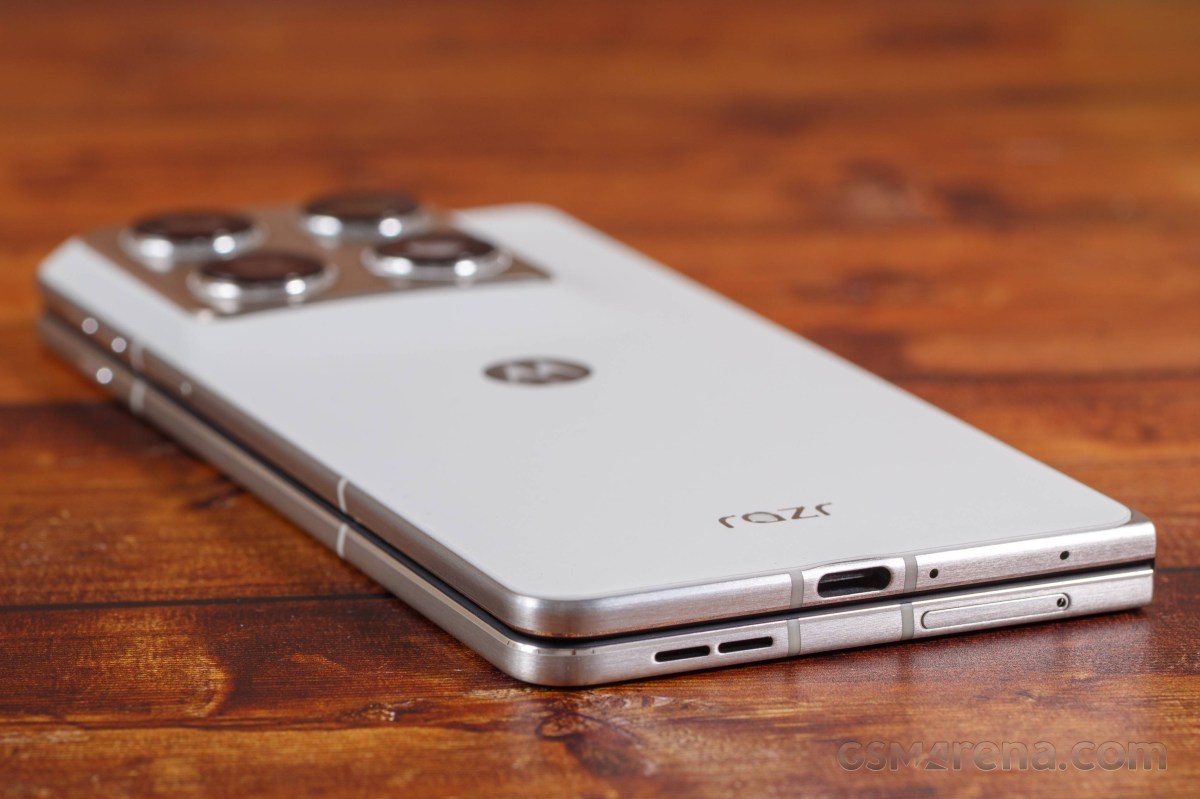
The speakers scored an Average mark on our loudness test. While the setup sounds alright, indeed we have heard louder.
The audio quality is good - there is adequate bass, good rendition of the high frequencies, but the vocals are average.
Use the Playback controls to listen to the phone sample recordings (best use headphones). We measure the average loudness of the speakers in LUFS. A lower absolute value means a louder sound. A look at the frequency response chart will tell you how far off the ideal "0db" flat line is the reproduction of the bass, treble, and mid frequencies. You can add more phones to compare how they differ. The scores and ratings are not comparable with our older loudspeaker test. Learn more about how we test here.
Software, performance
Hello UI on top of Android 16
The Motorola Razr Fold boots Android 16 with the lightweight Hello UI by Moto. And if you have used any recent Motorola, you will feel right at home with the Fold. You can check out our Hello UI/Moto AI video for a better understanding. We made that video last year for the Moto Edge 60.
Motorola promises seven major Android upgrades for the Razr Fold, which means it will be supported well past the point where its hardware is obsolete.
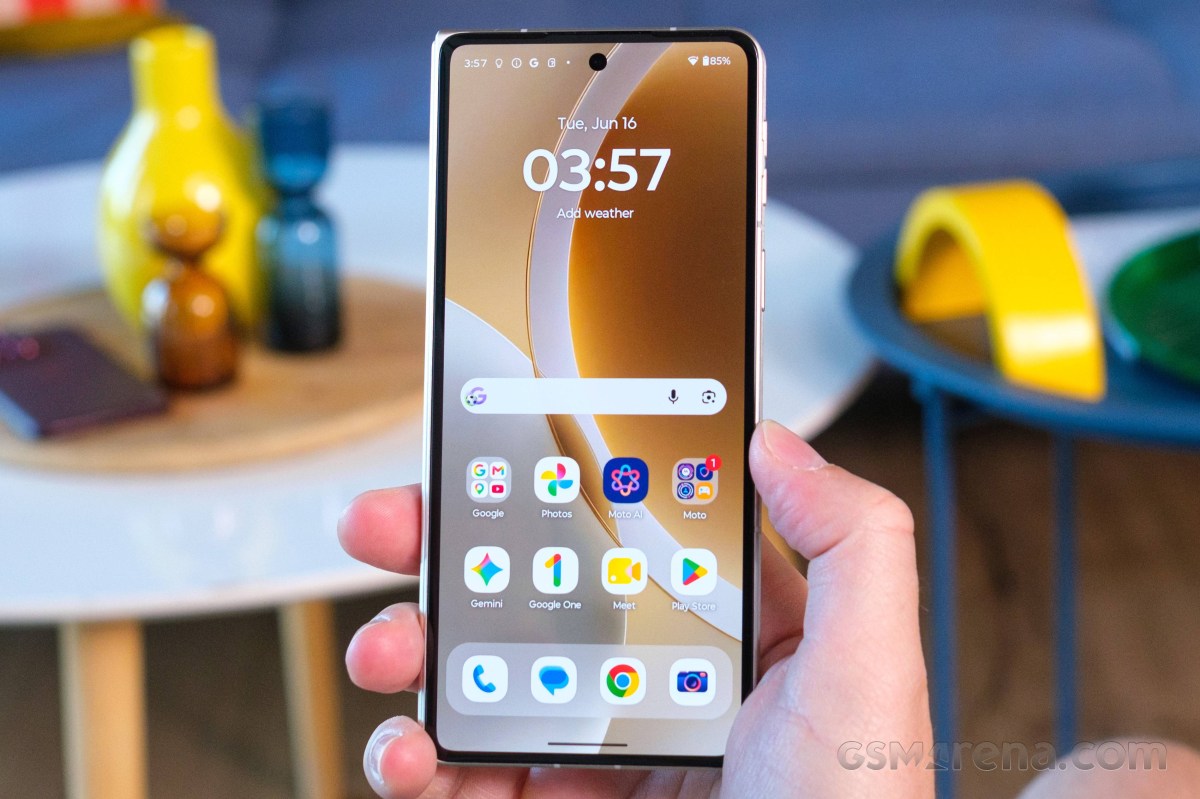
Motorola continues to offer one of the cleaner Android implementations around, combining a largely stock-looking interface with a growing number of proprietary features and enhancements. Thankfully, these additions are generally useful and tastefully implemented, complementing rather than complicating the overall experience.
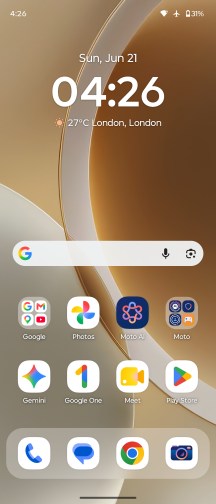
Hello UI
The distinctive font helps Motorola's phones stand out from the crowd despite the otherwise familiar Android interface, while the additional functionality is neatly consolidated inside the Moto app. Motorola refreshed the hub not too long ago, improving its organization and navigation. Categories with a large number of options, such as Gestures, are now laid out more efficiently, making it possible to access everything from a single screen.
Moto app
Smart Connect (formerly known as Ready For) is Motorola's umbrella branding for its extended connectivity suite. It bundles all features related to linking the phone to a PC, tablet or external display, whether via cable or wirelessly. Screen streaming, a desktop-style interface, phone-to-PC integration, Smart Sharing, Smart Clipboard, cross-device control and more are all neatly consolidated under a single menu. With its DP over Type-C support, the Motorola Razr Fold is very versatile when it comes to video output.
The Smart Connect app is where you would also pair your Moto buds, watch, VR, and tags.
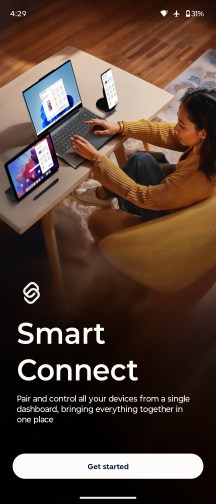
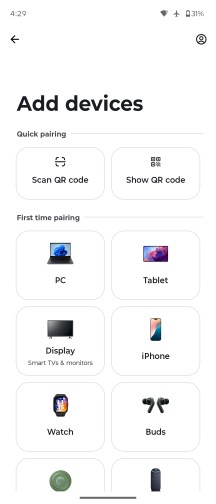
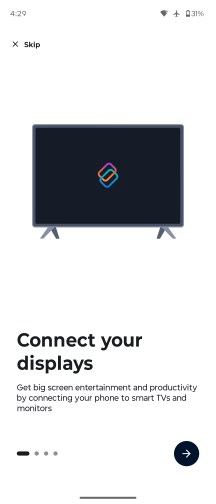
Smart Connect
Motorola approaches AI a bit differently compared to most of its rivals. Instead of locking you into a single assistant, it lets you choose between multiple AI models on the same device. Alongside Google's Gemini, you also get Motorola's in-house solution, dubbed Moto AI, which is designed to be readily available from virtually anywhere in the interface.
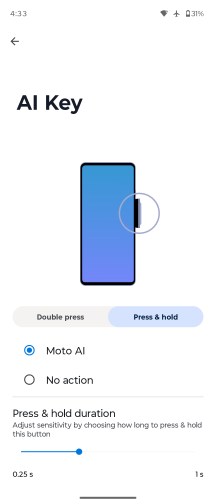
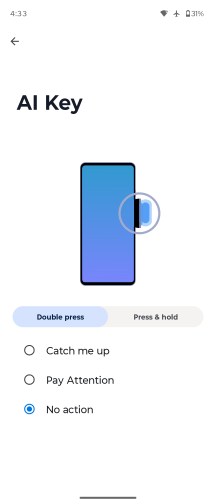
AI key
You can bring up the Moto AI chat bar using the dedicated AI key on the side of the phone, a double-tap gesture on the back (one of the configurable Moto actions), or through an optional floating bubble overlay.
As with any modern AI chatbot, you can query Moto AI about just anything on the fly - from general knowledge questions to guidance on enabling features and navigating settings on the phone itself.
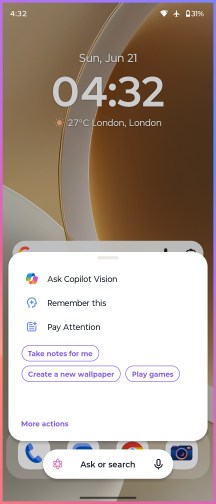
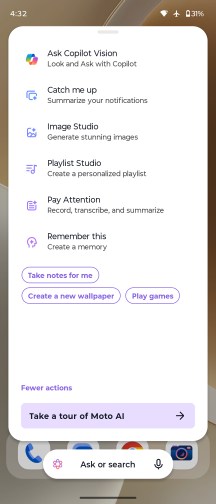
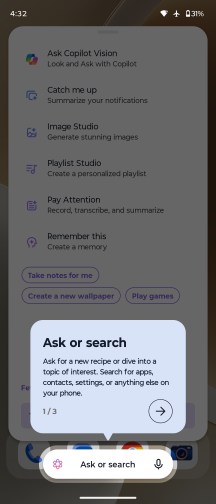
Moto AI
More recently, Moto AI has also gained Copilot Vision integration, which functions similarly to Gemini Live. Beyond simple text conversations, it can analyze what the camera sees and answer questions about your surroundings in real time.
Pressing the dedicated AI key doesn't just open the chat interface, though - it also brings up a curated list of AI-powered tools. Catch Me Up is Motorola's take on notification summaries, neatly condensing recent alerts into a single, digestible overview. Pay Attention handles audio recording, transcription and summarization duties.
Google Gemini is available out of the box, too.
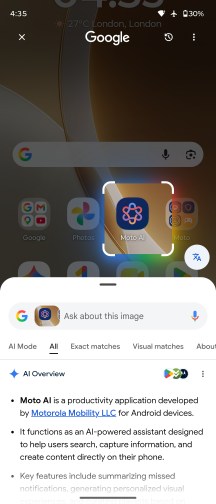
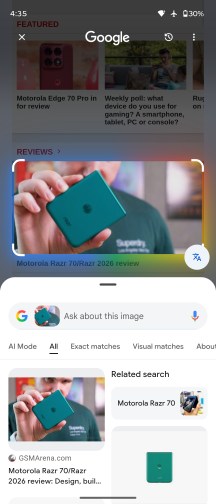
Google Circle to Search
Moto AI can handle a wide range of tasks, including device-specific actions and contextual assistance. It can summarize notifications, record and transcribe conversations, generate summaries of on-screen content, and save information in the form of screenshots, photos, or text notes. It also supports image generation, allowing users to create visuals from simple text prompts.
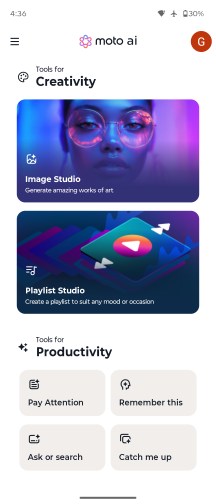

Moto AI
The image generation capabilities are wide-ranging and can be accessed from the Image Studio section inside the Moto AI app. Image Studio was previously its own app, but it appears to have been rolled into Moto AI. The interface and features haven't really changed, though.

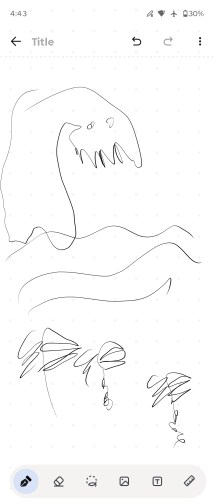
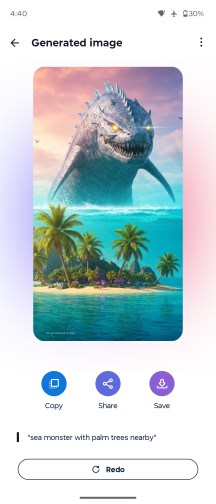
Image Studio
AI tricks aside, the back-tap gesture is a genuinely handy shortcut. Dubbed Quick Launch, it isn't tied exclusively to Moto AI. You can configure it to open an app of your choice, control music playback, jump back to the home screen, return to the previously used app, and more, making it a flexible addition to the gesture toolbox.
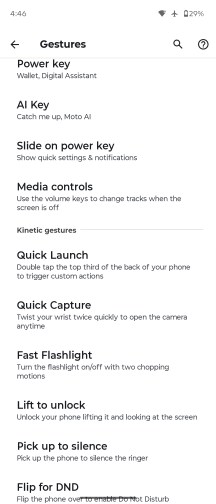
Gestures
As is customary for Motorola, the interface also includes a few signature motion shortcuts. The classic double "karate chop" toggles the flashlight, while a quick wrist twist launches the camera - both remain fast, reliable and intuitive.
On top of Google's default app suite, Motorola adds a couple of its own apps. There's a clean-looking yet surprisingly capable Notes app with AI-powered features, as well as Moto Unplug, a tool designed to help you manage notifications, disconnect when needed and maintain a healthier digital balance.
Foldable features
The Motorola Razr Fold has plenty of addition to the standard UI to utilize its form factor. In fact, it offers more than we expected for a first attempt.
Foldable features
Let's begin with the obvious - the interface. The Android UI has been optimized for book-style foldables years ago and the logic has not changed much. There is a two-pane layout across the board - homescreen, settings, notifications and quick settings, plenty of compatible apps.
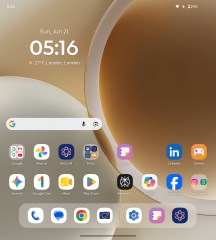
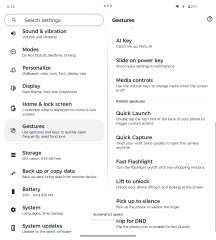
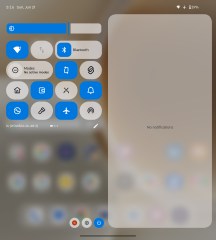
Moto UI
The task bar sits at the bottom with the pinned apps and the most recently opened apps.
As with most of the foldables, when you are running an app in full screen mode, you can use the task bar (just swipe from the bottom to reveal it) to open apps in split screen or pop-up (called freeform) mode.
Split-screen and freeform are the two options for multi-tasking on both screens - cover and foldable.
You can have two apps on a split screen and one on top of them as a pop-up window.
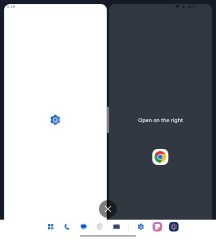
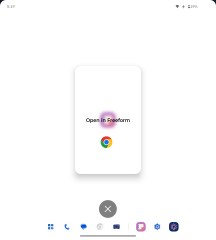
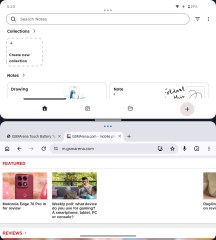
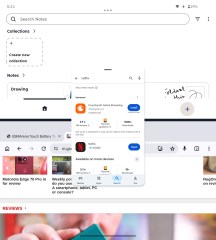
Multi-tasking on the foldable screen
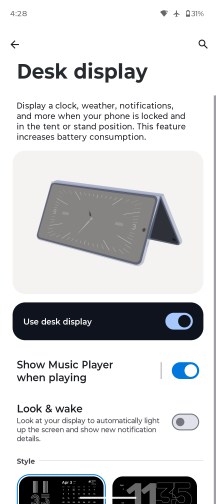
There are two interesting features for the foldable - Laptop mode and Desk Display.
Laptop mode has been available in limited capacity on many previous book-style foldables. You open/close the Fold at a random angle and it looks like a tiny laptop. The bottom of the screen becomes a touchpad with additional controls for cut/copy, sound, brightness, and notifications. Once you start using the touchpad, you will see the mouse at the upper part of the screen.
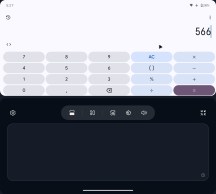
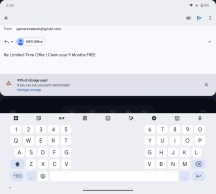
Laptop mode
If the Laptop-enabled app supports keyboard input, like Gmail, you will get a keyboard at the bottom, with options for GIG, emoji, AI creation, and more.
It is a very neat feature, one that we found ourselves using more than we expected.
Desk Display is an expansion of the Nightstand. You leave the Fold semi-open and you can enjoy a beautiful clock with calendar. You can choose to show which song is playing on this screen, too.
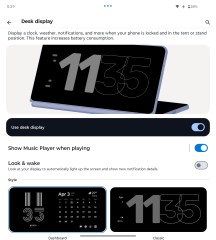
Desk mode
Desk Display supports Look and Wake function - it relies on the selfie camera to recognize when you are looking - and it will only show the Desk Display during that time.
Moto Pen Ultra
The Motorola Pen Ultra and its beautiful charging case with dark fabric comes bundles with the Razr Fold. The pen connects to the Fold via Bluetooth. It has a single button on it, and a spare tip inside the box.
The case, together with the pen, offers 30 hours of use, while a single charge of the pen gives you 3 hours.
The stylus is active, obviously. And thanks to the active connection to the Moto, the stylus offers a functional button on the stylus stem (single press, long press), it supports hover and tilt/pressure recognition, and it gets better accuracy and lower input lag.
We can confirm that writing and drawing with the stylus is great, hassle-free, and feels like zero lag.
Hover is recognized everywhere, and you can use the Hover to Zoom functionality.
Pressure sensitivity allows for bolder text, while tilting should be able to turn into thicker lines for easier shading, though admittedly, that didn't work in the Notes app.
When you remove the stylus from the phone, you get a floating menu with customizable options - open a new note, take a screenshot to write on (annotate), zoom, sketch to image. You can add or remove apps and settings from this menu, which is handy.
This stylus supports Knock Knock gesture on a flat surface (different from the phone's display). It takes a screenshot, but, unfortunately, it is not customizable.
You can use the button of the Pen inside the Camera app - single press on the button for photo and press and hold to capture video for the hold duration.
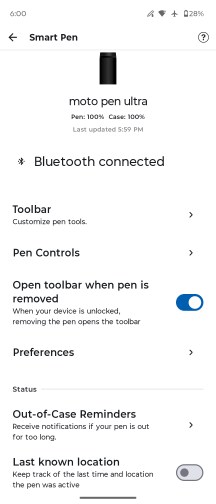
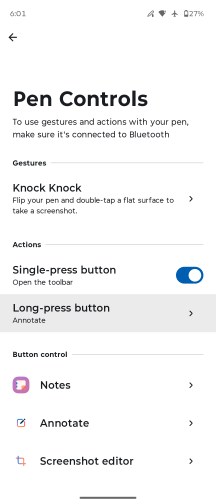
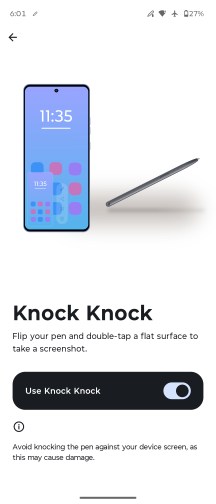
Stylus options
Taking notes is super easy, and the screen and the stylus are nicely responsive. Converting the handwritten text to machine text is almost flawless, too.
We also found the handwriting calculator quite handy. It supports quite advanced calculations, including integrals. To use this calculator, you need to be in Notes - Drawing mode. It does not do calculations when in the note-taking mode.
The Annotate option (crop and write from the screen) is neat, too, and it will probably be one of the most used stylus functions.
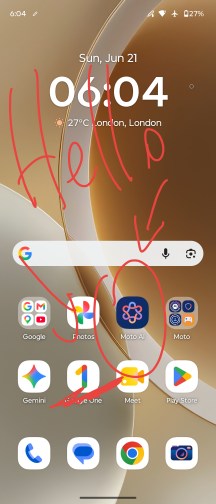
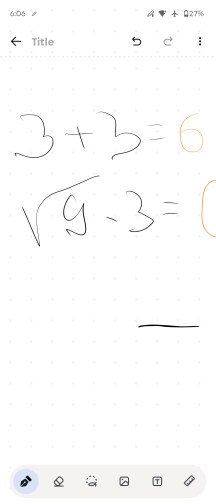
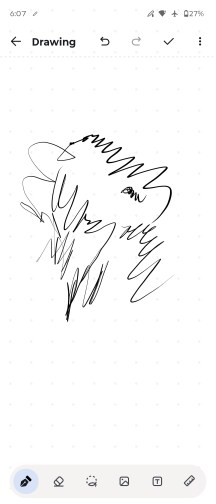
Anotate • Handwriting calculator • Note taking
The Sketch-to-image feature uses AI to create pictures from your odd drawings. And it works well too!
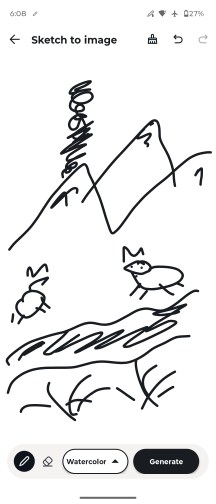
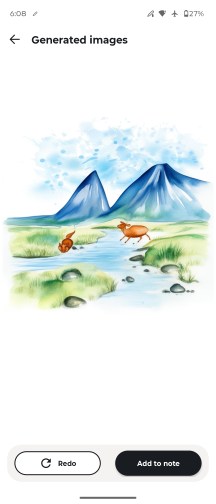
Sketch to image
Performance and benchmarks
The Motorola Razr Fold is powered by the Snapdragon 8 Gen 5 chip, one of the most powerful platforms on the market right now. It is coupled with 16GB of LPDDR5X RAM and either 512GB or 1TB of UFS 4.1 storage.
The Snapdragon 8 Gen 5 makes some downgrades from the 8 Elite Gen 5. For starters, while the CPU cores have the same 2+6 structure, the Prime cores are clocked 17%+ lower, and the performance cores are clocked 8% lower.
The Adreno 829 GPU is a slightly higher clocked version of the Adreno 825 found on the Snapdragon 8s Gen 4 (Poco F7 and Nothing Phone 3) and nowhere close to the Adreno 840 on the 8 Elite Gen 5 in terms of compute units or graphics memory.
All things considered, we think the Razr Fold is using a solid chipset for a large foldable, one that may give it better sustained performance than the Elite, which can cause cooling issues when combined with the slim folding bits.
Let's run some benchmarks now.
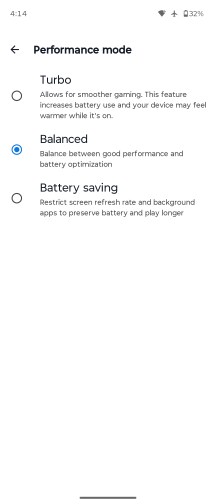
Obviously, the Motorola Razr Fold is not the most powerful large foldable at the moment as it is not using the Elite chipset. But you can see it scores better than the Magic V6 in its Balanced mode (default) settings and it's still pulling some great scores across the board.
GeekBench 6
- Single-core
- Multi-core
Oppo Find N6 (cover)
Honor Magic V6 (cover, perf.)
Honor Magic V6 (perf. mode)
 Honor Magic V5
Galaxy Z Fold7
Galaxy Z Fold7 (Cover display)
Motorola Razr Fold
Motorola Razr Fold (cover)
Honor Magic V6 (balanced mode)
Honor Magic V6 (cover, balanced)
Honor Magic V5
Galaxy Z Fold7
Galaxy Z Fold7 (Cover display)
Motorola Razr Fold
Motorola Razr Fold (cover)
Honor Magic V6 (balanced mode)
Honor Magic V6 (cover, balanced)
AnTuTu
- v10
- v11
Honor Magic V6 (cover, perf.)
Honor Magic V6 (perf. mode)
Oppo Find N6 (cover)
Oppo Find N6 (unfolded)
Motorola Razr Fold (cover)
Motorola Razr Fold
Honor Magic V5 (Cover Display)
Honor Magic V5
Honor Magic V6 (cover, balanced)
Honor Magic V6 (balanced mode)
3DMark
- Wild Life Extreme (Highest)
- Wild Life Extreme (Lowest)
- Solar Bay (Ray Tracing)
Oppo Find N6 (cover)
Honor Magic V6 (cover, balanced)
Honor Magic V6 (perf. mode)
Honor Magic V6 (balanced mode)
Galaxy Z Fold7 (Cover display)
Galaxy Z Fold7
Honor Magic V5
Honor Magic V5 (Cover Display)
Motorola Razr Fold (cover)
Motorola Razr Fold
The Motorola Razr Fold has a modern chip and enough RAM to handle games, heavy tasks and various multi-tasking scenarios. We never saw it stutter, no matter what, and games ran hassle-free on either screen.
The sustained performance is quite alright for this form factor. The Razr Fold kept 57% of its CPU and 72% of its GPU performance - as per the stress tests we ran on its large screen.
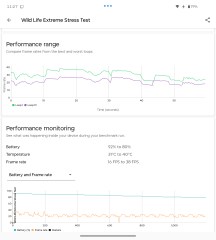
CPU test • GPU test
The stress test on the cover screen returned worse results, quite expectedly. When closed, the phone cannot cool down as well as when opened.
In this case, the Razr Fold performance dropped down to 52% for CPU and 53% for graphics.
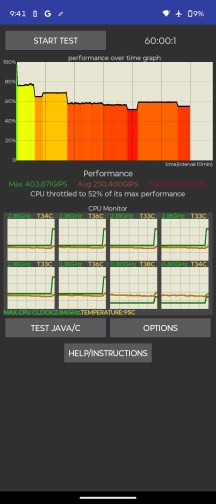
CPU test • GPU test
Camera - photo and video quality
Motorola Signature triple setup on the back of the Razr Fold
The Razr Fold is practically a foldable Motorola Signature when it comes to its cameras - the entire triple setup on the back has been lifted from the company's non-bendy flagship. The Signature's selfie camera didn't make the cut though, its 50 megapixels roughly split into two modules on the Fold (20MP on the cover, 32MP inside).
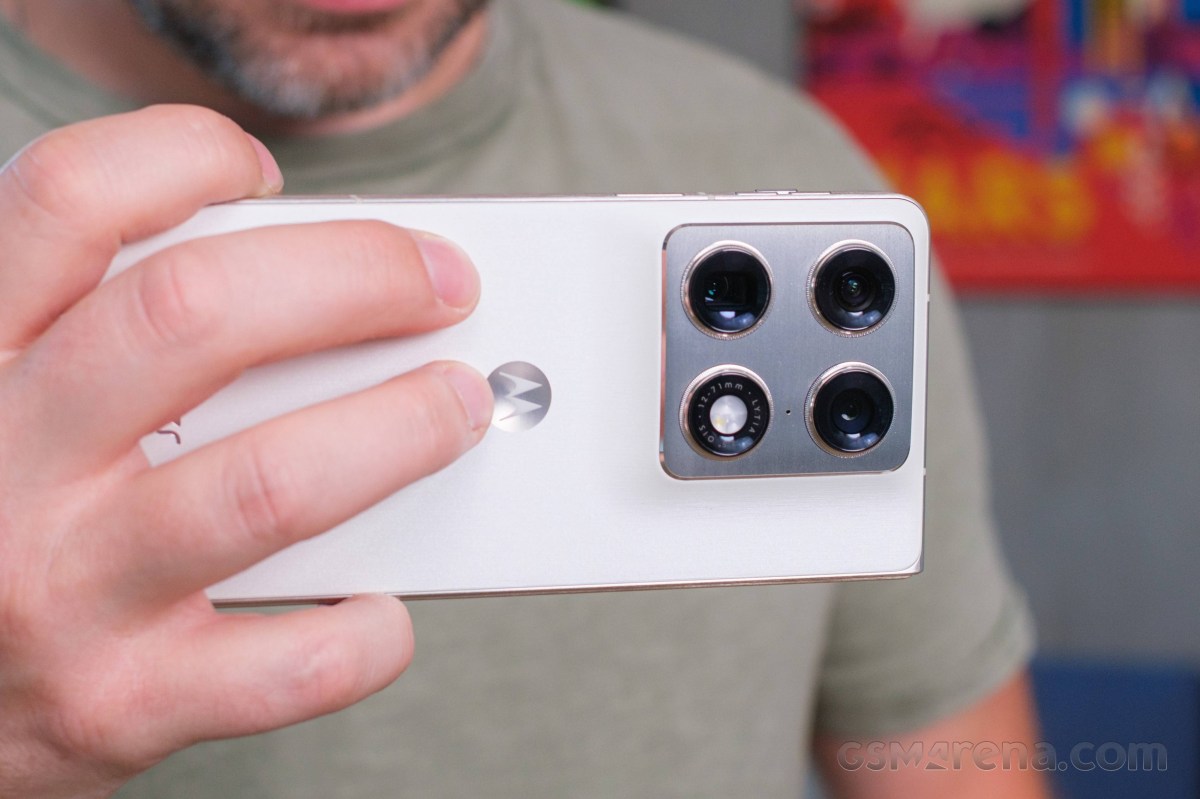
On the back, you'd be getting a main camera with the largest sensor on a book-style foldable - a 1/1.28" Sony unit. It's paired with a stabilized 24mm-equivalent lens (as per the EXIF, though the official specs' field of view suggests 23-ish mm) with an f/1.6 aperture - a proper high-end combo.
The telephoto camera uses another Sony imager, a 1/1.95" one. The 71mm lens is stabilized and allows for close focusing.
Then there's the ultrawide, which in typical Moto fashion is wider than most with its 12mm-equivalent lens that is also AF-capable. Its 50MP sensor is the Samsung JNS, what we gather is a variant of the JN1/JN5 breed.
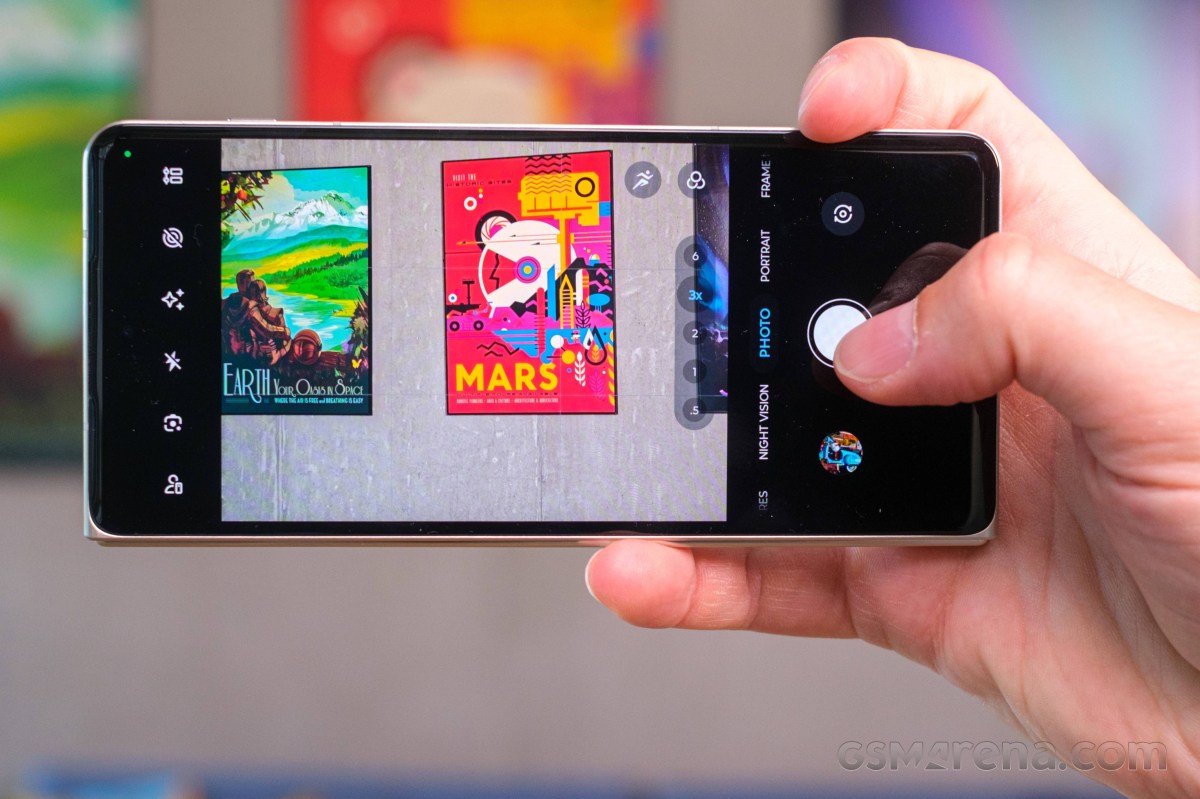
Then there are the two selfie cameras, a modest 20MP unit on the cover (that will likely motivate you to use the rear cameras for your selfies more often than not), and a slightly more capable 32MP one on the inside.
- Wide (main): 50MP Sony IMX 09A (Lytia 828, 1/1.28", 1.22µm-2.44µm); 23/24mm, f/1.6, OIS, multi-directional PDAF; 8K30/4K60 video recording.
- Telephoto: 50MP Sony IMX 882 (Lytia 600, 1/1.95", 0.8µm-1.6µm); 71mm, f/2.4, OIS, multi-directional PDAF; 8K30/4K60.
- Ultrawide: 50MP Samsung ISOCELL JNS (S5KJNS, 1/2.76", 0.64µm-1.28µm); 12mm, f/2.0, PDAF; 4K60.
- Cover: 20MP OmniVision OV32D (1/3.6", 0.61µm-1.22µm); 21mm, f/2.4, fixed focus; 1080p60.
- Internal: 32MP Samsung ISOCELL KDS (S5KKDS/S5KKD1, 1/3.42", 0.64µm-1.28µm); 22mm, f/2.4, fixed focus; 4K60.
Daylight photo quality
Main camera
There's a lot to like and little to complain about with the Razr Fold's main camera photos in broad daylight. The photos have a lot of presence, their great contrast and vibrant colors making them very appealing to a broad audience. Dynamic range is nice and wide, the white balance is accurate, detail is very good and reasonably naturally rendered.






Daylight samples, main camera (1x)
Portraits at 1x are also pretty great, with a bit of separation in Photo mode already and a measured bokeh effect in Portrait mode. Skin tones are lively and mostly accurate save for a faint pinkish tint in bright sunlight.








Human subjects, main camera: Photo mode, 1x • Portrait mode, 24mm
We're not really seeing any extra detail in the 50MP shots - just aggressive sharpening and some three times the file sizes.


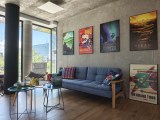

Daylight samples, main camera (1x), 50MP
You can expect some good quality shots at 2x in 12.5MP though - the Razr Fold does well in terms of sharpness and detail rendition, even if it may not be the best implementation of 2x zoom from a wide main camera.


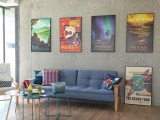

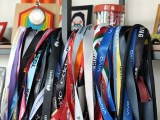



Daylight samples, main camera (2x)
Portraits at 2x aren't pin-sharp as well, but they're not bad either and for this use case you'd probably be fine with less than perfect detail.
That sort of extends to the portraits too. Detail is good and the 2x/50mm focal length works well for tighter framing. In Portrait mode, there's also a 35mm zoom preset and its shots are quite good az well.












Human subjects, main camera: Photo mode, 2x • Portrait mode, 35mm • Portrait mode, 50mm
Telephoto camera
The telephoto camera captures great photos as well, even if its global properties are a little different than those on the main camera - colors are a little less saturated, contrast is a bit higher. It's still a very appealing look, just not quite the same. Detail is very good again.












Daylight samples, telephoto camera (3x)
Photos of people at 3x are excellent as well. The focal length is very well suited to head-and-shoulders type framing and you'll be getting pleasing perspective and facial proportions, plus a bit of optical background blur. Skin tones are easy to like too. Portrait mode doesn't do 71mm, but it will do 85mm and quality is virtually the same, only the frame is a little tighter.








Human subjects, telephoto camera: Photo mode, 3x • Portrait mode, 85mm
Here's the usual set of full-res shots to illustrate that there isn't much use in shooting in 50MP.




Daylight samples, telephoto camera (3x), 50MP
The 6x zoom photos, on the other hand, are quite alright - they do have a somewhat digital detail rendition with too liberal sharpening, though there's still plenty of detail. The white balance showed some greenish leanings that the same scenes in 3x didn't get, but it's not too bad and colors are generally pleasing after all.











Daylight samples, telephoto camera (6x)
Ultrawide camera
The ultrawide camera's lens is wider than most, yet it manages to capture sharp and detailed photos - you rarely get this good output from even less extreme focal lengths and it's probably all the more impressive that you're getting this on a foldable. Indeed, detail is excellent for an ultrawide camera, dynamic range is wide, colors are looking great. The lack of a 50MP mode isn't really an issue.


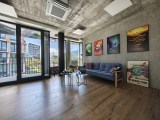




Daylight samples, ultrawide camera (0.5x)
Close-ups
You can get some nice closeups with the Razr Fold, and you can do it at a number of focal lengths with various tradeoffs between reproduction, pixel-level quality, subject distance, and perspective.
Perhaps the best all-around mode is 3x - the telephoto's native focal length will get you great detail, reasonable shooting distance (minimum focusing distance is around 14cm), and little to no distortion.




Close-up samples, telephoto camera (3x)
You can choose to sacrifice some pixel-level sharpness to gain larger reproduction and shoot at 6x - it could be a very reasonable compromise given the right circumstances.




Close-up samples, telephoto camera (6x)
The 2x from the main camera is another viable option.




Close-up samples, main camera (2x)
Then there's the ultrawide camera, which will get you up into your subject with its close focusing, possibly disturbing it if it's a living thing, and certainly posing issues with lighting and shadows. Still, the wonky perspective of the extremely wide lens might be worth trying to work around the challenges.




Close-up samples, ultrawide camera (0.5x)
Low-light photo quality
Main camera
The Razr Fold will also get you very good low-light results with its main camera at 1x. Exposures are well judged and dynamic range is very good, so you can expect well developed shadows and reasonably contained highlights. The auto white balance deals well with odd lighting setting an accurate baseline, and colors are quite pleasing overall. Detail is good, but a bit coarsely rendered - we've seen random textures and fine lines rendered better, maybe even from foldables.







Low-light samples, main camera (1x)
The 2x zoom results, as in most other such instances, aren't too great, with heavy sharpening, some jaggies, and a general softness. Still, they're not the worst 2x photos we've seen, and they just might be above average as book-style foldables go.








Low-light samples, main camera (2x)
Telephoto camera
The telephoto camera is unfazed by the dark as well. Dynamic range is very good and we're looking at nicely balanced exposures. The white balance is generally dependable as well, but there might be a bit less saturation than we'd like. Detail is good overall, though the Honor Magic V6 may still be superior.








Low-light samples, telephoto camera (3x)
At 6x zoom, the Razr Fold will get you decent photos, but it's again bested by that one key rival, possibly more noticeably so than at 3x.




Low-light samples, telephoto camera (6x)
Ultrawide camera
The ultrawide isn't as impressive at night as it is during the day, though it does still maintain a solid level. Global properties remain excellent, with dynamic range and colors leaving no grounds for complaint. Detail is a bit lacking though, particularly in the shadows.








Low-light samples, ultrawide camera (0.5x)
Selfies
The Razr Fold doesn't have the Signature's top-class selfie camera, but it's a different breed of smartphone and it doesn't really need it. The internal camera is still a pretty good performer, taking quite solid 8MP stills in both good light and at night. The cover camera's results are also surprisingly good in most metrics, though 5MP is obviously not a lot of pixels.






Selfie samples, internal camera






Selfie samples, cover camera
For 'critical' selfie taking, you'll naturally be best off opening the Razr Fold and using the rear cameras with the cover screen as the viewfinder. The main camera will get you properly excellent images with great detail and plenty of background blur, and it will also take your low-light selfies to a different level. Then there's the ultrawide - for capturing a ton of your surroundings or exploring weird perspectives.






Selfie samples, main camera (1x)






Selfie samples, ultrawide camera (0.5x)
Photo quality verdict
The Motorola Razr Fold does an excellent job as a stills camera in the large foldables space - even more so than the Motorola Signature (which it shares most of its cameras with) does in its own context. The large-sensor main camera is hard to fault at its native focal length regardless of what you throw at it, and it does alright at 2x, the ultrawide is particularly impressive during the day and mostly fine at night, and the telephoto is great in daytime, still solid after dark. Rear camera selfies are predictably excellent, and even the unremarkably-specced in-display selfie cameras aren't exactly bad.
Video quality
All three of the Razr Fold's rear cameras can record video up to 4K60, and the main camera and the telephoto can also do 8K30 capture. The internal selfie camera is also capable of 4K60, while the cover camera maxes out at 1080p60. There's no 24fps setting for any resolution, and there's no Pro video mode to be found either.
Dolby Vision recording is available in all quality settings other than 8K30. There's an always-on video stabilization in all resolution/frame rate combos, plus the 'Horizon lock' stabilization that limits you to 1080p30 on the ultrawide.
You can hit '> play' below and use the '>| next' button to advance through the playlist of all video samples, or you can watch the full playlist on YouTube.
We had some complaints about the Signature's high contrast in video, on the main and the telephoto cameras, and it's a bit more of the same on the Razr Fold, though it's probably not quite to the same extent (and if you're the Motorola engineer in charge of video processing and know that it's entirely identical, drop us a comment, please). As was the case on the non-bendy model, the ultrawide's contrast setting isn't as extreme. Colors are great on all three, and the main and telephoto are nicely matched, while the ultrawide's lower contrast makes it look more washed out in terms of color too.
Detail is, in a single word, good on all three cameras, and if you consider the foldable alternatives only, a 'very good' may be in order. The telephoto is a bit more heavily sharpened than what we saw on the Signature (this one we'd be willing to argue, though it could have changed since review time), the main camera is looking more natural in its rendition, and the ultrawide, while not exactly stellar, is still quite sharp given the class and considering how extreme the lens is.



Video screengrabs, daylight: 0.5x • 1x • 2x • 3x • 6x
In the dark, the higher-than-ideal contrast is robbing the main camera of some points, though footage is still well developed tonally. Detail is very good for the segment too. The telephoto is alright in terms of detail - nothing too impressive, but not unusable either. The ultrawide is the hardest to like of the three, with harsh highlights and relative softness throughout with moving object particularly blurry.





Video screengrabs, low light: 0.5x • 1x • 2x • 3x • 6x
Video stabilization is top-class. Walking shake on the main camera is ironed out nicely, with no jelloing. The main camera and the ultrawide are super-stable when shooting from a stationary position, and the telephoto is also great in its own context. Panning is generally smooth too.
Video quality verdict
We were somewhat critical of the Signature's video performance, but the Razr Fold's different perspective makes its flaws less problematic. Indeed, as foldables go, the Razr Fold's footage is among the better ones. The excellent stabilization is a solid foundation, and from then on you have very good quality clips from the main and telephoto cameras in daylight and also good, if a little different, ultrawide results. Low-light quality is also pretty good on the main and the telephoto, though the ultrawide does suffer in the dark.
The competition, our verdict, pros and cons
The competition
The first book-style Razr is officially available and it marks a new chapter for Motorola. While the spiritual successor to the iconic Razr clamshell, Razr 70 Ultra, is in its seventh generation already, the Razr Fold is the first entry of this new series.
Motorola is already proficient in foldables, so it's no surprise that the first Razr Fold offers great hardware. But it literally has everything - premium design, superb screens, great performance, top-notch cameras, incredibly long battery life, and most importantly - one of the richest yet cleanest software packages you can get right now.
The Razr Fold launched at €1,999, but its price already dropped down to about €1,750.
Of course, the first alternative that comes to mind is the Samsung's Galaxy Z Fold7. It is a thinner and lighter device, now cheaper, that offers similar experience across the board except for the battery life. And its S-Pen needs to be purchased separately. You may choose the Fold7 for its lower price and matured OneUI interface or opt for the Razr Fold for its fresh take on a still developing niche.
Honor's Magic V6 already began its global rollout and it's expected to share the same premium price tag as the Razr Fold. The Magic V6 has a more powerful Elite chipset, better dust resistance and there is an antireflective coating on its primary display. On the other hand, there is no pencil bundled with the Magic, it has inferior battery life and while it is more powerful, its default Balanced battery mode limits the performance so much, that the Razr Fold delivers better one.
The Oppo Find N6 is unique for its true crease-free inner display. It also offers similarly large screens, battery capacity, and equally capable cameras. The Find N6 has one-less CPU core than the Razr Fold, for what's that worth, there is no stylus inside the box, and it's not as easy to get it as is with the Razr Fold. But that's probably the true rival of this Moto and you should consider it.
Samsung Galaxy Z Fold7 • Honor Magic V6 • Oppo Find N6
Our verdict
There is no foldable that is outright better than the Motorola Razr Fold, but the Razr Fold is also not standing above the current crop. As far as we can tell - the modern book-style foldables are such great devices, versatile and powerful, with equally great hardware and software, that everything boils down to personal feelings and preferences.
This is one of the rare cases where the reviewer's recommendation would hardly matter, as all competitors would leave you satisfied.
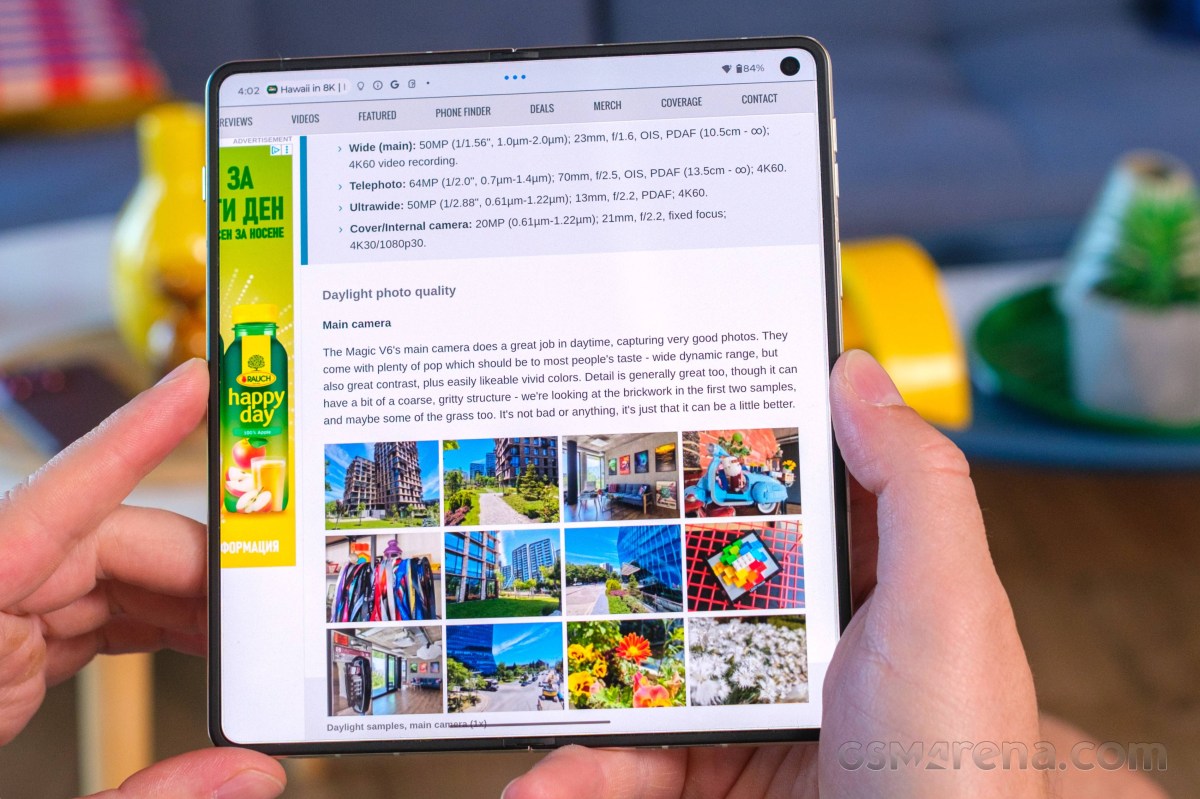
The Motorola Razr Fold has it all - a signature design with a unique touch of class, a trait Motorola easily delivers across all its phones. Then there are two absolutely lovely OLED screens with great properties. The Snapdragon 8 Gen 5 chip is one of the most powerful on the market with acceptable sustained performance for a foldable phone.
Then there is the camera kit, which has been lifted straight from the Motorola Signature. And it's one of the best for stills, no matter the camera and its lens. Just don't expect it to be an Ultra bar phone-level camcorder, because while it's very good, it's not that great.
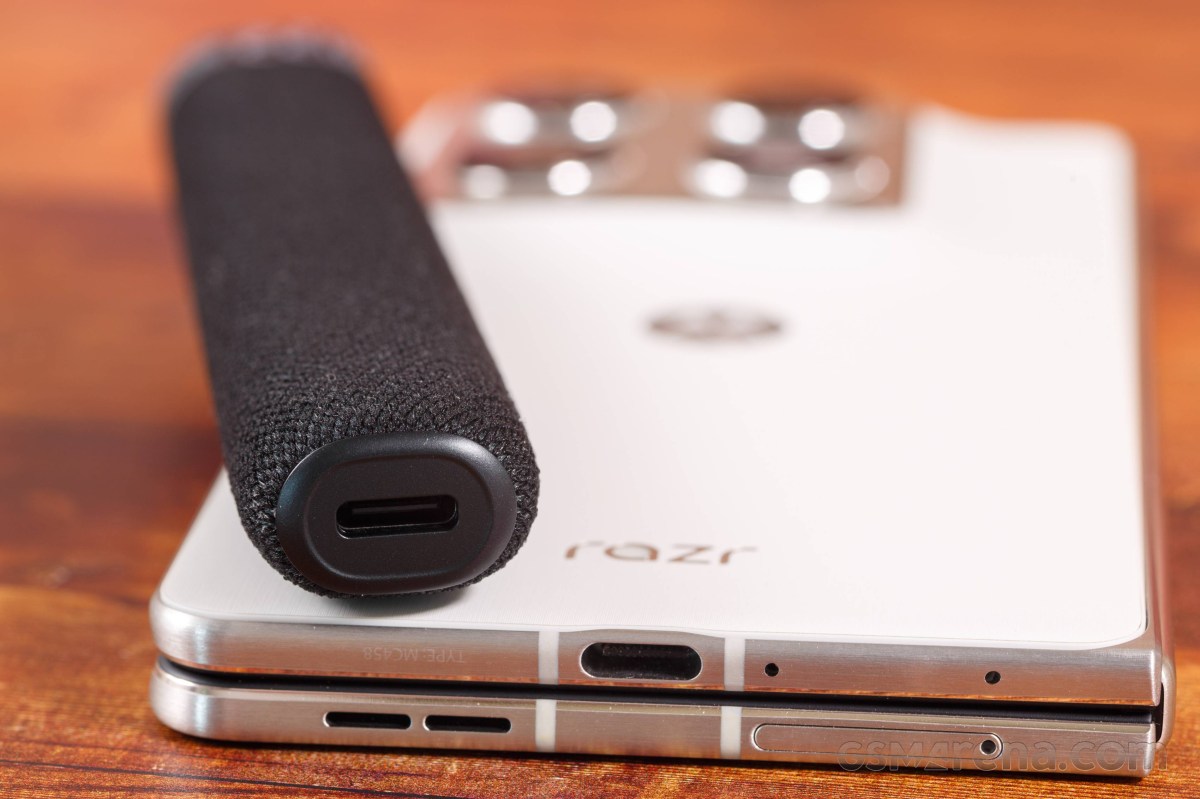
We want to praise the battery life and the charging speed, too. But most of all, we want to applaud Motorola on the clean interface with incredibly rich features including AI, foldable-exclusives, and stylus-rerated.
Overall, we wholeheartedly recommend putting the Motorola Razr Fold on your shortlists as it's one of the best phones out there. It may not be the most powerful, but it's easily one of the most likable and most versatile.
Pros
- Superb design, grippy and likable.
- Excellent screens on both sides, bright and colorful.
- Class-leading battery life, fast to charge.
- Adequate performance.
- Great photos from all cameras.
- Versatile video capturing, great stabilization.
- Impressive software package.
- Bundled Motorola Pen Ultra.
Cons
- Average speakers.
- Snapdragon 8 Gen 5 is not as powerful as Snapdragon Elite.
- Motorola's 50W wireless charging dock is no longer available.
Introduction, specs, unboxing
Introduction
The Motorola Razr Fold was initially unveiled in early January, but took its sweet time coming to store shelves. The long wait is finally over, as the Razr Fold has arrived in our office, together with the Moto Pen Ultra. But what's so special about this Fold?
Well, it's Motorola's first book-style foldable after numerous Razr clamshells. The Razr Fold comes with the largest screens, the heaviest of bodies, and arguably the classiest design in the segment.
The Razr Fold styling is more business than designer, which is unusual these days. It pioneers the latest Gorilla Glass Ceramic 3 protection for its cover screen and comes with a stainless-steel hinge and aluminum frame. The phone is IP48/IP49-rated meaning it offers the highest level of water resistance, but is not fully sealed against dust.
The centerpiece of the Razr Fold is the 8.1-inch foldable LTPO OLED screen with 410ppi density, 10-bit color depth, 120Hz refresh rate, plus HDR10+ and Dolby Vision streaming support.
The cover screen is quite impressive, too - a 6.6-inch LTPO OLED panel with 1080p resolution, 10-bit color depth, 165Hz refresh rate, and it covering the same HDR standards as the foldable one.
The Razr Fold employs the Snapdragon 8 Gen 5 chip with 16GB of RAM. It's the second-best Qualcomm platform, with the Elite model being the top-tier.
The Razr Fold borrows its camera kit from the Motorola Signature. This means there are three 50MP imagers on the back - a wide-angle primary, a 3x telephoto, and an ultrawide camera with autofocus for macro capabilities.
The selfie cameras are uninspiring - a 32MP cam on the cover screen and a smaller 20MP one placed inside the foldable display.
The Motorola Razr Fold has symmetrical Dolby Atmos speakers tuned by Bose. It packs a 6,000mAh Si/C battery with support for 80W wired, 50W wireless, and 5W reverse wireless charging. The phone runs Android 16 out of the box and you can expect 7 major updates down the road.
Motorola Razr Fold specs at a glance:
- Body: 160.1x144.5x4.7mm, 243g; Gorilla Glass Ceramic 3 front, stainless steel hinge, aluminum frame, vegan leather back; IP48/IP49 water resistant (high pressure water jets; immersible up to 1.5m for 30 min), Stylus support.
- Display: 8.10" Foldable LTPO P-OLED, 1B colors, 120Hz, Dolby Vision, HDR10+, 6200 nits (peak), 2232x2484px resolution, 10.02:9 aspect ratio, 410ppi; Cover display:, LTPO P-OLED, 165Hz, 6.6 inches, 1080 x 2520 pixels, 1B colors, Dolby Vision, HDR10+, 6000 nits (peak), Corning Gorilla Glass Ceramic 3.
- Chipset: Qualcomm SM8845 Snapdragon 8 Gen 5 (3 nm).
- Memory: 256GB 12GB RAM, 512GB 16GB RAM, 1TB 16GB RAM; UFS 4.1.
- OS/Software: Android 16, up to 7 major Android upgrades.
- Rear camera: Wide (main): 50 MP, f/1.6, 23mm, 1/1.28", 1.22µm, multi-directional PDAF, OIS; Telephoto: 50 MP, f/2.4, 71mm, 1/1.95", 0.8µm, dual-pixel PDAF, OIS, 3x optical zoom; Ultra wide angle: 50 MP, f/2.0, 12mm, 122˚, 1/2.76", 0.64µm, PDAF.
- Front camera: Wide (main): 32 MP, f/2.4, 22mm, 0.64µm; Cover camera: 20 MP, f/2.4, 22mm, 0.61µm.
- Video capture: Rear camera: 8K@30fps (Dolby Vision), 4K@30/60fps (Dolby Vision), 4K@120fps, 1080p@30/60/120/240fps, 10-bit HDR10+, gyro-EIS; Front camera: 4K, 1080p.
- Battery: 6000mAh; 80W wired, 50W wireless, 5W reverse wireless, Reverse wired.
- Connectivity: 5G; eSIM; Wi-Fi 7; BT; NFC.
- Misc: Fingerprint reader (side-mounted); stereo speakers (with Dolby Atmos).
The Motorola Razr Fold screen supports stylus input and, like most of the Razrs, includes the Motorola Pen Ultra inside their retail package.
Now let's open its large black box and see what's inside.
Unboxing the Motorola Razr Fold
The thick black box of the Razr Fold has the official FIFA 26 logo on its sides, as Motorola is the official smartphone partner of Mondial 2026.
The box contains the Razr Fold, USB-C cable, and a transparent plastic case for both sides of the Razr Fold.
The sides of the bundled case have matching color to the Fold's frame, golden on this occasion.
The EU retail doesn't contain a charger, but it comes with Moto Pen Ultra and its charging bed. The bed is covered in black fabric, it has USB-C port for charging and a small battery indicator.
The box also contains a spare tip for the Pen Ultra.
Design, build quality, handling
Design, build quality, handling
The Motorola Razr Fold is not the thinnest or the lightest foldable on the market, but it sure looks has an unique charm to it. It has a certain class, a signature trait for Motorola, which makes it universally likable.
Let's start with the build, where Motorola has cut no corners when making the Razr Fold. It is the first smartphone to use the latest Gorilla Glass Ceramic 3 shield by Corning for the cover screen. The hinge is made of stainless steel and has the shape of a droplet to reduce tension and increase its durability. The chassis, including the frame and the camera island, is made of brushed aluminum.
The back of the Razr Fold is worth exploring in detail. It is primarily made of high-quality vegan leather, but the texture is different depending on the colorway you get. The iconic Edge trait - the slowly raised camera housing - is evident, too. But unlike on the Edge series, the Razr Fold housing ends with an aluminum plate, making it look more serious.
Our Lily White version feels like silk, with a matte finish, and it's incredibly smudge resistant. It looks a bit like wood, but feels like an expensive fabric.
The Blackened Blue model has a grippier diamond-pattern texture that feels like rubber and looks like industrial material.
The foldable screen has an ultra-thin glass on top of it and a titanium screen place for distributing the inner pressure and reducing the crease. We can confirm that the Razr Fold feel virtually crease-less, which is great. Unless you specifically search for it, your fingers will have a hard time detecting it.
Sure, the crease can be visible under different angles, though we can't see you needing to use those in your everyday life.
The Razr Fold is IP48 and IP49 rated for basic dust, but complete water and pressurized water endurance. There are foldables with higher dust resistance on the market, so the IP4X rating is a step behind the best.
The 6.6-inch cover OLED cover screen has rounded edges and even bezels on all sides. It has a small perforation to make way for the 32MP selfie camera.
Above this screen is a barely visible earpiece.
The back of the Razr Fold contains the square camera island - a large metal piece, its sides slowly rising from the back.
Here you can see the three 50MP cameras - main, 3x telephoto, ultrawide, plus the LED flash. Each of these four features a beautiful dial-shaped ring around it. You can also spot one of the microphones around here.
And before we open this Fold, we need to mention the brushed stainless-steel hinge.
When unfolded, the most interesting piece of hardware is the 8.1-inch foldable screen. While theoretically bezel-less, there is the usual plastic enclosure around it. The panel also has a punch hole for the 20MP front camera around the top right corner.
The crease can't be felt unless you try really hard, but it can be seen if you look at it from an angle.
As far as foldable screens go, this one falls into the cream of the crop class, probably bested only by the Oppo Find N6 experience.
The thin aluminum frame has a lot of features.
The AI key is alone on the left and you can customize its behavior.
The right side has the volume and the power/lock keys. The fingerprint scanner is embedded within the power key, it's always-on, and super fast and reliable.
The top of the Razr Fold has one of the speakers and two microphones.
The bottom has the other speaker, two more microphones, the USB-C port, and the dual-SIM tray. You can also opt to use an eSIM or even two eSIMs instead of the physical slots.
The USB connector supports Display Port 1.2 and high-speed USB 3.2 transfers.
The Motorola Razr Fold measures 160.1 x 73.6 x 10.1 mm and 160.1 x 144.5 x 4.7 mm when opened. It weighs 243 grams, making it the heaviest of the current crop of large foldables.
Having handled the Galaxy Z Fold7, the Find N6, and the Magic V6, we do not consider the Razr Fold to be a bulky or oversized device. Yes, it is a bit heavier, but it doesn't feel inferior to the aforementioned phones.
Magic V6 and Razr Fold
We did like the Motorola Razr Fold's hardware. In fact, we consider it the best looking foldable right now even if it's busier than the Galaxy Z Fold7. Maybe it's because of the signature Edge look. Or the barely noticeable curves around the cover screen and the back panel, which gives a hint of a premium you have a hard time pinpointing.
Our lab tests - display, battery life, charging speed, speakers
Displays
The Motorola Razr Fold has two high-end displays - a 6.6-inch cover OLED on the outside, and an 8.1-inch foldable OLED on the inside.
The foldable screen has a resolution of 2,232 x 2,484 pixels (410ppi) and support for 10-bit color depth, 120Hz refresh rate, HDR10+ and Dolby Vision. The advertised peak brightness for this panel is 6,200 nits.
The cover screen has 1,080 x 2,520 pixel, 10-bit color depth, 165Hz refresh rate, HDR10+ and Dolby Vision supports. Its peak brightness as per the official specs is 6,000 nits.
Both screens support the Motorola Pen Ultra, which is bundled with the Razr Fold.
We have completed our brightness measurements on both screens. As far as manual maximum brightness is concerned, the Razr Fold is fairly unimpressive - we observed 503nits on the foldable and 482 nits on the cover screen.
The maximum automatic brightness is solid across both panels - 1,478 nits on the foldable and 1,510 nits on the cover screen.
Finally, the Razr Fold posted some of the highest numbers we've captured for peak brightness (10% patch) across the book-style foldables - about 2,860nits on both screens.
You can see for yourself that the brightness performance was kept identical on both displays, which is quite rare. Even the minimum brightness was below 3 nits for both panels (2.9 nits for the foldable and 2.7 nits for the cover).
Max display brightness test
White test pattern (nits)
- Manual (75% fill)
- Auto (75% fill)
- Peak Auto (10% fill)
Oppo Find N6 (cover, gallery)
Honor Magic V6 (cover display)
Oppo Find N6 (gallery)
Motorola Razr Fold (cover)
Motorola Razr Fold
Galaxy Z Fold7 (Cover display)
Galaxy Z Fold7
Honor Magic V6
Oppo Find N6 (cover)
Oppo Find N6
Refresh rate
There are three refresh rate modes as part of the Display settings - Smart & Balanced, Hyper Smooth, and Efficiency first.
The default mode is Smart & Balanced. It allows for up to 120Hz across the UI and HRR-reliant apps such as games and benchmarks, but uses 90Hz for most menus and apps such as Play Store, Gallery, Chrome, YouTube, etc. We also saw 30Hz and 60Hz used across various occasions. The refresh rate drops to 1Hz when idling.
Hyper Smooth behaves the same way as Smart & Balanced, but all compatible apps are rendered in 120Hz instead of 90Hz or 60Hz.
Efficiency First caps the refresh rate at 60Hz, but it still drops to 30Hz and 1Hz when needed.
The cover screen supports 165Hz, but it's not available from the Display settings. In fact, there is no obvious way to set the refresh rate on a per-app basis. This is done via the Games app, which holds an "override" mode.
This is the only way to get a 165Hz refresh rate on the cover screen. You go into a game's profile settings within the app and select a fixed refresh rate of your choosing. The game then runs at that fixed resolution. We tried a whole bunch of games that we know support over 60fps rendering, and all of them successfully ran at 165Hz through this override.
Game settings
HDR and streaming
Both screens on the Motorola Razr Fold support HDR10+ and Dolby Vision. While they are successfully recognized by the hardware scanning apps and some streaming apps such as YouTube, Netflix does not recognize either screen as HDR-capable.
Android HDR Ultra is supported on both displays.
Battery life
The Motorola Razr Fold is powered by a 6,000mAh Si/C battery, plenty for a book-style foldable. We've completed our battery life routines on both screens and the results are in.
The Motorola Razr Fold and its 8.1-inch large screen aced our battery life test. The phone gauged 16:03 hours Active Use Score and did incredibly well across all four battery life tests. This means that the Razr Fold is the leader in the current crop of book-style foldables.
The endurance on the cover screen turned out similarly impressive. Here, the Razr Fold posted 20:17h Active Use Score, a thoroughly impressive one.
Charging speed
The Motorola Razr Fold support 80W UPB-PD fast wired charging and 50W fast wireless charging. There is also support for reverse wireless charging (up to 5W).
We have carried out the charging tests on both screens with a 125W Motorola power adapter and with the Charge Boost turned on (that's the default setting). You can use any USB-PD 80+W charger really, they would work just fine and 80W TurboPower is detected.
The Razr Fold recharges quite fast. In its open state, the one Motorola recommends, we got 36% in 15 mins, 66% in 30 mins, and it reached 100% on the 60min mark.
Even when closed, the Razr Fold still offers quite fast charging - 34% in 15mins, 55% in 30mins, and 100% in 66mins.
Charging speed
- in 15 min
- in 30 min
- Time to full charge (from 0%)
Oppo Find N6
vivo X Fold5
Oppo Find N6 (folded)
Motorola Razr Fold
Honor Magic V6 (cover)
Motorola Razr Fold (cover)
Galaxy Z Fold7
In terms of battery protection features, you get a familiar limiter that can either be manually set to charge up to 80% always or on a schedule, or you can let AI determine your charging habits and only top up the battery an hour before you typically unplug your phone.
We want to circle back to the wireless charging. The Razr Fold does not cover the Qi2 standard Which means it relies on a proprietary charger to go higher than the usual 15W, and Motorola used to have a 50W TurboPower Wireless Charger Dock, but it doesn't seem available anymore.
Speakers
The Motorola Razr Fold has a pair of stereo speakers placed symmetrically on its top and bottom when close and diagonally, when open.
The two speakers sound quite nice and balanced no matter how you are using the Fold.
The speakers scored an Average mark on our loudness test. While the setup sounds alright, indeed we have heard louder.
The audio quality is good - there is adequate bass, good rendition of the high frequencies, but the vocals are average.
Use the Playback controls to listen to the phone sample recordings (best use headphones). We measure the average loudness of the speakers in LUFS. A lower absolute value means a louder sound. A look at the frequency response chart will tell you how far off the ideal "0db" flat line is the reproduction of the bass, treble, and mid frequencies. You can add more phones to compare how they differ. The scores and ratings are not comparable with our older loudspeaker test. Learn more about how we test here.
Software, performance
Hello UI on top of Android 16
The Motorola Razr Fold boots Android 16 with the lightweight Hello UI by Moto. And if you have used any recent Motorola, you will feel right at home with the Fold. You can check out our Hello UI/Moto AI video for a better understanding. We made that video last year for the Moto Edge 60.
Motorola promises seven major Android upgrades for the Razr Fold, which means it will be supported well past the point where its hardware is obsolete.
Motorola continues to offer one of the cleaner Android implementations around, combining a largely stock-looking interface with a growing number of proprietary features and enhancements. Thankfully, these additions are generally useful and tastefully implemented, complementing rather than complicating the overall experience.
Hello UI
The distinctive font helps Motorola's phones stand out from the crowd despite the otherwise familiar Android interface, while the additional functionality is neatly consolidated inside the Moto app. Motorola refreshed the hub not too long ago, improving its organization and navigation. Categories with a large number of options, such as Gestures, are now laid out more efficiently, making it possible to access everything from a single screen.
Moto app
Smart Connect (formerly known as Ready For) is Motorola's umbrella branding for its extended connectivity suite. It bundles all features related to linking the phone to a PC, tablet or external display, whether via cable or wirelessly. Screen streaming, a desktop-style interface, phone-to-PC integration, Smart Sharing, Smart Clipboard, cross-device control and more are all neatly consolidated under a single menu. With its DP over Type-C support, the Motorola Razr Fold is very versatile when it comes to video output.
The Smart Connect app is where you would also pair your Moto buds, watch, VR, and tags.
Smart Connect
Motorola approaches AI a bit differently compared to most of its rivals. Instead of locking you into a single assistant, it lets you choose between multiple AI models on the same device. Alongside Google's Gemini, you also get Motorola's in-house solution, dubbed Moto AI, which is designed to be readily available from virtually anywhere in the interface.
AI key
You can bring up the Moto AI chat bar using the dedicated AI key on the side of the phone, a double-tap gesture on the back (one of the configurable Moto actions), or through an optional floating bubble overlay.
As with any modern AI chatbot, you can query Moto AI about just anything on the fly - from general knowledge questions to guidance on enabling features and navigating settings on the phone itself.
Moto AI
More recently, Moto AI has also gained Copilot Vision integration, which functions similarly to Gemini Live. Beyond simple text conversations, it can analyze what the camera sees and answer questions about your surroundings in real time.
Pressing the dedicated AI key doesn't just open the chat interface, though - it also brings up a curated list of AI-powered tools. Catch Me Up is Motorola's take on notification summaries, neatly condensing recent alerts into a single, digestible overview. Pay Attention handles audio recording, transcription and summarization duties.
Google Gemini is available out of the box, too.
Google Circle to Search
Moto AI can handle a wide range of tasks, including device-specific actions and contextual assistance. It can summarize notifications, record and transcribe conversations, generate summaries of on-screen content, and save information in the form of screenshots, photos, or text notes. It also supports image generation, allowing users to create visuals from simple text prompts.
Moto AI
The image generation capabilities are wide-ranging and can be accessed from the Image Studio section inside the Moto AI app. Image Studio was previously its own app, but it appears to have been rolled into Moto AI. The interface and features haven't really changed, though.
Image Studio
AI tricks aside, the back-tap gesture is a genuinely handy shortcut. Dubbed Quick Launch, it isn't tied exclusively to Moto AI. You can configure it to open an app of your choice, control music playback, jump back to the home screen, return to the previously used app, and more, making it a flexible addition to the gesture toolbox.
Gestures
As is customary for Motorola, the interface also includes a few signature motion shortcuts. The classic double "karate chop" toggles the flashlight, while a quick wrist twist launches the camera - both remain fast, reliable and intuitive.
On top of Google's default app suite, Motorola adds a couple of its own apps. There's a clean-looking yet surprisingly capable Notes app with AI-powered features, as well as Moto Unplug, a tool designed to help you manage notifications, disconnect when needed and maintain a healthier digital balance.
Foldable features
The Motorola Razr Fold has plenty of addition to the standard UI to utilize its form factor. In fact, it offers more than we expected for a first attempt.
Foldable features
Let's begin with the obvious - the interface. The Android UI has been optimized for book-style foldables years ago and the logic has not changed much. There is a two-pane layout across the board - homescreen, settings, notifications and quick settings, plenty of compatible apps.
Moto UI
The task bar sits at the bottom with the pinned apps and the most recently opened apps.
As with most of the foldables, when you are running an app in full screen mode, you can use the task bar (just swipe from the bottom to reveal it) to open apps in split screen or pop-up (called freeform) mode.
Split-screen and freeform are the two options for multi-tasking on both screens - cover and foldable.
You can have two apps on a split screen and one on top of them as a pop-up window.
Multi-tasking on the foldable screen
There are two interesting features for the foldable - Laptop mode and Desk Display.
Laptop mode has been available in limited capacity on many previous book-style foldables. You open/close the Fold at a random angle and it looks like a tiny laptop. The bottom of the screen becomes a touchpad with additional controls for cut/copy, sound, brightness, and notifications. Once you start using the touchpad, you will see the mouse at the upper part of the screen.
Laptop mode
If the Laptop-enabled app supports keyboard input, like Gmail, you will get a keyboard at the bottom, with options for GIG, emoji, AI creation, and more.
It is a very neat feature, one that we found ourselves using more than we expected.
Desk Display is an expansion of the Nightstand. You leave the Fold semi-open and you can enjoy a beautiful clock with calendar. You can choose to show which song is playing on this screen, too.
Desk mode
Desk Display supports Look and Wake function - it relies on the selfie camera to recognize when you are looking - and it will only show the Desk Display during that time.
Moto Pen Ultra
The Motorola Pen Ultra and its beautiful charging case with dark fabric comes bundles with the Razr Fold. The pen connects to the Fold via Bluetooth. It has a single button on it, and a spare tip inside the box.
The case, together with the pen, offers 30 hours of use, while a single charge of the pen gives you 3 hours.
The stylus is active, obviously. And thanks to the active connection to the Moto, the stylus offers a functional button on the stylus stem (single press, long press), it supports hover and tilt/pressure recognition, and it gets better accuracy and lower input lag.
We can confirm that writing and drawing with the stylus is great, hassle-free, and feels like zero lag.
Hover is recognized everywhere, and you can use the Hover to Zoom functionality.
Pressure sensitivity allows for bolder text, while tilting should be able to turn into thicker lines for easier shading, though admittedly, that didn't work in the Notes app.
When you remove the stylus from the phone, you get a floating menu with customizable options - open a new note, take a screenshot to write on (annotate), zoom, sketch to image. You can add or remove apps and settings from this menu, which is handy.
This stylus supports Knock Knock gesture on a flat surface (different from the phone's display). It takes a screenshot, but, unfortunately, it is not customizable.
You can use the button of the Pen inside the Camera app - single press on the button for photo and press and hold to capture video for the hold duration.
Stylus options
Taking notes is super easy, and the screen and the stylus are nicely responsive. Converting the handwritten text to machine text is almost flawless, too.
We also found the handwriting calculator quite handy. It supports quite advanced calculations, including integrals. To use this calculator, you need to be in Notes - Drawing mode. It does not do calculations when in the note-taking mode.
The Annotate option (crop and write from the screen) is neat, too, and it will probably be one of the most used stylus functions.
Anotate • Handwriting calculator • Note taking
The Sketch-to-image feature uses AI to create pictures from your odd drawings. And it works well too!
Sketch to image
Performance and benchmarks
The Motorola Razr Fold is powered by the Snapdragon 8 Gen 5 chip, one of the most powerful platforms on the market right now. It is coupled with 16GB of LPDDR5X RAM and either 512GB or 1TB of UFS 4.1 storage.
The Snapdragon 8 Gen 5 makes some downgrades from the 8 Elite Gen 5. For starters, while the CPU cores have the same 2+6 structure, the Prime cores are clocked 17%+ lower, and the performance cores are clocked 8% lower.
The Adreno 829 GPU is a slightly higher clocked version of the Adreno 825 found on the Snapdragon 8s Gen 4 (Poco F7 and Nothing Phone 3) and nowhere close to the Adreno 840 on the 8 Elite Gen 5 in terms of compute units or graphics memory.
All things considered, we think the Razr Fold is using a solid chipset for a large foldable, one that may give it better sustained performance than the Elite, which can cause cooling issues when combined with the slim folding bits.
Let's run some benchmarks now.
Obviously, the Motorola Razr Fold is not the most powerful large foldable at the moment as it is not using the Elite chipset. But you can see it scores better than the Magic V6 in its Balanced mode (default) settings and it's still pulling some great scores across the board.
GeekBench 6
- Single-core
- Multi-core
Oppo Find N6 (cover)
Honor Magic V6 (cover, perf.)
Honor Magic V6 (perf. mode)
Honor Magic V5
Galaxy Z Fold7
Galaxy Z Fold7 (Cover display)
Motorola Razr Fold
Motorola Razr Fold (cover)
Honor Magic V6 (balanced mode)
Honor Magic V6 (cover, balanced)
AnTuTu
- v10
- v11
Honor Magic V6 (cover, perf.)
Honor Magic V6 (perf. mode)
Oppo Find N6 (cover)
Oppo Find N6 (unfolded)
Motorola Razr Fold (cover)
Motorola Razr Fold
Honor Magic V5 (Cover Display)
Honor Magic V5
Honor Magic V6 (cover, balanced)
Honor Magic V6 (balanced mode)
3DMark
- Wild Life Extreme (Highest)
- Wild Life Extreme (Lowest)
- Solar Bay (Ray Tracing)
Oppo Find N6 (cover)
Honor Magic V6 (cover, balanced)
Honor Magic V6 (perf. mode)
Honor Magic V6 (balanced mode)
Galaxy Z Fold7 (Cover display)
Galaxy Z Fold7
Honor Magic V5
Honor Magic V5 (Cover Display)
Motorola Razr Fold (cover)
Motorola Razr Fold
The Motorola Razr Fold has a modern chip and enough RAM to handle games, heavy tasks and various multi-tasking scenarios. We never saw it stutter, no matter what, and games ran hassle-free on either screen.
The sustained performance is quite alright for this form factor. The Razr Fold kept 57% of its CPU and 72% of its GPU performance - as per the stress tests we ran on its large screen.
CPU test • GPU test
The stress test on the cover screen returned worse results, quite expectedly. When closed, the phone cannot cool down as well as when opened.
In this case, the Razr Fold performance dropped down to 52% for CPU and 53% for graphics.
CPU test • GPU test
Camera - photo and video quality
Motorola Signature triple setup on the back of the Razr Fold
The Razr Fold is practically a foldable Motorola Signature when it comes to its cameras - the entire triple setup on the back has been lifted from the company's non-bendy flagship. The Signature's selfie camera didn't make the cut though, its 50 megapixels roughly split into two modules on the Fold (20MP on the cover, 32MP inside).
On the back, you'd be getting a main camera with the largest sensor on a book-style foldable - a 1/1.28" Sony unit. It's paired with a stabilized 24mm-equivalent lens (as per the EXIF, though the official specs' field of view suggests 23-ish mm) with an f/1.6 aperture - a proper high-end combo.
The telephoto camera uses another Sony imager, a 1/1.95" one. The 71mm lens is stabilized and allows for close focusing.
Then there's the ultrawide, which in typical Moto fashion is wider than most with its 12mm-equivalent lens that is also AF-capable. Its 50MP sensor is the Samsung JNS, what we gather is a variant of the JN1/JN5 breed.
Then there are the two selfie cameras, a modest 20MP unit on the cover (that will likely motivate you to use the rear cameras for your selfies more often than not), and a slightly more capable 32MP one on the inside.
- Wide (main): 50MP Sony IMX 09A (Lytia 828, 1/1.28", 1.22µm-2.44µm); 23/24mm, f/1.6, OIS, multi-directional PDAF; 8K30/4K60 video recording.
- Telephoto: 50MP Sony IMX 882 (Lytia 600, 1/1.95", 0.8µm-1.6µm); 71mm, f/2.4, OIS, multi-directional PDAF; 8K30/4K60.
- Ultrawide: 50MP Samsung ISOCELL JNS (S5KJNS, 1/2.76", 0.64µm-1.28µm); 12mm, f/2.0, PDAF; 4K60.
- Cover: 20MP OmniVision OV32D (1/3.6", 0.61µm-1.22µm); 21mm, f/2.4, fixed focus; 1080p60.
- Internal: 32MP Samsung ISOCELL KDS (S5KKDS/S5KKD1, 1/3.42", 0.64µm-1.28µm); 22mm, f/2.4, fixed focus; 4K60.
Daylight photo quality
Main camera
There's a lot to like and little to complain about with the Razr Fold's main camera photos in broad daylight. The photos have a lot of presence, their great contrast and vibrant colors making them very appealing to a broad audience. Dynamic range is nice and wide, the white balance is accurate, detail is very good and reasonably naturally rendered.
Daylight samples, main camera (1x)
Portraits at 1x are also pretty great, with a bit of separation in Photo mode already and a measured bokeh effect in Portrait mode. Skin tones are lively and mostly accurate save for a faint pinkish tint in bright sunlight.
Human subjects, main camera: Photo mode, 1x • Portrait mode, 24mm
We're not really seeing any extra detail in the 50MP shots - just aggressive sharpening and some three times the file sizes.
Daylight samples, main camera (1x), 50MP
You can expect some good quality shots at 2x in 12.5MP though - the Razr Fold does well in terms of sharpness and detail rendition, even if it may not be the best implementation of 2x zoom from a wide main camera.
Daylight samples, main camera (2x)
Portraits at 2x aren't pin-sharp as well, but they're not bad either and for this use case you'd probably be fine with less than perfect detail.
That sort of extends to the portraits too. Detail is good and the 2x/50mm focal length works well for tighter framing. In Portrait mode, there's also a 35mm zoom preset and its shots are quite good az well.
Human subjects, main camera: Photo mode, 2x • Portrait mode, 35mm • Portrait mode, 50mm
Telephoto camera
The telephoto camera captures great photos as well, even if its global properties are a little different than those on the main camera - colors are a little less saturated, contrast is a bit higher. It's still a very appealing look, just not quite the same. Detail is very good again.
Daylight samples, telephoto camera (3x)
Photos of people at 3x are excellent as well. The focal length is very well suited to head-and-shoulders type framing and you'll be getting pleasing perspective and facial proportions, plus a bit of optical background blur. Skin tones are easy to like too. Portrait mode doesn't do 71mm, but it will do 85mm and quality is virtually the same, only the frame is a little tighter.
Human subjects, telephoto camera: Photo mode, 3x • Portrait mode, 85mm
Here's the usual set of full-res shots to illustrate that there isn't much use in shooting in 50MP.
Daylight samples, telephoto camera (3x), 50MP
The 6x zoom photos, on the other hand, are quite alright - they do have a somewhat digital detail rendition with too liberal sharpening, though there's still plenty of detail. The white balance showed some greenish leanings that the same scenes in 3x didn't get, but it's not too bad and colors are generally pleasing after all.
Daylight samples, telephoto camera (6x)
Ultrawide camera
The ultrawide camera's lens is wider than most, yet it manages to capture sharp and detailed photos - you rarely get this good output from even less extreme focal lengths and it's probably all the more impressive that you're getting this on a foldable. Indeed, detail is excellent for an ultrawide camera, dynamic range is wide, colors are looking great. The lack of a 50MP mode isn't really an issue.
Daylight samples, ultrawide camera (0.5x)
Close-ups
You can get some nice closeups with the Razr Fold, and you can do it at a number of focal lengths with various tradeoffs between reproduction, pixel-level quality, subject distance, and perspective.
Perhaps the best all-around mode is 3x - the telephoto's native focal length will get you great detail, reasonable shooting distance (minimum focusing distance is around 14cm), and little to no distortion.
Close-up samples, telephoto camera (3x)
You can choose to sacrifice some pixel-level sharpness to gain larger reproduction and shoot at 6x - it could be a very reasonable compromise given the right circumstances.
Close-up samples, telephoto camera (6x)
The 2x from the main camera is another viable option.
Close-up samples, main camera (2x)
Then there's the ultrawide camera, which will get you up into your subject with its close focusing, possibly disturbing it if it's a living thing, and certainly posing issues with lighting and shadows. Still, the wonky perspective of the extremely wide lens might be worth trying to work around the challenges.
Close-up samples, ultrawide camera (0.5x)
Low-light photo quality
Main camera
The Razr Fold will also get you very good low-light results with its main camera at 1x. Exposures are well judged and dynamic range is very good, so you can expect well developed shadows and reasonably contained highlights. The auto white balance deals well with odd lighting setting an accurate baseline, and colors are quite pleasing overall. Detail is good, but a bit coarsely rendered - we've seen random textures and fine lines rendered better, maybe even from foldables.
Low-light samples, main camera (1x)
The 2x zoom results, as in most other such instances, aren't too great, with heavy sharpening, some jaggies, and a general softness. Still, they're not the worst 2x photos we've seen, and they just might be above average as book-style foldables go.
Low-light samples, main camera (2x)
Telephoto camera
The telephoto camera is unfazed by the dark as well. Dynamic range is very good and we're looking at nicely balanced exposures. The white balance is generally dependable as well, but there might be a bit less saturation than we'd like. Detail is good overall, though the Honor Magic V6 may still be superior.
Low-light samples, telephoto camera (3x)
At 6x zoom, the Razr Fold will get you decent photos, but it's again bested by that one key rival, possibly more noticeably so than at 3x.
Low-light samples, telephoto camera (6x)
Ultrawide camera
The ultrawide isn't as impressive at night as it is during the day, though it does still maintain a solid level. Global properties remain excellent, with dynamic range and colors leaving no grounds for complaint. Detail is a bit lacking though, particularly in the shadows.
Low-light samples, ultrawide camera (0.5x)
Selfies
The Razr Fold doesn't have the Signature's top-class selfie camera, but it's a different breed of smartphone and it doesn't really need it. The internal camera is still a pretty good performer, taking quite solid 8MP stills in both good light and at night. The cover camera's results are also surprisingly good in most metrics, though 5MP is obviously not a lot of pixels.
Selfie samples, internal camera
Selfie samples, cover camera
For 'critical' selfie taking, you'll naturally be best off opening the Razr Fold and using the rear cameras with the cover screen as the viewfinder. The main camera will get you properly excellent images with great detail and plenty of background blur, and it will also take your low-light selfies to a different level. Then there's the ultrawide - for capturing a ton of your surroundings or exploring weird perspectives.
Selfie samples, main camera (1x)
Selfie samples, ultrawide camera (0.5x)
Photo quality verdict
The Motorola Razr Fold does an excellent job as a stills camera in the large foldables space - even more so than the Motorola Signature (which it shares most of its cameras with) does in its own context. The large-sensor main camera is hard to fault at its native focal length regardless of what you throw at it, and it does alright at 2x, the ultrawide is particularly impressive during the day and mostly fine at night, and the telephoto is great in daytime, still solid after dark. Rear camera selfies are predictably excellent, and even the unremarkably-specced in-display selfie cameras aren't exactly bad.
Video quality
All three of the Razr Fold's rear cameras can record video up to 4K60, and the main camera and the telephoto can also do 8K30 capture. The internal selfie camera is also capable of 4K60, while the cover camera maxes out at 1080p60. There's no 24fps setting for any resolution, and there's no Pro video mode to be found either.
Dolby Vision recording is available in all quality settings other than 8K30. There's an always-on video stabilization in all resolution/frame rate combos, plus the 'Horizon lock' stabilization that limits you to 1080p30 on the ultrawide.
You can hit '> play' below and use the '>| next' button to advance through the playlist of all video samples, or you can watch the full playlist on YouTube.
We had some complaints about the Signature's high contrast in video, on the main and the telephoto cameras, and it's a bit more of the same on the Razr Fold, though it's probably not quite to the same extent (and if you're the Motorola engineer in charge of video processing and know that it's entirely identical, drop us a comment, please). As was the case on the non-bendy model, the ultrawide's contrast setting isn't as extreme. Colors are great on all three, and the main and telephoto are nicely matched, while the ultrawide's lower contrast makes it look more washed out in terms of color too.
Detail is, in a single word, good on all three cameras, and if you consider the foldable alternatives only, a 'very good' may be in order. The telephoto is a bit more heavily sharpened than what we saw on the Signature (this one we'd be willing to argue, though it could have changed since review time), the main camera is looking more natural in its rendition, and the ultrawide, while not exactly stellar, is still quite sharp given the class and considering how extreme the lens is.
Video screengrabs, daylight: 0.5x • 1x • 2x • 3x • 6x
In the dark, the higher-than-ideal contrast is robbing the main camera of some points, though footage is still well developed tonally. Detail is very good for the segment too. The telephoto is alright in terms of detail - nothing too impressive, but not unusable either. The ultrawide is the hardest to like of the three, with harsh highlights and relative softness throughout with moving object particularly blurry.
Video screengrabs, low light: 0.5x • 1x • 2x • 3x • 6x
Video stabilization is top-class. Walking shake on the main camera is ironed out nicely, with no jelloing. The main camera and the ultrawide are super-stable when shooting from a stationary position, and the telephoto is also great in its own context. Panning is generally smooth too.
Video quality verdict
We were somewhat critical of the Signature's video performance, but the Razr Fold's different perspective makes its flaws less problematic. Indeed, as foldables go, the Razr Fold's footage is among the better ones. The excellent stabilization is a solid foundation, and from then on you have very good quality clips from the main and telephoto cameras in daylight and also good, if a little different, ultrawide results. Low-light quality is also pretty good on the main and the telephoto, though the ultrawide does suffer in the dark.
The competition, our verdict, pros and cons
The competition
The first book-style Razr is officially available and it marks a new chapter for Motorola. While the spiritual successor to the iconic Razr clamshell, Razr 70 Ultra, is in its seventh generation already, the Razr Fold is the first entry of this new series.
Motorola is already proficient in foldables, so it's no surprise that the first Razr Fold offers great hardware. But it literally has everything - premium design, superb screens, great performance, top-notch cameras, incredibly long battery life, and most importantly - one of the richest yet cleanest software packages you can get right now.
The Razr Fold launched at €1,999, but its price already dropped down to about €1,750.
Of course, the first alternative that comes to mind is the Samsung's Galaxy Z Fold7. It is a thinner and lighter device, now cheaper, that offers similar experience across the board except for the battery life. And its S-Pen needs to be purchased separately. You may choose the Fold7 for its lower price and matured OneUI interface or opt for the Razr Fold for its fresh take on a still developing niche.
Honor's Magic V6 already began its global rollout and it's expected to share the same premium price tag as the Razr Fold. The Magic V6 has a more powerful Elite chipset, better dust resistance and there is an antireflective coating on its primary display. On the other hand, there is no pencil bundled with the Magic, it has inferior battery life and while it is more powerful, its default Balanced battery mode limits the performance so much, that the Razr Fold delivers better one.
The Oppo Find N6 is unique for its true crease-free inner display. It also offers similarly large screens, battery capacity, and equally capable cameras. The Find N6 has one-less CPU core than the Razr Fold, for what's that worth, there is no stylus inside the box, and it's not as easy to get it as is with the Razr Fold. But that's probably the true rival of this Moto and you should consider it.
Samsung Galaxy Z Fold7 • Honor Magic V6 • Oppo Find N6
Our verdict
There is no foldable that is outright better than the Motorola Razr Fold, but the Razr Fold is also not standing above the current crop. As far as we can tell - the modern book-style foldables are such great devices, versatile and powerful, with equally great hardware and software, that everything boils down to personal feelings and preferences.
This is one of the rare cases where the reviewer's recommendation would hardly matter, as all competitors would leave you satisfied.
The Motorola Razr Fold has it all - a signature design with a unique touch of class, a trait Motorola easily delivers across all its phones. Then there are two absolutely lovely OLED screens with great properties. The Snapdragon 8 Gen 5 chip is one of the most powerful on the market with acceptable sustained performance for a foldable phone.
Then there is the camera kit, which has been lifted straight from the Motorola Signature. And it's one of the best for stills, no matter the camera and its lens. Just don't expect it to be an Ultra bar phone-level camcorder, because while it's very good, it's not that great.
We want to praise the battery life and the charging speed, too. But most of all, we want to applaud Motorola on the clean interface with incredibly rich features including AI, foldable-exclusives, and stylus-rerated.
Overall, we wholeheartedly recommend putting the Motorola Razr Fold on your shortlists as it's one of the best phones out there. It may not be the most powerful, but it's easily one of the most likable and most versatile.
Pros
- Superb design, grippy and likable.
- Excellent screens on both sides, bright and colorful.
- Class-leading battery life, fast to charge.
- Adequate performance.
- Great photos from all cameras.
- Versatile video capturing, great stabilization.
- Impressive software package.
- Bundled Motorola Pen Ultra.
Cons
- Average speakers.
- Snapdragon 8 Gen 5 is not as powerful as Snapdragon Elite.
- Motorola's 50W wireless charging dock is no longer available.