Samsung Galaxy A27 review
Verdict
In-depth review of the Samsung Galaxy A27
Introduction, specs, unboxing
Introduction
You are kind of spoiled for choice when it comes to Samsung's Galaxy A series. The Korean giant knows all too well that it's the A family that moves units, and it has done its best to saturate every price point as best it can. The Galaxy A27 is kind of a "middle-ground" choice within the lineup, with two models sitting below it and another two above it. And while we have no doubt that Samsung is constantly trying to deliver the best possible value with these models, it's not always a straightforward affair.
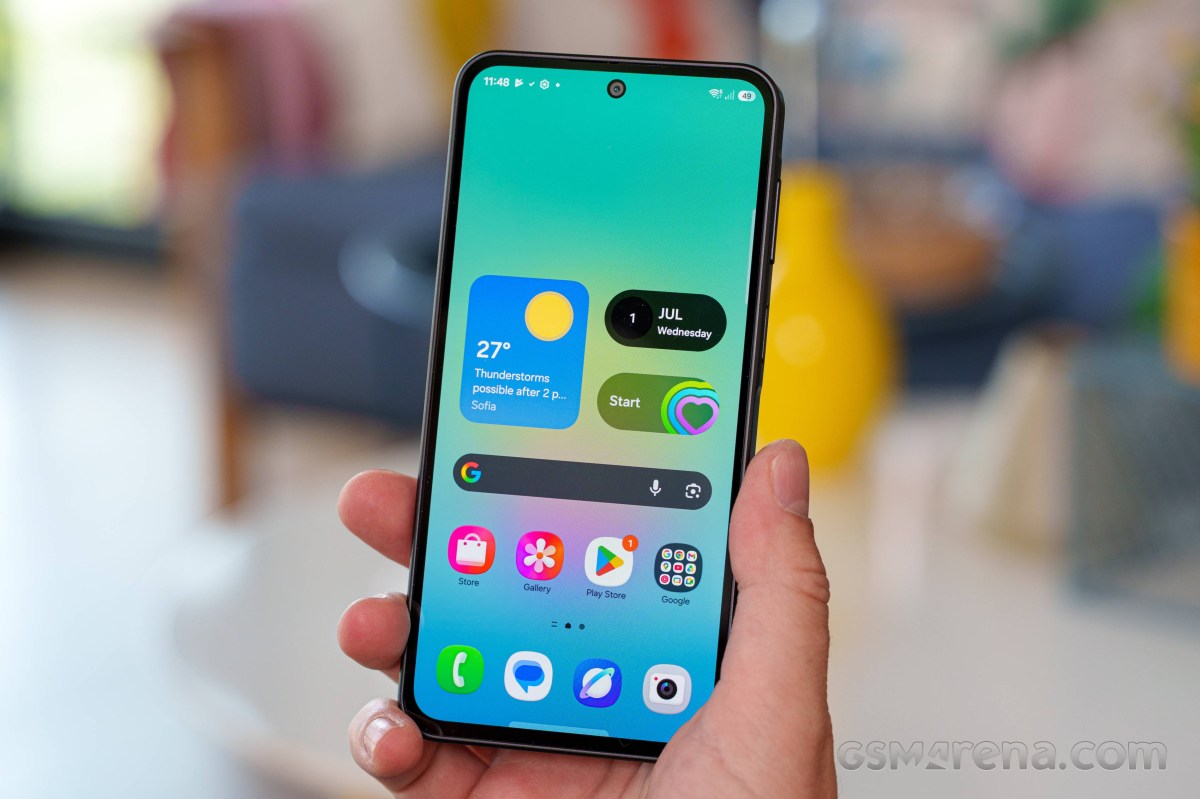
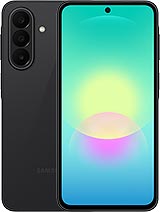
The Galaxy A27 tweaks the Galaxy A26 formula only slightly, but unfortunately, not all changes are clear upgrades. We appreciate the fact that Samsung is finally moving away from the dated look of the teardrop notch. The new Galaxy A27 has what Samsung calls an Infinity-O display with a standard punch hole for the selfie and slightly slimmer display bezels. This does make for a more modern look, even if the panel itself seemingly hasn't changed in any meaningful way other than the notch.
Samsung Galaxy A27 specs at a glance:
- Body: 162.4x78.2x7.8mm, 200g; Glass front (Gorilla Glass Victus+), plastic frame, glass back (Gorilla Glass Victus+); IP64 dust tight and water resistant (water splashes).
- Display: 6.70" Super AMOLED, 120Hz, 1080x2340px resolution, 19.5:9 aspect ratio, 385ppi.
- Chipset: Qualcomm SM6475-AB Snapdragon 6 Gen 3 (4 nm).
- Memory: 128GB 6GB RAM, 128GB 8GB RAM, 256GB 8GB RAM; microSDXC (uses shared SIM slot).
- OS/Software: Android 16, up to 6 major Android upgrades, One UI 8.5.
- Rear camera: Wide (main): 50 MP, f/1.8, 1/2.76", 0.64µm, PDAF, OIS; Ultra wide angle: 5 MP, f/2.2, 1/5.0", 1.12µm; Macro: 2 MP.
- Front camera: 12 MP, f/2.2, (wide).
- Video capture: Rear camera: 4K@30fps, 1080p@30fps, 720p@480fps, gyro-EIS; Front camera: 1080p@30fps.
- Battery: 5000mAh; 25W wired, 45% in 30 min.
- Connectivity: 5G; eSIM; Wi-Fi 5; BT 5.1, ASHA; NFC.
- Misc: Fingerprint reader (side-mounted); Virtual proximity sensing.
The battery capacity remains the same at 5,000 mAh, and so does charging at 25W. Samsung did go for Qualcomm silicon this year (the same chipset as the Galaxy A36), and the Snapdragon 6 Gen 3 in question offers only a modest 10-20% performance bump over last year's Exynos chips.
But, surprisingly, there are even a few downgrades compared to the Galaxy A26. The 8MP ultrawide has been swapped for a measly 5MP unit. The pretty great IP67 ingress protection of the Galaxy A26 is gone and replaced with a mediocre IP64. And the supported Bluetooth version is 5.1 compared to 5.3 on the Galaxy A26.
Unboxing
The Galaxy A27 ships in your standard Samsung two-piece cardboard box. There is nothing particularly fancy here, but no plastic either, which we do appreciate. There is a sort of natural cradle in the box design that keeps the phone snug, though there is practically no spacing between it and the outside box wall, so we wouldn't necessarily subject the box to any abuse.
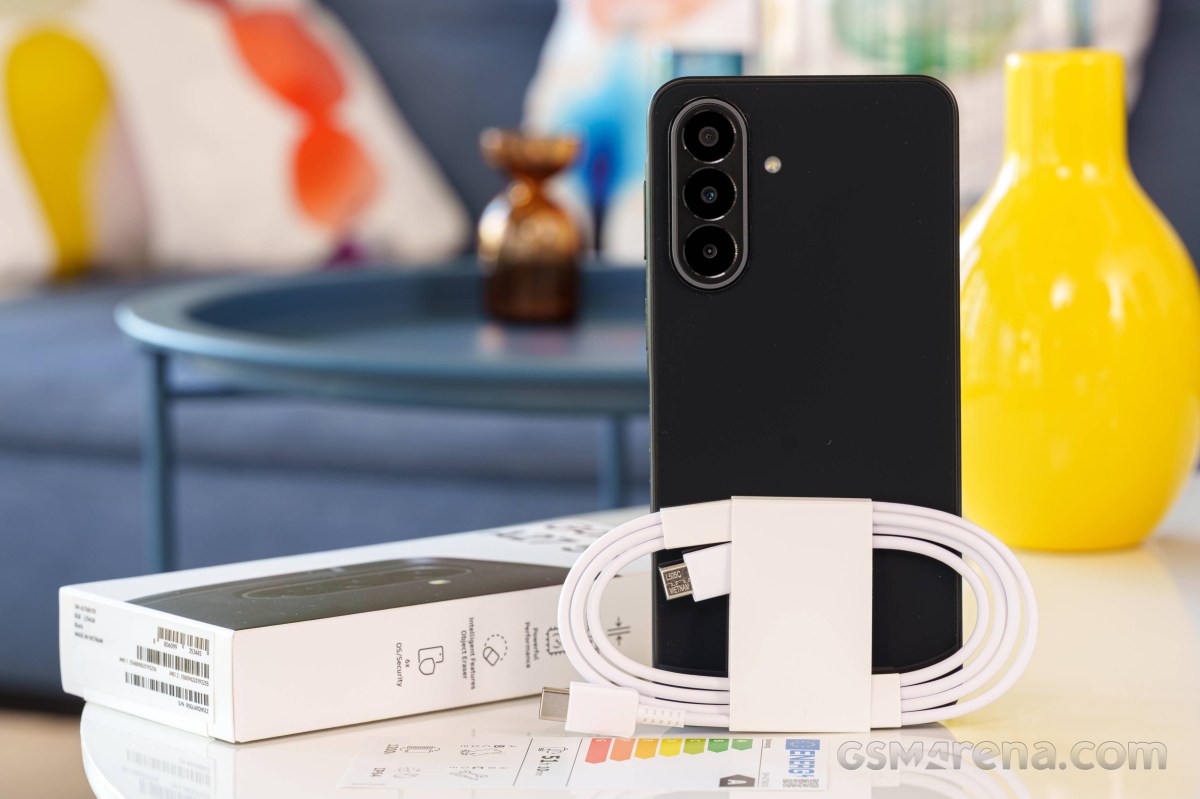
Samsung has been stingy with its accessories for a while now, so don't expect a free case or anything like that. All you get is a white USB Type-C to Type-C cable. It is non-e-marked and passive, so it is rated for 3A current, which is plenty for its needs. Nothing fancy.
Design, build quality, handling
Design, build quality, handling
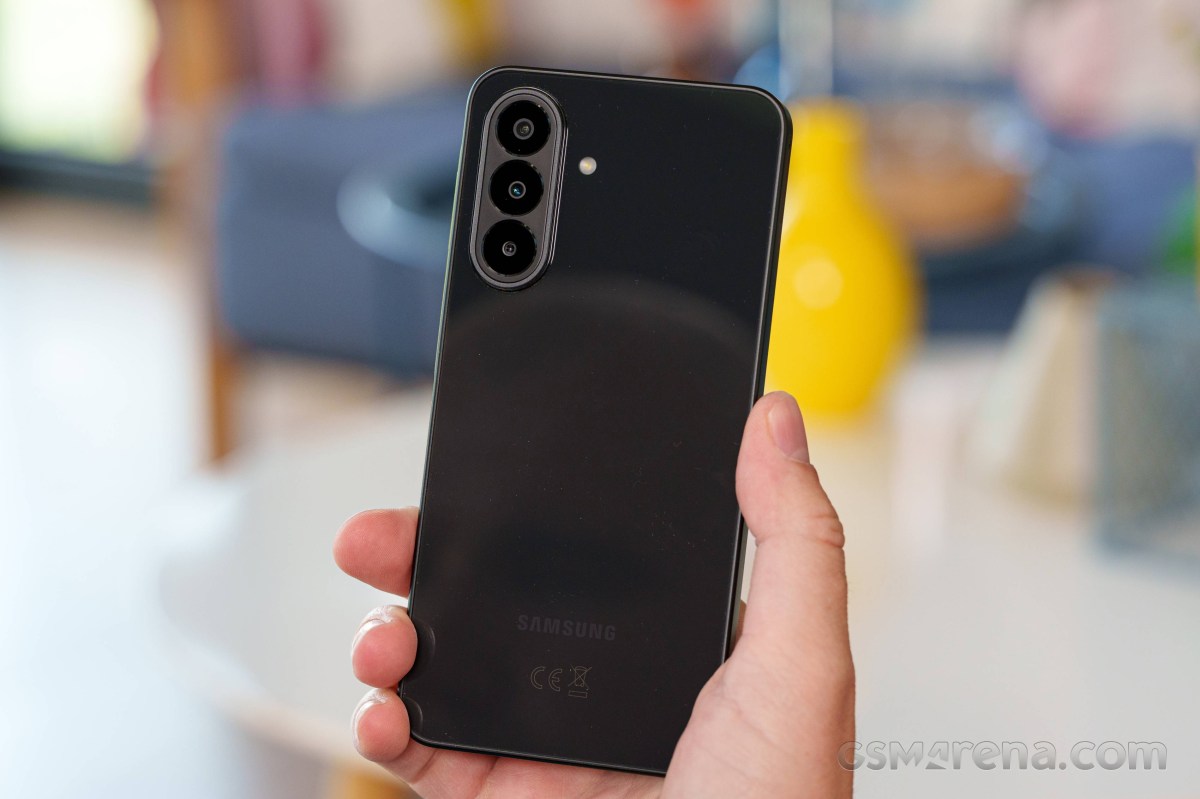
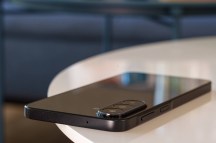
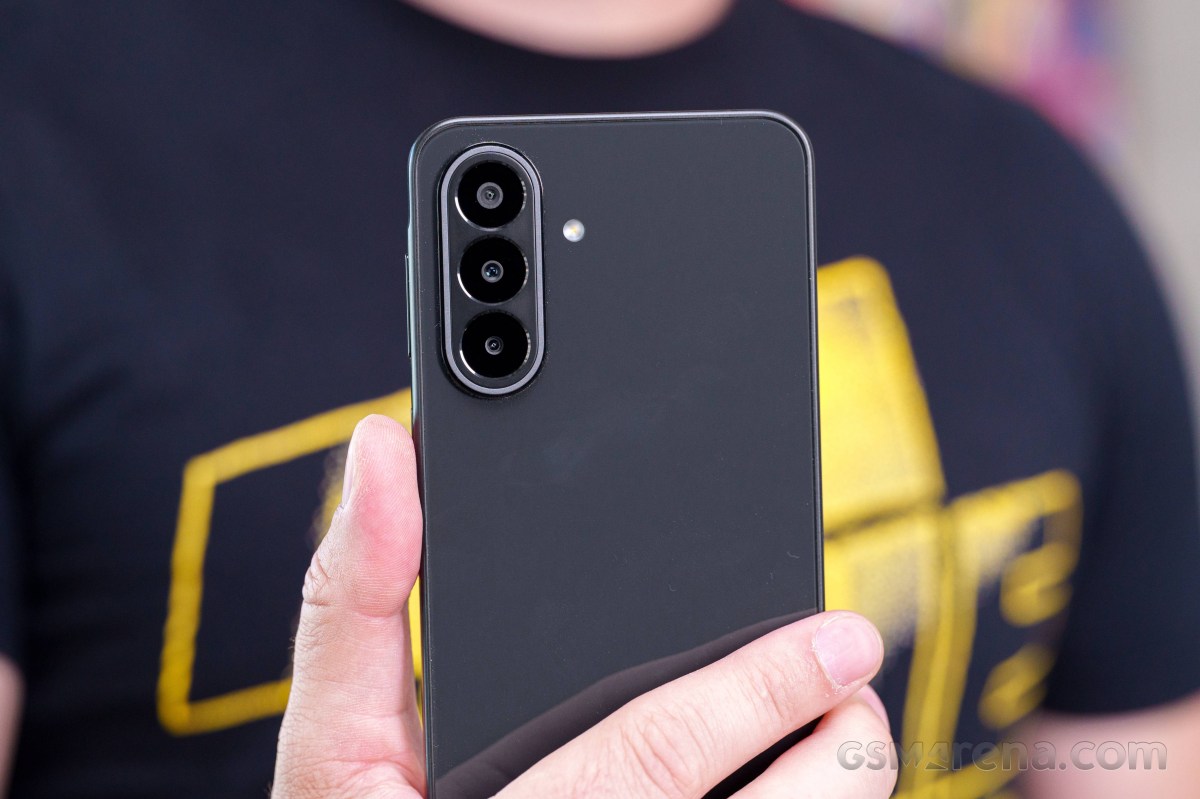
Samsung didn't really change much when it comes to the Galaxy A27 design. Honestly, if you don't know what to look for in particular, you could easily confuse it for any other recent Samsung phone. That's not necessarily a bad thing. The vertical camera island design Samsung currently has going on is actually surprisingly distinctive. Plus, recessing the actual camera lenses slightly is not a bad idea at all.
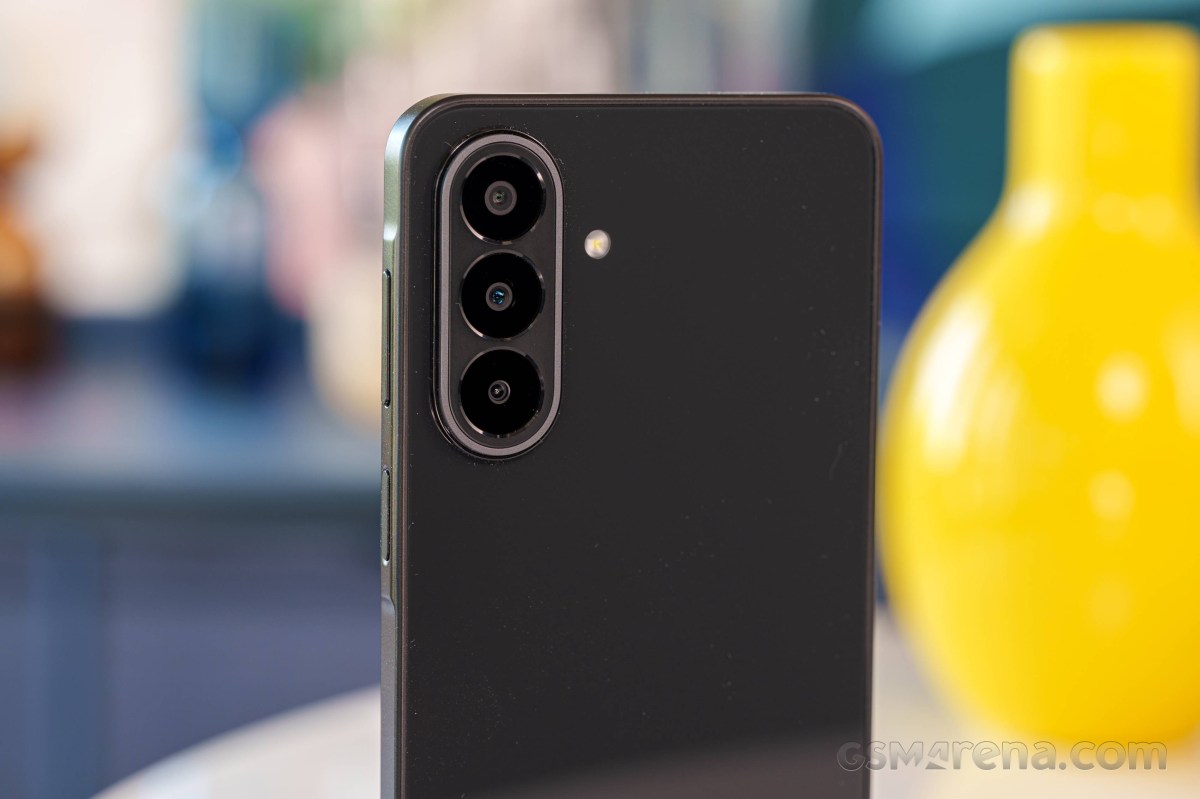
Otherwise, you get a very clean "bar phone", very much following current design trends, which includes a wide and mostly flat middle frame, flat back and front sides and big curved display edges. As mentioned, the one big change in design this year is the move from a decidedly more retro teardrop selfie camera notch to a proper punch hole.
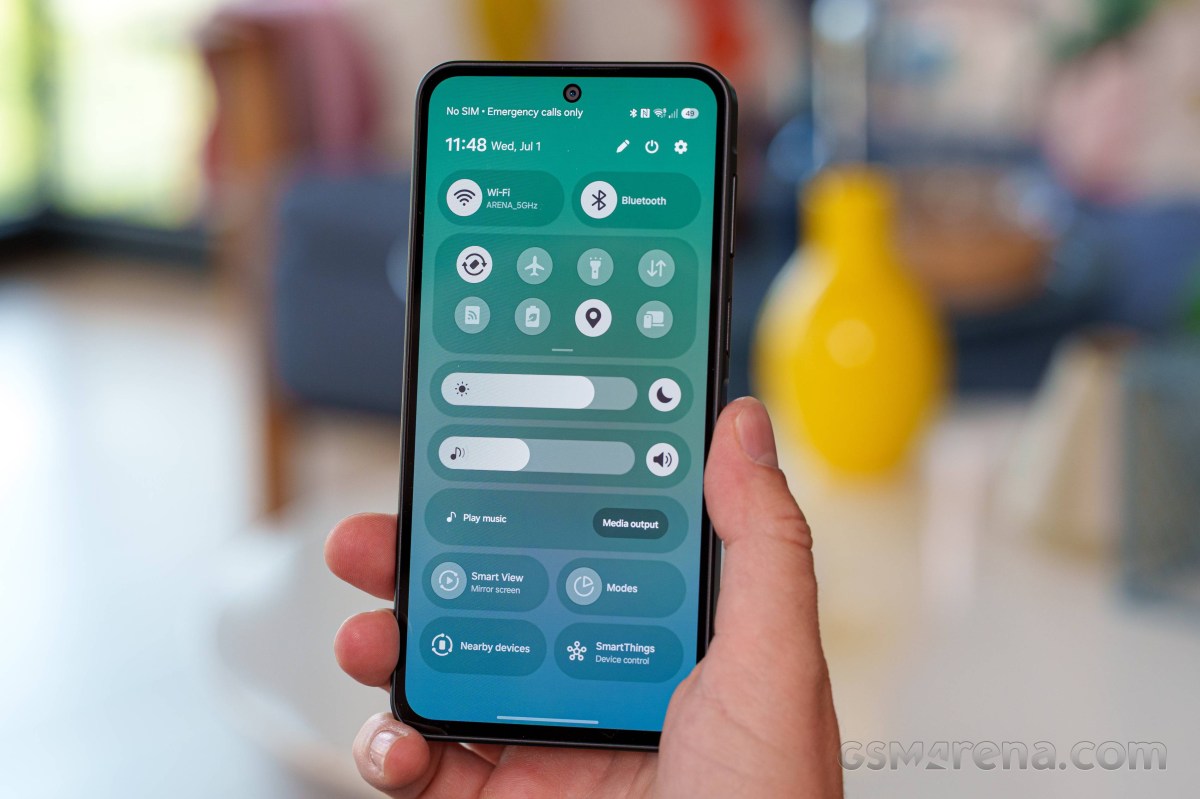
The overall design is the definition of "non-offensive", even bordering on bland. However, that's going to come down to personal preference and taste. Color options this year include: Black, Blue, Light Green and Light Pink. You don't expect every color on all markets. Again, the color selection is perfectly tame, making the Galaxy A27 easily blend into any environment.
While it objectively looks pretty good, the actual finish on the Galaxy A27 is a fingerprint and dust magnet. Our Black review unit, in particular, doesn't hide dirt and smudges at all. The surface is very slippery as well.
Speaking of the finish, both the front and the back of the Galaxy A27 are covered with Gorilla Glass Victus+, which is a solid choice. The middle frame, however, is made of plastic. Still, the phone feels perfectly solid in the hand with practically no flex or hollowness.
It is, however, worth noting that Samsung downgraded the ingress protection rating this year, going from IP67 in the Galaxy A26 to the much less confidence-inducing IP64 rating. We really can't say why Samsung decided to cut corners in this way, but it means the Galaxy A27 is rain-proof at best and definitely not rated for submersion.
There is nothing out of the ordinary when it comes to controls and layout. The A27 has that distinctive Samsung raised "island" on the right side of the frame that houses the volume rocker and power button. Both are well-positioned and clicky.

Samsung Galaxy A27
The power button houses a capacitive fingerprint reader. So, despite the panel upgrade this year, Samsung is still reserving its under-display fingerprint tech for the Galaxy A37 and up. The side-mounted capacitive reader is both snappy and accurate, so we have no complaints there.
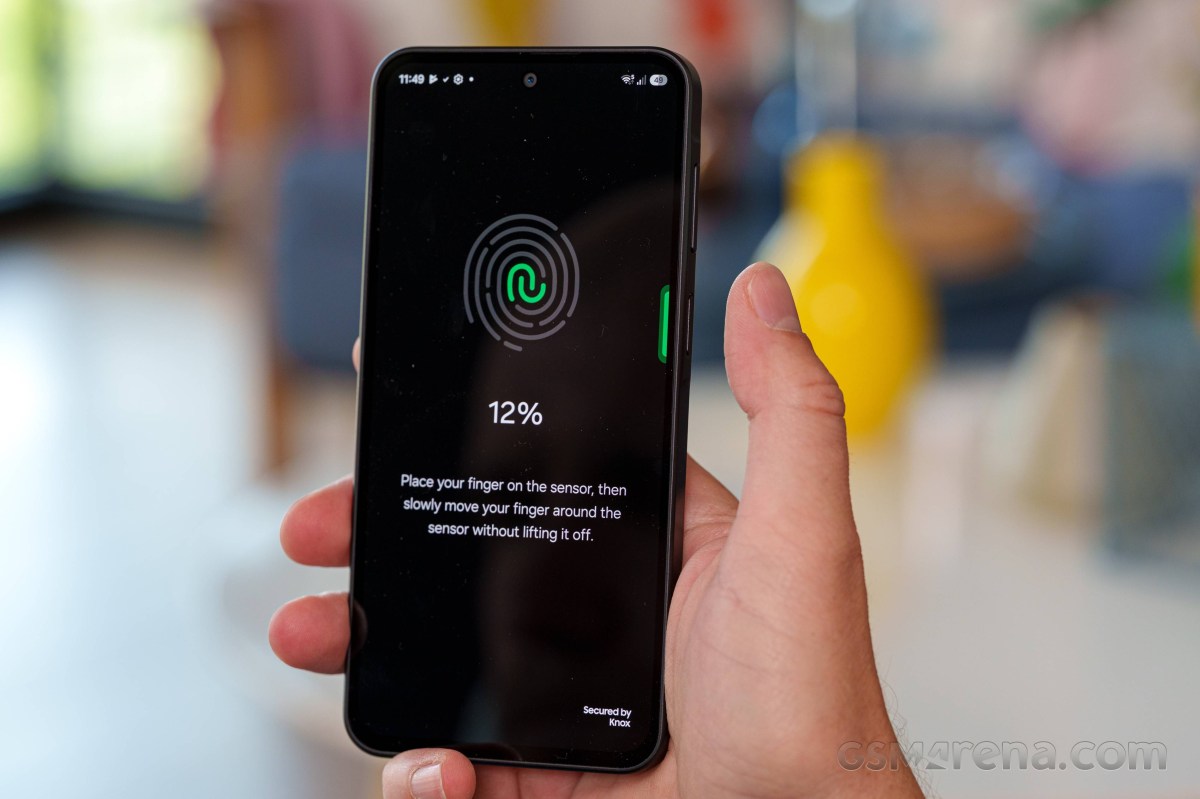
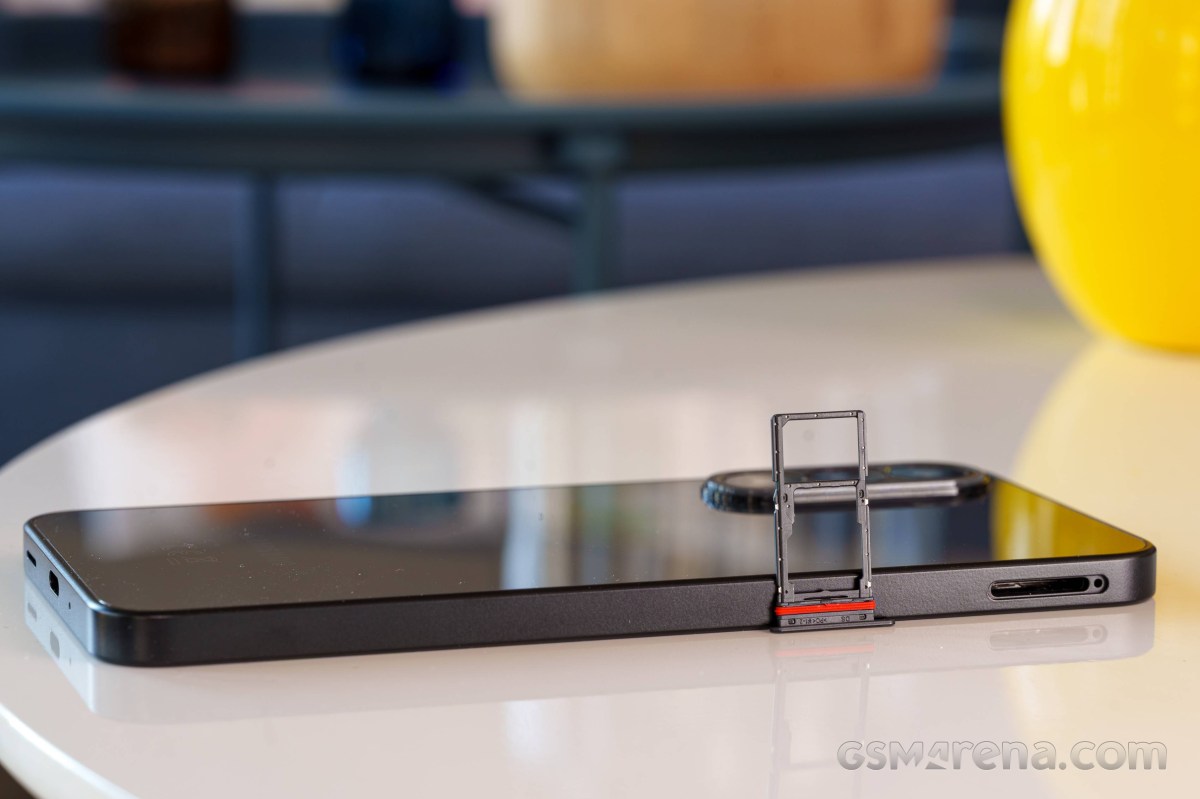
The left side of the frame only houses the SIM tray. By the way, despite the lowered ingress protection rating, the SIM tray still has a pretty large rubber gasket. Make of that what you will. The top side is pretty empty. There is just a single small microphone hole. The bottom side houses another microphone, the bottom-firing speaker and the Type-C port. Overall, like we said, nothing special.
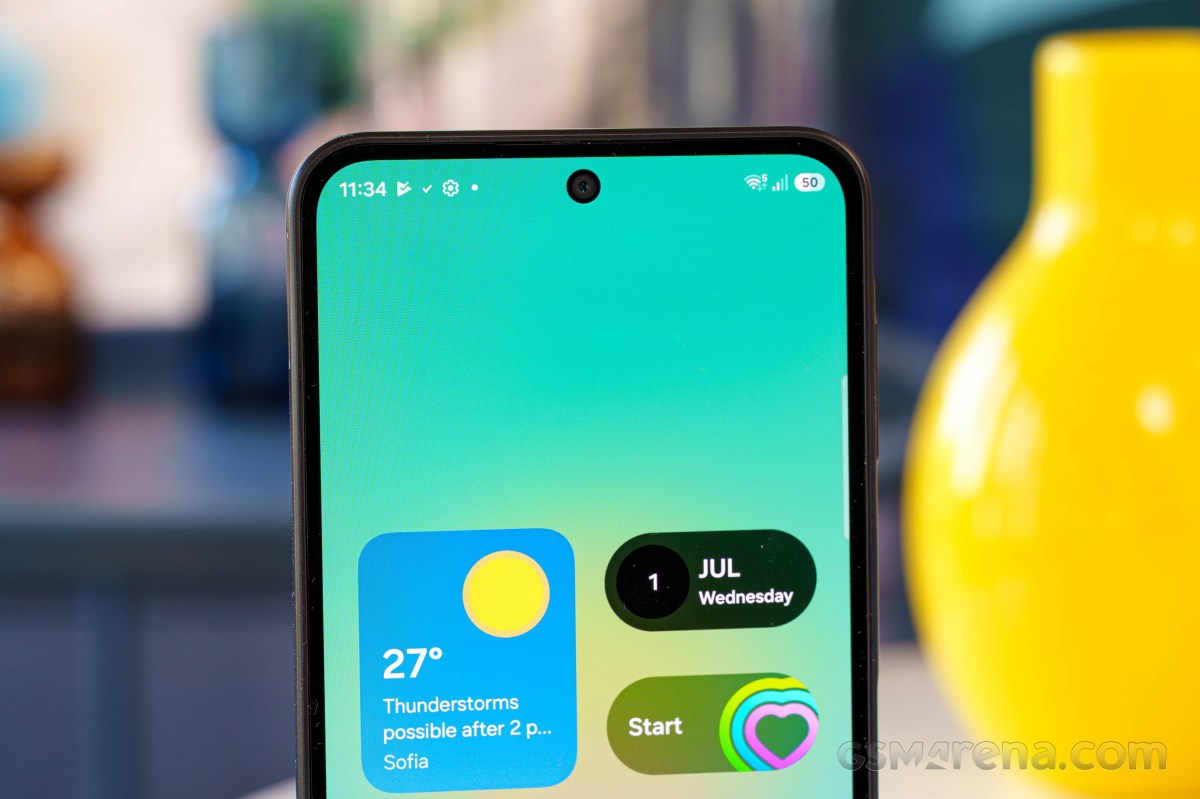
As mentioned, the punch hole design definitely makes for a more modern look. Samsung says that it has slimmed down the display bezels a bit since the A26, but it's hardly noticeable. Based on the bezels alone, you would definitely not confuse the A27 for a modern flagship, but they are still perfectly reasonable in our book. Budget designs have come a long way. Plus, there are no visible sensors anywhere. Everything is either nicely tucked away underneath the panel or, in the case of the earpiece, above the display.
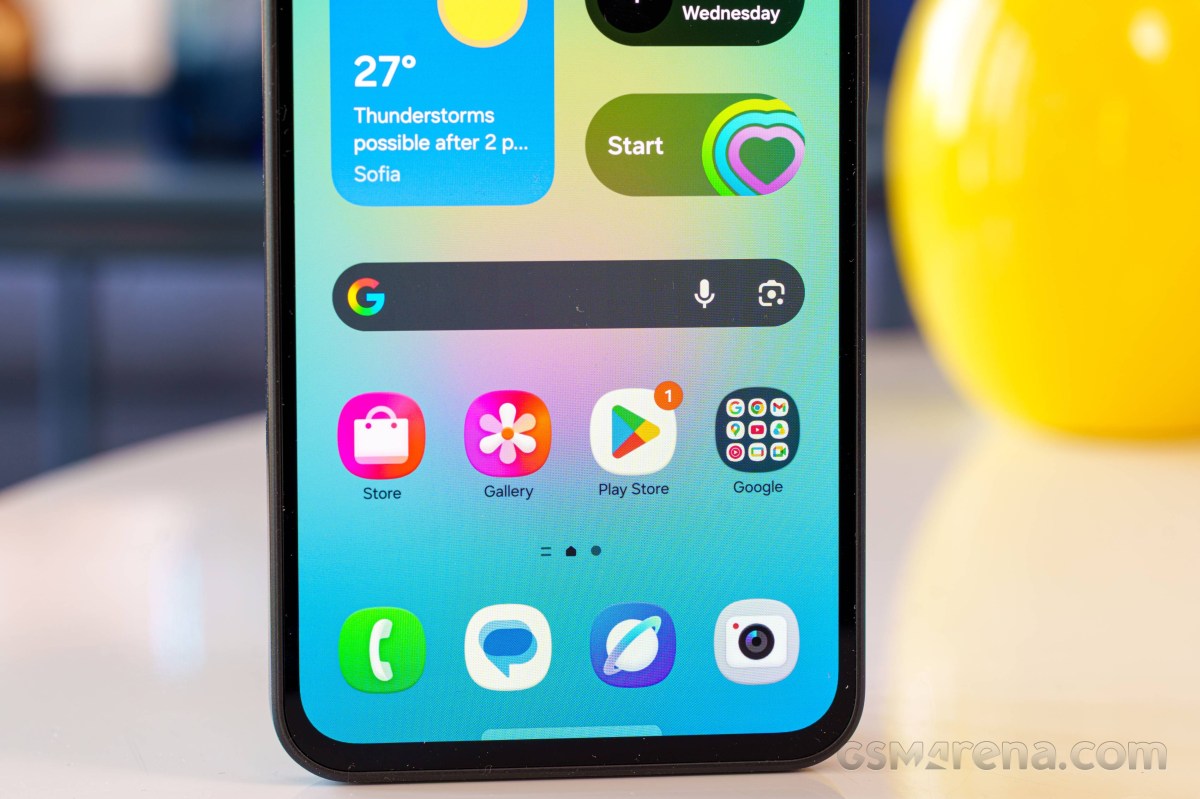
Our lab tests - display, battery life, charging speed, speaker
Display
The display on the Galaxy A27 is a bit of a mixed bag and, frankly, still a bit disappointing, given Samsung's prowess in the display department. We were kind of hoping that a new selfie design would bring about a higher-grade panel, but that is unfortunately not the case.
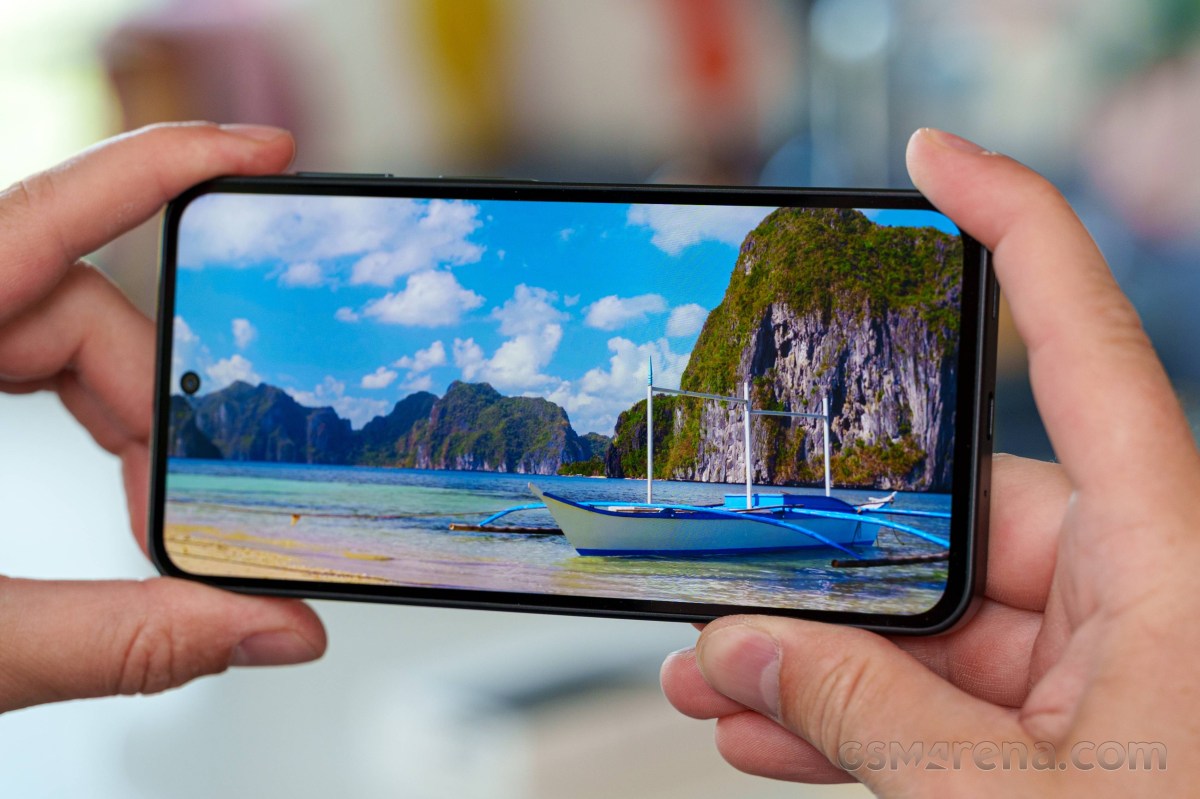
On paper, everything looks pretty good - a 6.7-inch diagonal with FHD+ resolution and a 120Hz refresh rate. However, just like last year, the display of choice in the A27 is surprisingly poor when it comes to max brightness output. Looking at the comparison charts and some other models like the A17 and A07 and how they stack up to the only slightly more premium models like the A36 and A37, it almost feels like Samsung is creating some artificial segmentation here. Either that, or we are vastly underestimating how much of a variance there is between different Samsung display panel bin levels.
Auto brightness mode was able to achieve only around 800 nits on a 75% window - that's frankly not enough to be comfortable outdoors in sunlight. It is almost there, which is the really frustrating bit, but just not quite. The absolute maximum we got out of the panel in a 10% window was 1,090 nits.
The minimum light output we measured at 0% brightness at point white was 2.1 nits, which is actually quite okay.
Max display brightness test
White test pattern (nits)
- Manual (75% fill)
- Auto (75% fill)
- Peak Auto (10% fill)



 Pixel 9a
 Poco X8 Pro
 Infinix Note 50 Pro 4G
 Galaxy A27
 Galaxy A26
 Galaxy A17
 Galaxy A07 4G
Disappointing brightness aside, the display actually looks quite good in terms of sharpness. It also has snappy OLED pixel response times that make it a joy to use, and of course perfect blacks and technically infinite contrast.
Of course, it would be silly to even discuss HDR video support - there is none. That said, we did notice that playing HDR content on YouTube resulted in the phone raising its brightness a bit.
The Galaxy A27 has a 120Hz refresh rate, but the way it handles refresh rate switching is frankly quite basic and inconsistent. The phone actually only supports two refresh rates - 120Hz and 60Hz. There is no "middle of the line" 90Hz option and no 30Hz either. You can choose between Adaptive and Standard modes in the Display settings menu. The latter just locks the refresh rate to 60Hz while the former, which is also the default, switches to 120Hz while you are interacting with the display and then back down to 60Hz after a few seconds of not touching the panel.
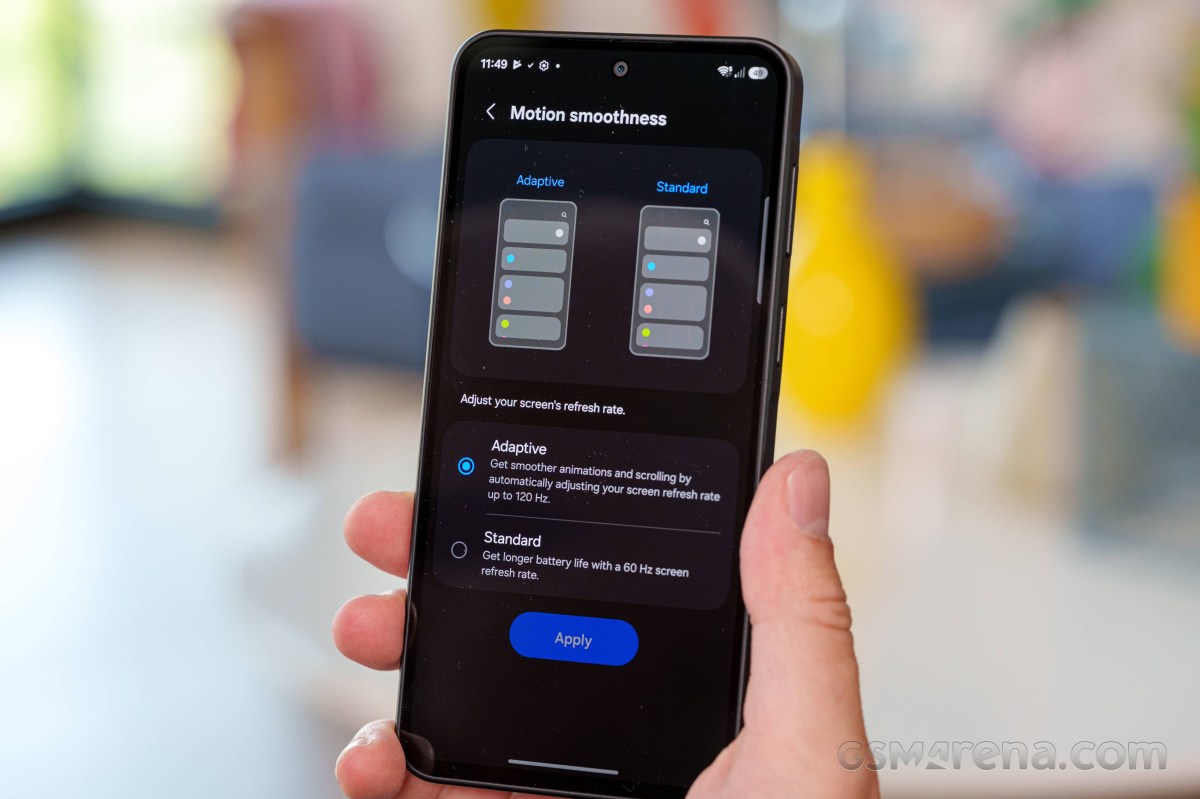
There appears to be no logic in place beyond that. The A27 doesn't appear to be detecting what is going on on the screen in any meaningful way to say, force 60Hz for video playback. The phone does do a fairly good job of detecting a playing game through the Gaming Hub app. This triggers an optional gaming overlay menu with a few options - nothing too fancy, but you do get all of the basics like real-time performance monitoring, notification and call blocking, accidental touch prevention, that sort of thing.
Unfortunately, no matter how hard we tried, we couldn't get any of our test games to push past the 60fps mark. It wasn't a performance limitation either, since some of the titles are lightweight, but just capable of high refresh rates. So, unfortunately, high refresh rate gaming on the Galaxy A27 is pretty much a no-go.
On a more positive note, the Galay A27 does have the Google Widevine L1 DRM certification, allowing services like Netflix to offer up FullHD streams. The phone even reports video decoder support for HDR10 and HLG (no HDR10+ or Dolby Vision, though), so most HDR sources should still look and play ok.
Battery life
With its 5,000 mAh battery, the Galaxy A27 managed a decent, though not exactly impressive, Active Use Score of 12:40 hours. Beyond the disappointing web browser runtime, all other battery test numbers look solid.
Charging speed
Samsung says that the Galaxy A27 should be able to charge to 45% in 30 minutes. Despite multiple attempts, we were unable to match that figure and reached 42% charge in this time (and only got that high in one of our test attempts).
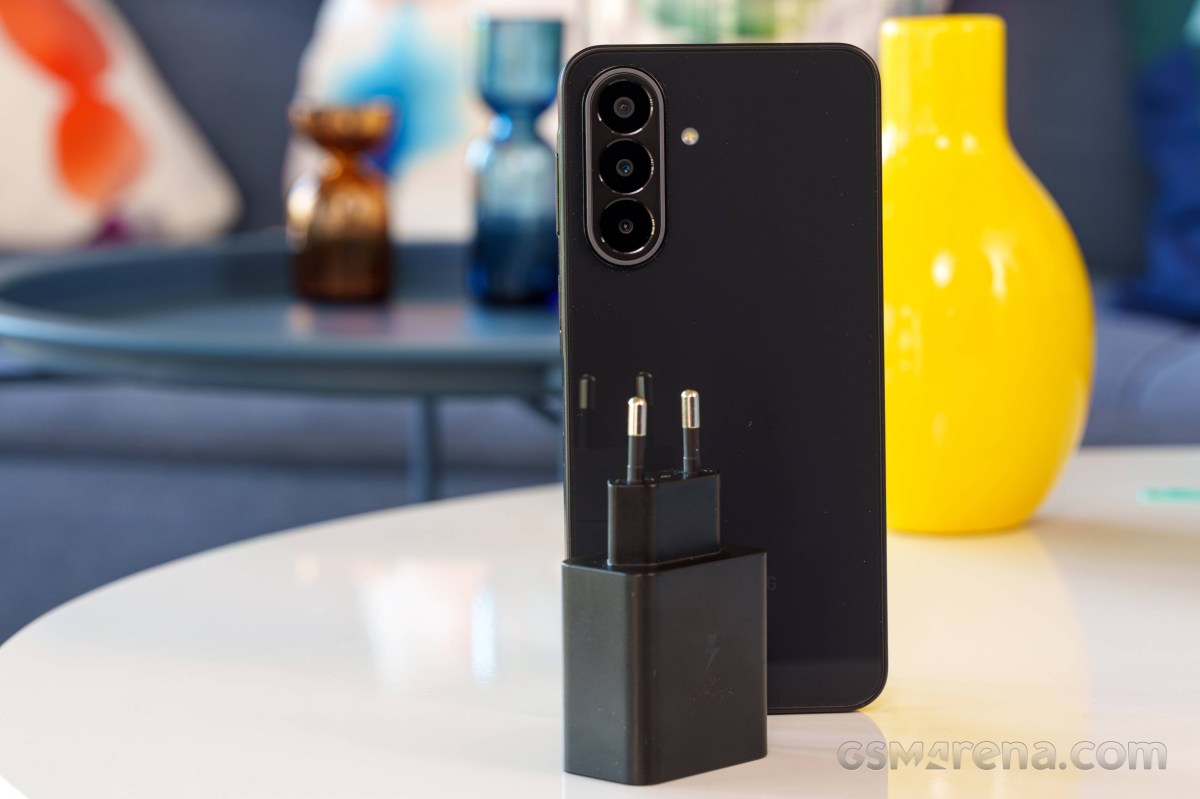
That's not a particularly impressive showing. In fact, the A27 seems to charge the slowest out of any Samsung we've tested in recent memory. Using a higher-power charger makes no difference either.
Charging speed
- in 15 min
- in 30 min
- Time to full charge (from 0%)
Infinix Note 50 Pro 4G
Galaxy A17 5G
Pixel 9a
 Redmi Note 15 Pro 5G
 CMF Phone 2 Pro
Galaxy A07 4G
Galaxy A27
CMF Phone 2 Pro
Galaxy A07 4G
Galaxy A27
In terms of battery protection features, the A27 has the basics covered. You can tell the charger to top off the battery and then wait for it to drop to 95% before starting to charge again. There is also a charge limit that you can set to a percentage of your choice (95%, 90%, 85% or 80%) and limit top-offs that way. There is also an optional automatic sleep charger that tries its best to halt charging at 80% and only top off as you are waking up in the morning.
Speakers - loudness and quality
The Galaxy A27 has a single bottom-firing speaker. Stereo is another extra that you need to go up to the Galaxy A37 to get. The earpiece does play loudspeaker audio as well, but it is extremely quiet compared to the actual speaker, and we aren't quite sure why Samsung even went through the trouble of enabling that.
This year, Samsung seems to have tuned the speaker a bit better, making it slightly louder than the Galaxy A26. Not a lot, so both phones still only get a "GOOD" grade on our standardized scale.
In terms of actual quality, the A27 does a bit better than its predecessor once again, but the quality is still not great. Music tends to sound a bit dull and tinny. At least speech generally comes through pretty well.
Use the Playback controls to listen to the phone sample recordings (best use headphones). We measure the average loudness of the speakers in LUFS. A lower absolute value means a louder sound. A look at the frequency response chart will tell you how far off the ideal "0db" flat line is the reproduction of the bass, treble, and mid frequencies. You can add more phones to compare how they differ. The scores and ratings are not comparable with our older loudspeaker test. Learn more about how we test here.
On a more positive note, Samsung does at least ship a few nice quality-of-life extras in the sound department. Most of these, like Dolby Atmos support and the UHQ upscaler, only work with headphones, but you can still make use of the equalizer for the speaker, as well as Adapt sound, which can be used to tune the sound profile for your particular needs (mostly based on age). And Separate app sound is present - a Samsung feature that allows the sound from a specific, user-selected app to be played on a separate device, while the rest of the media sound is played on a Bluetooth speaker.
Connectivity
The Galaxy A27 is a 5G device with simultaneous support for two concurrent SA/NSA Sub-6 network connections. Now, these can either come in the form of two Nano-Sim cards or a single physical Nano-SIM card and an eSIM. The support seems to be either/or. Our unit has two Nano-SIM slots and lacks eSIM support. Make sure to check with your retailer. The second Nano-Sim slot in our unit is a hybrid one - it can house a microSD expansion card instead of a SIM.
Location services include GPS, GALILEO, GLONASS, BDS and QZSS. Local connectivity includes dual-band Wi-Fi ac. There is a Bluetooth 5.1 radio, which is technically a downgrade compared to the Bluetooth 5.3 on the Galaxy A26, but it does have LE and ASHA support. There is NFC on board but there is no 3.5mm audio jack, FM radio receiver or an IR blaster, though.
The Type-C port is backed up by a simple USB 2.0 data connection, which means a theoretical data throughput of up to 480 Mbps. There is USB OTG/Host support, but nothing beyond that, like video output via USB Alt mode.
There is a pretty full set of onboard sensors. There is a TDK-Invensense ICM536XX accelerometer and gyroscope combo, a Haechitech MXGX300 magnetometer and compass combo, a Sensortek STK61A10 light sensor and what is unfortunately a virtual Ear Hover Proximity Sensor (ProToS) instead of a proper hardware one. It does the job well enough for turning off the screen during calls, but can not be accessed from third-party apps. There is no barometer on board.
Software and performance
One UI 8.5 on top of Android 16
The Galaxy A27 is the typical Samsung affair. It runs One UI 8.5 on top of Android 16. There are plenty of features and settings that come with that combo. One UI is still one of the most feature-dense Android implementations out there. And throughout the years and software generations, more and more features and little bits and pieces have been trickling down, making their way from the Galaxy S flagships to the Galaxy A line.
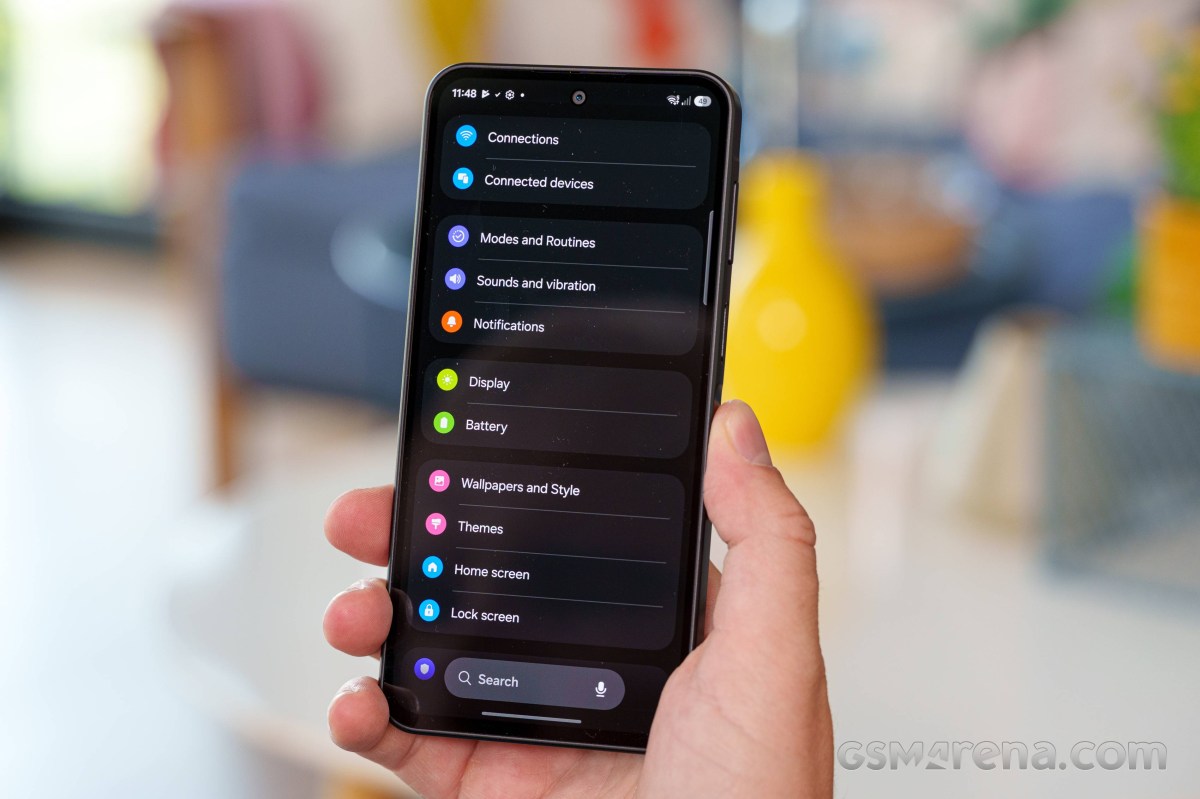
Samsung also has its excellent software support going for it. You aren't quite getting the full seven years from the Galaxy S series, but the A27 still gets six major OS updates. That's a lot, especially for a budget device.
One thing missing from the A27 is the full Galaxy AI suite. There are some AI features scattered here and there.
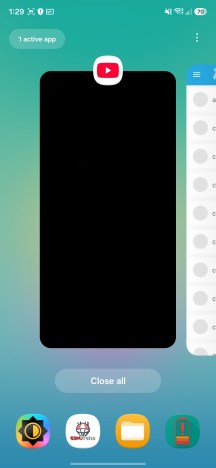
Home screen • Quick toggles • Recent apps
One of the more substantial upgrades this year comes in the form of Bixby. Samsung's virtual assistant has become noticeably more capable, with improved natural language understanding and much stronger contextual awareness. It can now perform live web searches and retrieve up-to-date information directly within the Bixby interface.
Perhaps even more useful is its ability to assist with device troubleshooting. Rather than simply telling you which setting to change, Bixby can take you directly to the relevant menu or toggle. You don't even need to know what the setting is called - describing the problem in plain language is usually enough.
For instance, if you tell Bixby, "I'm having trouble hearing my phone when it rings," the assistant will identify the issue and bring up the appropriate ringtone and notification volume controls, saving you from digging through the Settings menu yourself.
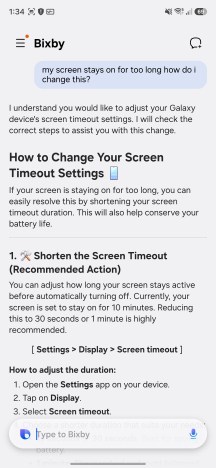
Bixby
Samsung has also introduced deeper integration with Perplexity AI. Perplexity seems to have gone through some ups and downs in its integration since we tested it on the A37. It did manage to create a calendar entry for us, but not send an email through Gmail. Now, the Galaxy A27 has no problems doing both.
Perplexity AI
Long-pressing the power key triggers a Gemini interface, which you can type or talk into and even share your screen with.
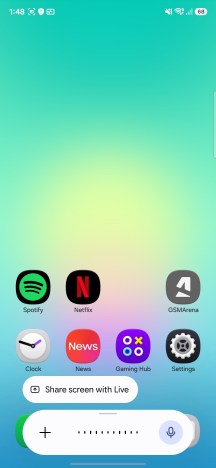
Gemini integration
Long-pressing the navigation pill at the bottom of the display invokes Google's Circle to Search. The feature can analyze and interact with virtually anything currently on your screen, making it easy to search for text, images, or objects without leaving the app you're using. It also includes a handy built-in translation tool for quickly translating on-screen content.
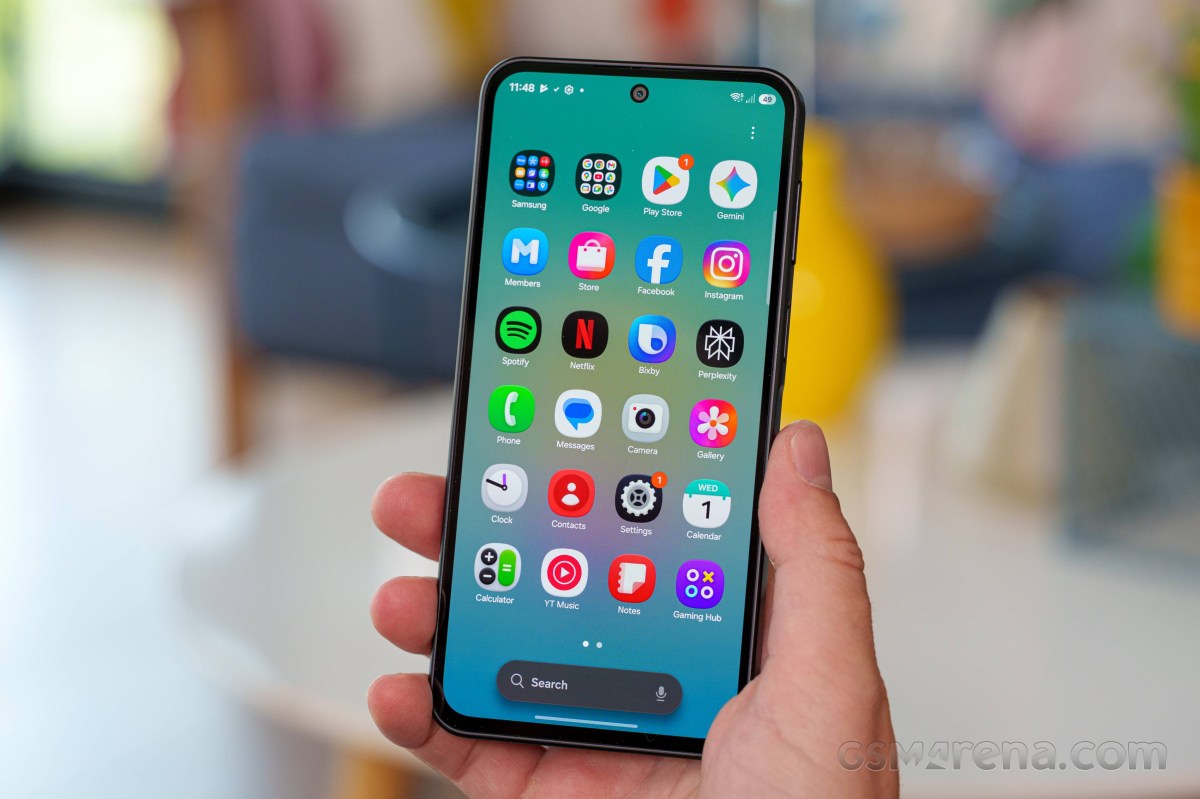
Now Brief and Now Nudge are both missing from the A27. Those remain a flagship feature, apparently.
Another omission is the enhanced Photo Assist suite introduced with the Galaxy S26 generation. That means you can't simply describe the edits you want and have the AI apply them automatically. Even so, the Gallery app still includes a handful of AI-powered editing tools, such as AI Remaster, Object Eraser, and Erase Reflections, all of which remain useful for quick touch-ups.
AI Gallery tools
Another handy addition to the Gallery app is AI-powered screenshot search. The feature analyzes the contents of your screenshots, allowing you to search for specific objects, text, or other elements rather than relying solely on filenames or dates. The search bar also suggests relevant tags, making it much easier to locate a particular screenshot if you've accumulated a large library over time.
AI-powered screenshot search
While the growing list of Galaxy AI features certainly sounds impressive on paper, their usefulness will ultimately depend on language and regional support. Since many of the tools currently work with only a limited number of languages, the experience may vary significantly depending on where you live.
Intelligent features
Benchmarks and performance
Samsung decided to go with a Qualcomm chip for the A27 instead of Exynos, like last year. As we've already seen in the Galaxy A36, the Snapdragon 6 Gen 3 is a pretty modest chip performance-wise. Otherwise, it is a fairly modern part, made on a 4nm Samsung node. It also offers pretty modern connectivity and features.
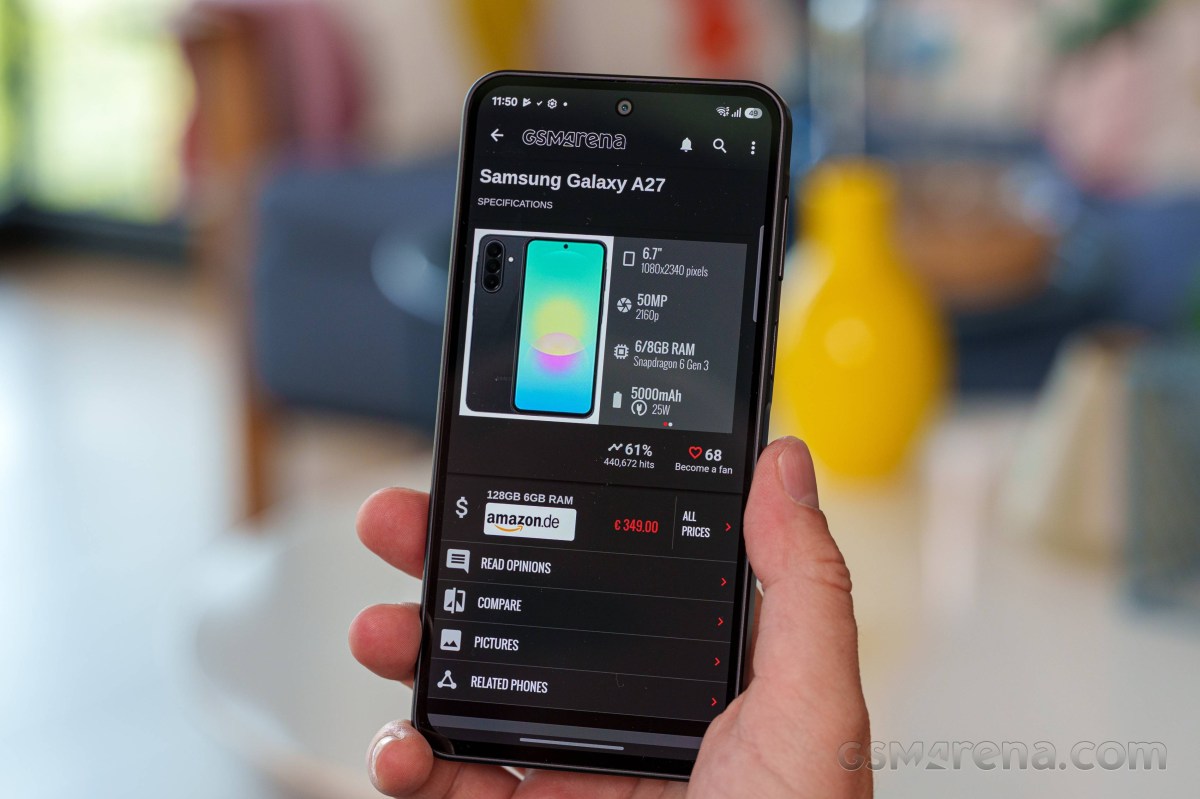
In the CPU department, you are looking at an older-style symmetrical configuration with four Cortex-A78 cores, working at up to 2.2 GHz and four Cortex-A55 cores, clocked at up to 1.8 GHz. The GPU is an Adreno 710. The chipset is paired with either 6GB or 8GB of RAM. Gone is the base 4GB version of the Galaxy A26. For storage, you can either get 128GB or 256GB of expandable storage. Our review unit is the 8GB/256GB one.
Looking at some actual benchmark scores, the Snapdragon 6 Gen 3 does indeed leave more to be desired. In the CPU department, it is only marginally better than the Exynos 1380 in last year's Galaxy A26 and only in multi-core loads. In AnTuTu, with its more comprehensive set of tests, our 8GB/256GB unit did have a commanding lead over the Galaxy A26 and even the A36, which runs the same chipset but was only tested with 6GB of RAM. The Adreno 710 is quite disappointing; that said, there are worse GPUs out there, and most modern games are well optimized to run even on such modest hardware.
GeekBench 6
- Single-core
- Multi-core
 OnePlus Nord 5
Galaxy A26
OnePlus Nord 5
Galaxy A26
 Galaxy A36
Galaxy A27
Galaxy A17 5G
Infinix Note 50 Pro 4G
Galaxy A07 4G
Galaxy A36
Galaxy A27
Galaxy A17 5G
Infinix Note 50 Pro 4G
Galaxy A07 4G
AnTuTu
- v10
- v11
 Infinix GT 50 Pro
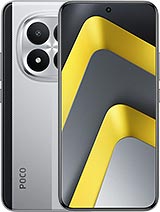 Poco M8 Pro
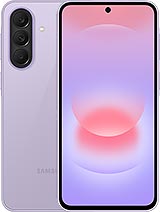 Galaxy A37
Galaxy A27
Galaxy A37
Galaxy A27
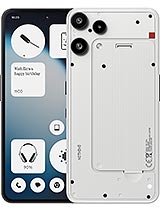 Nothing Phone (3a) Lite
Galaxy A17 5G
Galaxy A07 4G
Nothing Phone (3a) Lite
Galaxy A17 5G
Galaxy A07 4G
3DMark
- Wild Life Extreme (Highest)
- Wild Life Extreme (Lowest)
Infinix GT 50 Pro
Redmi Note 15 Pro 5G
Galaxy A36
Galaxy A27
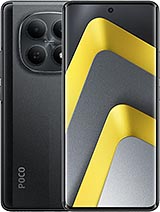 Poco M8
Galaxy A17 5G
Galaxy A07 4G
Poco M8
Galaxy A17 5G
Galaxy A07 4G
Thermal-throttling
The Snapdragon 6 Gen 3 is clearly not the most powerful chipset around, but on the flip side, it does run quite cool. No matter what we stressed the Galaxy A27 with, it never really thermal-throttled in any meaningful way.
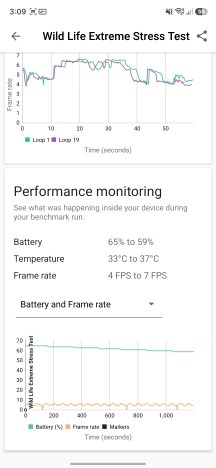
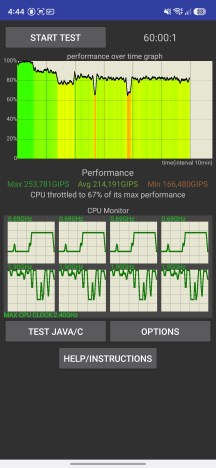
Thermal-throttling
Plus, its surface remained lukewarm at the worst and perfectly comfortable to hold.
Camera - photo and video quality
50MP main camera, downgraded ultrawide, nice selfies still
The Galaxy A26 straight up inherited the A25's camera setup, but the A27 now comes with a bit of a downgrade even - that's progress for you. That said, at this particular spot in the lineup, we're not exactly expecting camera greatness, so a 5MP ultrawide in place of the old 8MP one isn't that big of a deal, probably.
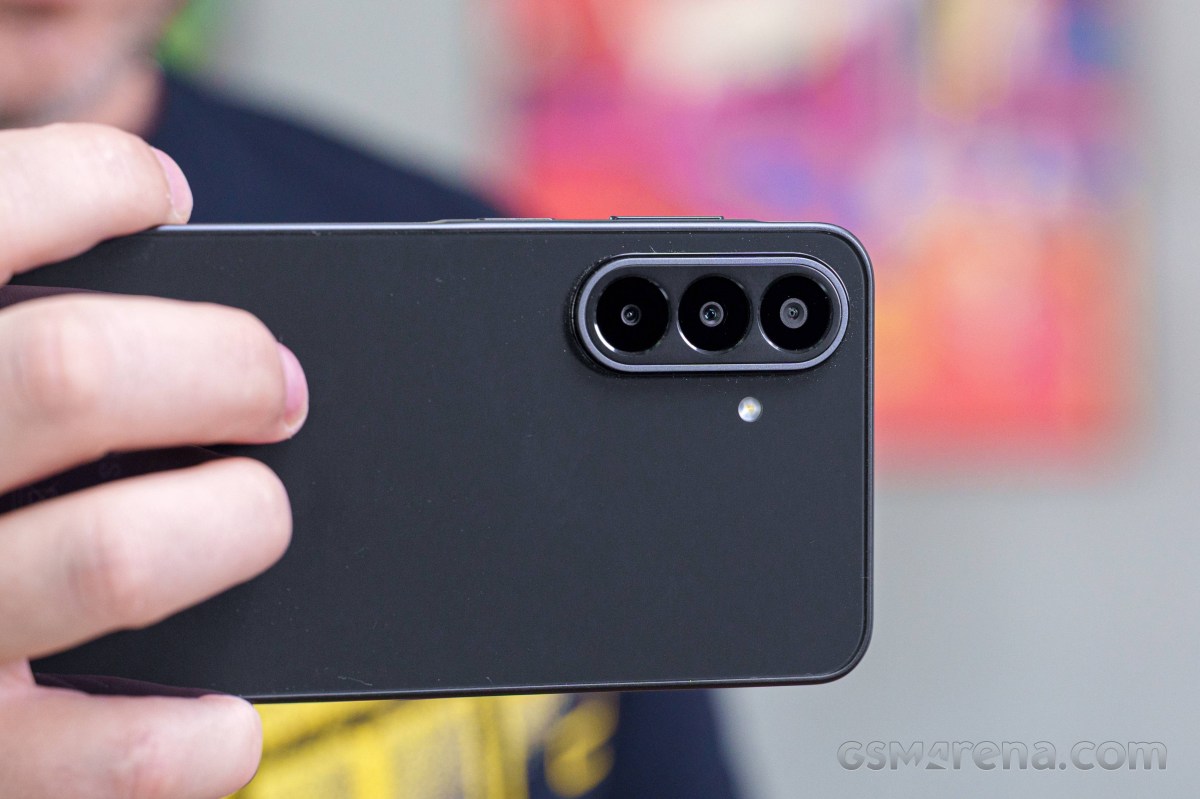
So, yes, the A27 downgrades the ultrawide and gets a 5MP GalaxyCore sensor in place of the 8MP Samsung imager on the A26 (and possibly on the A37). It's a tiny sensor and the lens has fixed focus, but that's all par for the course at this level.
The selfie camera is not same-same, but same-ish - the A27's 12MP GalaxyCore sensor replaces a 13MP Hynix unit on the A26, and this new module might be shared with the A37, but that model isn't as forthcoming about its hardware, and we're dealing with scraps of information to compare.
The main camera on the back is unchanged this generation, a trusty in-house JN1 50MP sensor at its heart. Higher-tier models use the 1/2.76" optical format for secondary or selfie cameras, but on the A27, it's the main camera material. The A37 does come with a significantly larger 1/1.56" main camera sensor.
The Galaxy A27 also has yet another camera, a dedicated 2MP 'macro' module - that too is a notch below the A36 and A37 (5MP there).
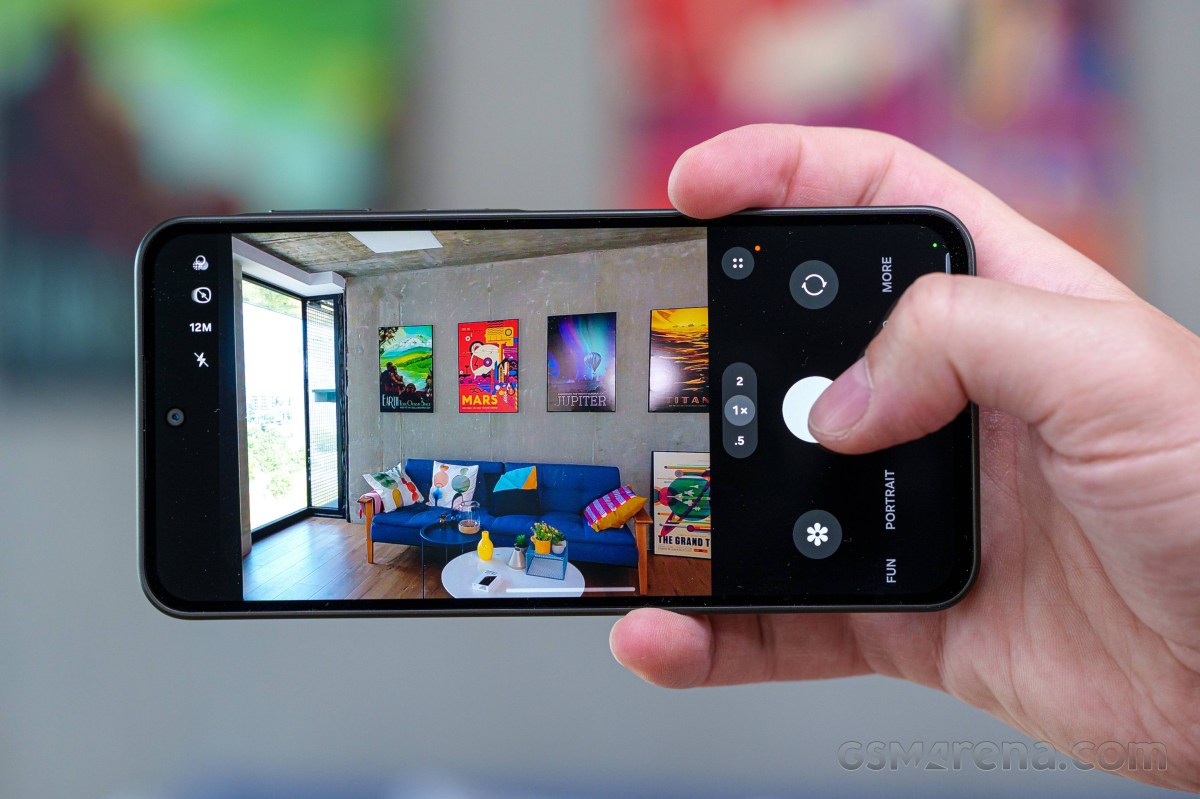
- Wide (main): 50MP Samsung ISOCELL JN1 (S5KJN1, 1/2.76", 0.64µm-1.28µm); 27mm, f/1.8, OIS, PDAF (8.5cm - ∞); 4K30/1080p60 video recording.
- Ultrawide: 5MP GalaxyCore GC05A3 (1/5.0", 1.12µm); 16mm, f/2.2, fixed focus; 1080p30.
- Macro: 2MP GalaxyCore GC02M1 (1/5.0", 1.75µm); 23mm, f/2.4, fixed focus; no video recording.
- Front camera: 12MP GalaxyCore GC12A2 (1/3.2", 1.12µm); 25mm, f/2.2, fixed focus; 1080p30.
Daylight photo quality
Main camera
We weren't thrilled with the A26's output, and the A27 isn't bringing any hardware improvements, so it's no surprise that the photos it captures with its main camera aren't exactly superb. Most notably, detail is on the soft side, particularly in indoor conditions (even slightly dimmer than ideal lighting), though well-lit outdoor scenes aren't pin-sharp either. Outdoor color reproduction is pretty great, with reliable auto white balance and pleasing saturation levels, while indoor scenes can be a little off in both respects, but nothing too problematic. Similarly, dynamic range and contrast are looking very good when shooting out in the sun, but indoor scenes can end up more washed out, or with blown highlights.
An inherent peculiarity is the relatively narrow field of view of the 27mm-equivalent focal length - it could be beneficial if that's your thing, but main cameras have been hovering around the 23-24mm mark and 27mm can feel a little limiting.












Daylight samples, main camera (1x)
Human subjects are rendered mostly fine - skin tones aren't bad, but the general imperfections in dynamic range and detail rendition remain visible in these scenarios as well. The Portrait mode's default blur level makes for a somewhat artificial look too.








Human subjects, main camera (1x): Photo mode • Portrait mode
The full-res mode comes with further limited dynamic range and not necessarily much of a detail benefit - we'd avoid it.




Daylight samples, main camera (1x), 50MP
2x zoom photos have pretty blotchy detail with thick sharpening halos - it's not a particularly good look if you examine them at 1:1, but for the bulk of casual low-res online sharing they'll be alright.












Daylight samples, main camera (2x)
There's no Portrait mode at anything but the native focal length, so at 2x you only get Photo mode shots of people. They're not great - with the right excuses, they can pass for acceptable.




Human subjects, main camera (2x): Photo mode
Ultrawide camera
We were moderately surprised to see the already fairly basic ultrawide get downgraded further from the A26 to the A27, but here we are, now at 5MP in resolution. That's obviously not a lot of detail and what detail there is, is not rendered particularly nicely. Dynamic range is okayish, colors are pretty great outdoors and a bit less so indoors.










Daylight samples, ultrawide camera (0.5x)
Close-ups
The ultrawide can't really do close-up photos, but there's a dedicated 'macro' camera, plus you can also use the main camera for some close-up shooting thanks to its 8.5cm minimum focusing distance. Both approaches come with their own compromises, of course. The macro camera has all of 2MP, so it doesn't produce crazy detailed shots to begin with. Then its focus is fixed and it's pretty close, so you'll end up throwing a shadow on your subject more often than not.




Close-up samples, 'macro' camera
Then there's the main camera, which for 'macro' purposes you'll want to be shooting at 2x, where it's not particularly sharp. Even so, we reckon this is the better option, by a wide margin.




Close-up samples, main camera, 2x
Low-light photo quality
Main camera
Low-light photos from the main camera at 1x aren't particularly great in absolute terms, but they just might be decent for the class. Dynamic range is quite good, even if highlights can be a little harsh. The auto white balance isn't infallible, but it's never completely messed up, and saturation is good. Detail is on the soft side, with shadows being murky and noisy. Overall, it's usable stuff.








Low-light samples, main camera (1x)
Shooting in the dedicated Night mode can clean up a bit of noise in the lower midtones, but it's not universal, and it's not a dramatic improvement - we'd say the full auto mode is all you'll need.




Low-light samples, main camera (1x), Night mode
The 2x low-light photos are, well, not good - they're quite soft.








Low-light samples, main camera (2x)
Ultrawide camera
The ultrawide's low-light results aren't great either. There's an almost film-like quality to them with this grain structure throughout the frame. Things are pretty soft, as can be expected, and there's not a ton of detail. You could say that global properties are alright though - exposures are balanced, highlights are well contained, colors aren't desaturated and are pretty accurate.








Low-light samples, ultrawide camera (0.5x)
Selfies
Selfies from the Galaxy A27 are quite good, possibly excellent for the class. They're nicely detailed, skin tones are vibrant and lifelike, dynamic range is great. Low-light results are reasonably okay too.








Selfie samples
Photo quality verdict
The Galaxy A27 delivers an entry-level stills camera experience, which is what you'd expect from it. The main camera is alright in well-lit daytime scenes, with quality dropping indoors and at night, but maintaining acceptable levels at its native focal length. Zooming in to 2x, or zooming out to shoot on the ultrawide, the photos are good for a check mark - they're not particularly good, but it's something. Selfies, on the other hand, are, in fact, quite great.
Video quality
The Galaxy A27 can record video at up to 4K30 with its main camera, which can also do 1080p at up to 60fps. The ultrawide and the selfie camera max out at 1080p30. There's a Pro video mode for the main camera with exposure and white balance controls too. Stabilization is available at up to 1080p30 quality settings - so that 4K mode comes without EIS.
You can hit '> play' below and use the '>| next' button to advance through the playlist of all video samples, or you can watch the full playlist on YouTube.
Unstabilized 4K or stabilized 1080p, the A27's main camera footage is on the soft side, though 2x is quite good in its own context). Dynamic range and colors are quite excellent, though.
The ultrawide camera's clips are not very sharp either, plus they have a narrower dynamic range and more muted colors.


Video screengrabs, daylight: 0.5x • 1x (4K) • 1x (1080p) • 2x
In the dark, the main camera starts to struggle with dynamic range and renders highlights harshly, but it's still not too bad, plus it maintains a respectable level of sharpness in 4K (even if it's a little shaky). The stabilized 1080p footage is notably softer. The ultrawide low-light footage is pretty soft too.




Video screengrabs, low light: 0.5x • 1x (4K) • 1x (1080p) • 2x
For what it's worth, the A27's electronic stabilization is pretty solid. When shooting from a fixed position, you can count on nicely stable footage from the main camera (at both 1x and 2x) and the ultrawide, with smooth pans too. Walking shake does occasionally make it to the footage, yes, but even that is quite well controlled given the class of hardware.
Video quality verdict
The Galaxy A27's camcorder chops are fairly limited. Its main camera will do okayish 1080p and 4K during the day, and it will show acceptable results in the dark too. The ultrawide isn't much good in any conditions. The stabilization you get in 1080p is quite great, though the lack of 4K EIS is a bit of a downside.
Final words, our verdict, pros and cons
The competition
It's frankly hard to make heads or tails of Samsung's current pricing. A quick search on Amazon Germany shows that certain colors of the Galaxy A27 will cost you around €300, or in other words, the same price as the vastly superior Galaxy A37. You can even find the also superior Galaxy A36 cheaper or similarly priced as the new Galaxy A27.
Things are definitely not rosier in the US. Samsung advertised that the Galaxy A27 would soon launch in the USA at $350, while running a promo for the A37 at $330 at the same time. That was quickly corrected with the A37 getting back its old price - $450, which coincidentally is exactly how much the Galaxy A57 costs at the moment. So, clearly, both the A27 and A37 are pushed to price brackets they can't occupy comfortably, as Samsung is trying (and failing!) to space them apart in different price tiers due to the late launch of the A27.
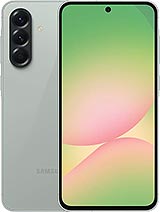
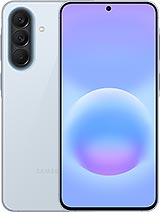
And the Galaxy A37 is easily the better phone than the A27. You get the full IP68 ingress protection, a brighter display, stereo speakers, a better camera system and faster 45W charging.
Even the outgoing Galaxy A36 can make a strong case for itself when compared to the Galaxy A27, despite the fact that the two share the same screen and offer an identical performance and battery life. Beyond that, however, the A36 will offer you IP67, faster 45W charging, stereo speakers, under-display FP reader, Wi-Fi 6, a larger sensor on the main cam, higher res ultrawide and macro cams, and 4K selfie video. The only concession is the missing microSD slot.

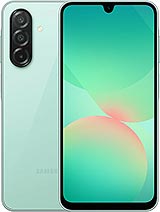
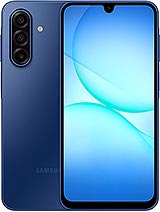
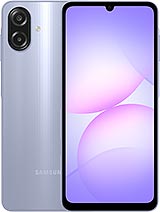
Samsung Galaxy A37 • Samsung Galaxy A36 • Xiaomi Poco X8 Pro • Motorola Edge 70 Fusion
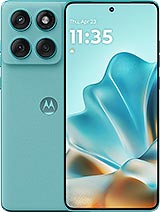
At current pricing, you can easily afford a Poco X8 Pro instead of the Galaxy A27. The Poco has vastly superior hardware all around. An IP69K ingress protection rating, a much brighter and Dolby Vision-certified display, a stereo speaker setup with Dolby Atmos, a larger 6,500 mAh battery with super-fast 100W charging and a MediaTek Dimensity 8500 Ultra chipset that is in a whole other league performance-wise.
Over in camp Motorola, you can easily fit an Edge 70 Fusion into your budget. Probably even the 8GB/256GB one (unfortunately with no expandable storage, but still). Again, you are looking at excellent ingress protection - IP68/IP69 and MIL-STD-810H compliance. Also, a better and certainly brighter AMOLED display with HDR10+ support. The camera setup is also arguably superior, and you get stereo speakers and faster charging. Depending on the region, it either comes with a Snapdragon 7s Gen 3 or a Snapdragon 7s Gen 4 chipset, which is surprisingly not a huge difference anyway. What some regions do get is a 7,000 mAh battery instead of a 5,200 mAh one, which is a pretty big bump.
And it wouldn't be fair if we didn't mention that you can get most of the same experience as the Edge 70 Fusion with the Edge 60 Fusion for noticeably less money.
Our verdict
The Galaxy A27 is a perfectly competent mid-range smartphone. It delivers the dependable software experience we've come to expect from Samsung, backed by an excellent six-year software update promise. The phone feels well-built, offers expandable storage, delivers decent battery life, and its main camera and selfie camera are perfectly capable for everyday use. The switch to a Snapdragon chipset is also welcome, even if the performance uplift over its predecessor isn't particularly dramatic. We did, however, enjoy the improved battery life on the new model.
Unfortunately, that's where the positives start running into the realities of Samsung's current lineup. The A27 introduces a few questionable downgrades compared to the Galaxy A26, including lower IP protection, a weaker ultrawide camera and older Bluetooth connectivity. More importantly, it fails to improve the overall experience meaningfully. The display still leaves more to be desired, charging is incredibly slow, the single loudspeaker is merely adequate, and overall performance is only average for the asking price.
None of these compromises would necessarily be deal-breakers if the Galaxy A27 occupied the right price bracket. The problem is that it doesn't. In many markets, the Galaxy A36 and A37 cost roughly the same or marginally more while bringing meaningful upgrades across the board.
The Galaxy A27 is, ultimately, a decent phone that ends up being overshadowed by Samsung's own products. If you happen to find it heavily discounted, it can certainly be worth considering. At its current street price, however, we'd recommend getting a Galaxy A3x model instead.
Pros
- More modern aesthetics with a punch hole camera.
- Excellent software support with six major Android updates.
- Solid build with Gorilla Glass Victus+ on both front and back.
- Expandable storage and optional eSIM support (market dependent).
- Good battery endurance.
- Good selfie camera.
- microSD slot.
Cons
- Max display brightness leaves more to be desired.
- Single loudspeaker.
- Slow 25W charging.
- Downgraded ultrawide camera and lower IP rating than the predecessor.
- High launch pricing makes other, higher-tier Galaxy phones a better buy.
Introduction, specs, unboxing
Introduction
You are kind of spoiled for choice when it comes to Samsung's Galaxy A series. The Korean giant knows all too well that it's the A family that moves units, and it has done its best to saturate every price point as best it can. The Galaxy A27 is kind of a "middle-ground" choice within the lineup, with two models sitting below it and another two above it. And while we have no doubt that Samsung is constantly trying to deliver the best possible value with these models, it's not always a straightforward affair.
The Galaxy A27 tweaks the Galaxy A26 formula only slightly, but unfortunately, not all changes are clear upgrades. We appreciate the fact that Samsung is finally moving away from the dated look of the teardrop notch. The new Galaxy A27 has what Samsung calls an Infinity-O display with a standard punch hole for the selfie and slightly slimmer display bezels. This does make for a more modern look, even if the panel itself seemingly hasn't changed in any meaningful way other than the notch.
Samsung Galaxy A27 specs at a glance:
- Body: 162.4x78.2x7.8mm, 200g; Glass front (Gorilla Glass Victus+), plastic frame, glass back (Gorilla Glass Victus+); IP64 dust tight and water resistant (water splashes).
- Display: 6.70" Super AMOLED, 120Hz, 1080x2340px resolution, 19.5:9 aspect ratio, 385ppi.
- Chipset: Qualcomm SM6475-AB Snapdragon 6 Gen 3 (4 nm).
- Memory: 128GB 6GB RAM, 128GB 8GB RAM, 256GB 8GB RAM; microSDXC (uses shared SIM slot).
- OS/Software: Android 16, up to 6 major Android upgrades, One UI 8.5.
- Rear camera: Wide (main): 50 MP, f/1.8, 1/2.76", 0.64µm, PDAF, OIS; Ultra wide angle: 5 MP, f/2.2, 1/5.0", 1.12µm; Macro: 2 MP.
- Front camera: 12 MP, f/2.2, (wide).
- Video capture: Rear camera: 4K@30fps, 1080p@30fps, 720p@480fps, gyro-EIS; Front camera: 1080p@30fps.
- Battery: 5000mAh; 25W wired, 45% in 30 min.
- Connectivity: 5G; eSIM; Wi-Fi 5; BT 5.1, ASHA; NFC.
- Misc: Fingerprint reader (side-mounted); Virtual proximity sensing.
The battery capacity remains the same at 5,000 mAh, and so does charging at 25W. Samsung did go for Qualcomm silicon this year (the same chipset as the Galaxy A36), and the Snapdragon 6 Gen 3 in question offers only a modest 10-20% performance bump over last year's Exynos chips.
But, surprisingly, there are even a few downgrades compared to the Galaxy A26. The 8MP ultrawide has been swapped for a measly 5MP unit. The pretty great IP67 ingress protection of the Galaxy A26 is gone and replaced with a mediocre IP64. And the supported Bluetooth version is 5.1 compared to 5.3 on the Galaxy A26.
Unboxing
The Galaxy A27 ships in your standard Samsung two-piece cardboard box. There is nothing particularly fancy here, but no plastic either, which we do appreciate. There is a sort of natural cradle in the box design that keeps the phone snug, though there is practically no spacing between it and the outside box wall, so we wouldn't necessarily subject the box to any abuse.
Samsung has been stingy with its accessories for a while now, so don't expect a free case or anything like that. All you get is a white USB Type-C to Type-C cable. It is non-e-marked and passive, so it is rated for 3A current, which is plenty for its needs. Nothing fancy.
Design, build quality, handling
Design, build quality, handling
Samsung didn't really change much when it comes to the Galaxy A27 design. Honestly, if you don't know what to look for in particular, you could easily confuse it for any other recent Samsung phone. That's not necessarily a bad thing. The vertical camera island design Samsung currently has going on is actually surprisingly distinctive. Plus, recessing the actual camera lenses slightly is not a bad idea at all.
Otherwise, you get a very clean "bar phone", very much following current design trends, which includes a wide and mostly flat middle frame, flat back and front sides and big curved display edges. As mentioned, the one big change in design this year is the move from a decidedly more retro teardrop selfie camera notch to a proper punch hole.
The overall design is the definition of "non-offensive", even bordering on bland. However, that's going to come down to personal preference and taste. Color options this year include: Black, Blue, Light Green and Light Pink. You don't expect every color on all markets. Again, the color selection is perfectly tame, making the Galaxy A27 easily blend into any environment.
While it objectively looks pretty good, the actual finish on the Galaxy A27 is a fingerprint and dust magnet. Our Black review unit, in particular, doesn't hide dirt and smudges at all. The surface is very slippery as well.
Speaking of the finish, both the front and the back of the Galaxy A27 are covered with Gorilla Glass Victus+, which is a solid choice. The middle frame, however, is made of plastic. Still, the phone feels perfectly solid in the hand with practically no flex or hollowness.
It is, however, worth noting that Samsung downgraded the ingress protection rating this year, going from IP67 in the Galaxy A26 to the much less confidence-inducing IP64 rating. We really can't say why Samsung decided to cut corners in this way, but it means the Galaxy A27 is rain-proof at best and definitely not rated for submersion.
There is nothing out of the ordinary when it comes to controls and layout. The A27 has that distinctive Samsung raised "island" on the right side of the frame that houses the volume rocker and power button. Both are well-positioned and clicky.
Samsung Galaxy A27
The power button houses a capacitive fingerprint reader. So, despite the panel upgrade this year, Samsung is still reserving its under-display fingerprint tech for the Galaxy A37 and up. The side-mounted capacitive reader is both snappy and accurate, so we have no complaints there.
The left side of the frame only houses the SIM tray. By the way, despite the lowered ingress protection rating, the SIM tray still has a pretty large rubber gasket. Make of that what you will. The top side is pretty empty. There is just a single small microphone hole. The bottom side houses another microphone, the bottom-firing speaker and the Type-C port. Overall, like we said, nothing special.
As mentioned, the punch hole design definitely makes for a more modern look. Samsung says that it has slimmed down the display bezels a bit since the A26, but it's hardly noticeable. Based on the bezels alone, you would definitely not confuse the A27 for a modern flagship, but they are still perfectly reasonable in our book. Budget designs have come a long way. Plus, there are no visible sensors anywhere. Everything is either nicely tucked away underneath the panel or, in the case of the earpiece, above the display.
Our lab tests - display, battery life, charging speed, speaker
Display
The display on the Galaxy A27 is a bit of a mixed bag and, frankly, still a bit disappointing, given Samsung's prowess in the display department. We were kind of hoping that a new selfie design would bring about a higher-grade panel, but that is unfortunately not the case.
On paper, everything looks pretty good - a 6.7-inch diagonal with FHD+ resolution and a 120Hz refresh rate. However, just like last year, the display of choice in the A27 is surprisingly poor when it comes to max brightness output. Looking at the comparison charts and some other models like the A17 and A07 and how they stack up to the only slightly more premium models like the A36 and A37, it almost feels like Samsung is creating some artificial segmentation here. Either that, or we are vastly underestimating how much of a variance there is between different Samsung display panel bin levels.
Auto brightness mode was able to achieve only around 800 nits on a 75% window - that's frankly not enough to be comfortable outdoors in sunlight. It is almost there, which is the really frustrating bit, but just not quite. The absolute maximum we got out of the panel in a 10% window was 1,090 nits.
The minimum light output we measured at 0% brightness at point white was 2.1 nits, which is actually quite okay.
Max display brightness test
White test pattern (nits)
- Manual (75% fill)
- Auto (75% fill)
- Peak Auto (10% fill)
Pixel 9a
Poco X8 Pro
Infinix Note 50 Pro 4G
Galaxy A27
Galaxy A26
Galaxy A17
Galaxy A07 4G
Disappointing brightness aside, the display actually looks quite good in terms of sharpness. It also has snappy OLED pixel response times that make it a joy to use, and of course perfect blacks and technically infinite contrast.
Of course, it would be silly to even discuss HDR video support - there is none. That said, we did notice that playing HDR content on YouTube resulted in the phone raising its brightness a bit.
The Galaxy A27 has a 120Hz refresh rate, but the way it handles refresh rate switching is frankly quite basic and inconsistent. The phone actually only supports two refresh rates - 120Hz and 60Hz. There is no "middle of the line" 90Hz option and no 30Hz either. You can choose between Adaptive and Standard modes in the Display settings menu. The latter just locks the refresh rate to 60Hz while the former, which is also the default, switches to 120Hz while you are interacting with the display and then back down to 60Hz after a few seconds of not touching the panel.
There appears to be no logic in place beyond that. The A27 doesn't appear to be detecting what is going on on the screen in any meaningful way to say, force 60Hz for video playback. The phone does do a fairly good job of detecting a playing game through the Gaming Hub app. This triggers an optional gaming overlay menu with a few options - nothing too fancy, but you do get all of the basics like real-time performance monitoring, notification and call blocking, accidental touch prevention, that sort of thing.
Unfortunately, no matter how hard we tried, we couldn't get any of our test games to push past the 60fps mark. It wasn't a performance limitation either, since some of the titles are lightweight, but just capable of high refresh rates. So, unfortunately, high refresh rate gaming on the Galaxy A27 is pretty much a no-go.
On a more positive note, the Galay A27 does have the Google Widevine L1 DRM certification, allowing services like Netflix to offer up FullHD streams. The phone even reports video decoder support for HDR10 and HLG (no HDR10+ or Dolby Vision, though), so most HDR sources should still look and play ok.
Battery life
With its 5,000 mAh battery, the Galaxy A27 managed a decent, though not exactly impressive, Active Use Score of 12:40 hours. Beyond the disappointing web browser runtime, all other battery test numbers look solid.
Charging speed
Samsung says that the Galaxy A27 should be able to charge to 45% in 30 minutes. Despite multiple attempts, we were unable to match that figure and reached 42% charge in this time (and only got that high in one of our test attempts).
That's not a particularly impressive showing. In fact, the A27 seems to charge the slowest out of any Samsung we've tested in recent memory. Using a higher-power charger makes no difference either.
Charging speed
- in 15 min
- in 30 min
- Time to full charge (from 0%)
Infinix Note 50 Pro 4G
Galaxy A17 5G
Pixel 9a
Redmi Note 15 Pro 5G
CMF Phone 2 Pro
Galaxy A07 4G
Galaxy A27
In terms of battery protection features, the A27 has the basics covered. You can tell the charger to top off the battery and then wait for it to drop to 95% before starting to charge again. There is also a charge limit that you can set to a percentage of your choice (95%, 90%, 85% or 80%) and limit top-offs that way. There is also an optional automatic sleep charger that tries its best to halt charging at 80% and only top off as you are waking up in the morning.
Speakers - loudness and quality
The Galaxy A27 has a single bottom-firing speaker. Stereo is another extra that you need to go up to the Galaxy A37 to get. The earpiece does play loudspeaker audio as well, but it is extremely quiet compared to the actual speaker, and we aren't quite sure why Samsung even went through the trouble of enabling that.
This year, Samsung seems to have tuned the speaker a bit better, making it slightly louder than the Galaxy A26. Not a lot, so both phones still only get a "GOOD" grade on our standardized scale.
In terms of actual quality, the A27 does a bit better than its predecessor once again, but the quality is still not great. Music tends to sound a bit dull and tinny. At least speech generally comes through pretty well.
Use the Playback controls to listen to the phone sample recordings (best use headphones). We measure the average loudness of the speakers in LUFS. A lower absolute value means a louder sound. A look at the frequency response chart will tell you how far off the ideal "0db" flat line is the reproduction of the bass, treble, and mid frequencies. You can add more phones to compare how they differ. The scores and ratings are not comparable with our older loudspeaker test. Learn more about how we test here.
On a more positive note, Samsung does at least ship a few nice quality-of-life extras in the sound department. Most of these, like Dolby Atmos support and the UHQ upscaler, only work with headphones, but you can still make use of the equalizer for the speaker, as well as Adapt sound, which can be used to tune the sound profile for your particular needs (mostly based on age). And Separate app sound is present - a Samsung feature that allows the sound from a specific, user-selected app to be played on a separate device, while the rest of the media sound is played on a Bluetooth speaker.
Connectivity
The Galaxy A27 is a 5G device with simultaneous support for two concurrent SA/NSA Sub-6 network connections. Now, these can either come in the form of two Nano-Sim cards or a single physical Nano-SIM card and an eSIM. The support seems to be either/or. Our unit has two Nano-SIM slots and lacks eSIM support. Make sure to check with your retailer. The second Nano-Sim slot in our unit is a hybrid one - it can house a microSD expansion card instead of a SIM.
Location services include GPS, GALILEO, GLONASS, BDS and QZSS. Local connectivity includes dual-band Wi-Fi ac. There is a Bluetooth 5.1 radio, which is technically a downgrade compared to the Bluetooth 5.3 on the Galaxy A26, but it does have LE and ASHA support. There is NFC on board but there is no 3.5mm audio jack, FM radio receiver or an IR blaster, though.
The Type-C port is backed up by a simple USB 2.0 data connection, which means a theoretical data throughput of up to 480 Mbps. There is USB OTG/Host support, but nothing beyond that, like video output via USB Alt mode.
There is a pretty full set of onboard sensors. There is a TDK-Invensense ICM536XX accelerometer and gyroscope combo, a Haechitech MXGX300 magnetometer and compass combo, a Sensortek STK61A10 light sensor and what is unfortunately a virtual Ear Hover Proximity Sensor (ProToS) instead of a proper hardware one. It does the job well enough for turning off the screen during calls, but can not be accessed from third-party apps. There is no barometer on board.
Software and performance
One UI 8.5 on top of Android 16
The Galaxy A27 is the typical Samsung affair. It runs One UI 8.5 on top of Android 16. There are plenty of features and settings that come with that combo. One UI is still one of the most feature-dense Android implementations out there. And throughout the years and software generations, more and more features and little bits and pieces have been trickling down, making their way from the Galaxy S flagships to the Galaxy A line.
Samsung also has its excellent software support going for it. You aren't quite getting the full seven years from the Galaxy S series, but the A27 still gets six major OS updates. That's a lot, especially for a budget device.
One thing missing from the A27 is the full Galaxy AI suite. There are some AI features scattered here and there.
Home screen • Quick toggles • Recent apps
One of the more substantial upgrades this year comes in the form of Bixby. Samsung's virtual assistant has become noticeably more capable, with improved natural language understanding and much stronger contextual awareness. It can now perform live web searches and retrieve up-to-date information directly within the Bixby interface.
Perhaps even more useful is its ability to assist with device troubleshooting. Rather than simply telling you which setting to change, Bixby can take you directly to the relevant menu or toggle. You don't even need to know what the setting is called - describing the problem in plain language is usually enough.
For instance, if you tell Bixby, "I'm having trouble hearing my phone when it rings," the assistant will identify the issue and bring up the appropriate ringtone and notification volume controls, saving you from digging through the Settings menu yourself.
Bixby
Samsung has also introduced deeper integration with Perplexity AI. Perplexity seems to have gone through some ups and downs in its integration since we tested it on the A37. It did manage to create a calendar entry for us, but not send an email through Gmail. Now, the Galaxy A27 has no problems doing both.
Perplexity AI
Long-pressing the power key triggers a Gemini interface, which you can type or talk into and even share your screen with.
Gemini integration
Long-pressing the navigation pill at the bottom of the display invokes Google's Circle to Search. The feature can analyze and interact with virtually anything currently on your screen, making it easy to search for text, images, or objects without leaving the app you're using. It also includes a handy built-in translation tool for quickly translating on-screen content.
Now Brief and Now Nudge are both missing from the A27. Those remain a flagship feature, apparently.
Another omission is the enhanced Photo Assist suite introduced with the Galaxy S26 generation. That means you can't simply describe the edits you want and have the AI apply them automatically. Even so, the Gallery app still includes a handful of AI-powered editing tools, such as AI Remaster, Object Eraser, and Erase Reflections, all of which remain useful for quick touch-ups.
AI Gallery tools
Another handy addition to the Gallery app is AI-powered screenshot search. The feature analyzes the contents of your screenshots, allowing you to search for specific objects, text, or other elements rather than relying solely on filenames or dates. The search bar also suggests relevant tags, making it much easier to locate a particular screenshot if you've accumulated a large library over time.
AI-powered screenshot search
While the growing list of Galaxy AI features certainly sounds impressive on paper, their usefulness will ultimately depend on language and regional support. Since many of the tools currently work with only a limited number of languages, the experience may vary significantly depending on where you live.
Intelligent features
Benchmarks and performance
Samsung decided to go with a Qualcomm chip for the A27 instead of Exynos, like last year. As we've already seen in the Galaxy A36, the Snapdragon 6 Gen 3 is a pretty modest chip performance-wise. Otherwise, it is a fairly modern part, made on a 4nm Samsung node. It also offers pretty modern connectivity and features.
In the CPU department, you are looking at an older-style symmetrical configuration with four Cortex-A78 cores, working at up to 2.2 GHz and four Cortex-A55 cores, clocked at up to 1.8 GHz. The GPU is an Adreno 710. The chipset is paired with either 6GB or 8GB of RAM. Gone is the base 4GB version of the Galaxy A26. For storage, you can either get 128GB or 256GB of expandable storage. Our review unit is the 8GB/256GB one.
Looking at some actual benchmark scores, the Snapdragon 6 Gen 3 does indeed leave more to be desired. In the CPU department, it is only marginally better than the Exynos 1380 in last year's Galaxy A26 and only in multi-core loads. In AnTuTu, with its more comprehensive set of tests, our 8GB/256GB unit did have a commanding lead over the Galaxy A26 and even the A36, which runs the same chipset but was only tested with 6GB of RAM. The Adreno 710 is quite disappointing; that said, there are worse GPUs out there, and most modern games are well optimized to run even on such modest hardware.
GeekBench 6
- Single-core
- Multi-core
OnePlus Nord 5
Galaxy A26
Galaxy A36
Galaxy A27
Galaxy A17 5G
Infinix Note 50 Pro 4G
Galaxy A07 4G
AnTuTu
- v10
- v11
Infinix GT 50 Pro
Poco M8 Pro
Galaxy A37
Galaxy A27
Nothing Phone (3a) Lite
Galaxy A17 5G
Galaxy A07 4G
3DMark
- Wild Life Extreme (Highest)
- Wild Life Extreme (Lowest)
Infinix GT 50 Pro
Redmi Note 15 Pro 5G
Galaxy A36
Galaxy A27
Poco M8
Galaxy A17 5G
Galaxy A07 4G
Thermal-throttling
The Snapdragon 6 Gen 3 is clearly not the most powerful chipset around, but on the flip side, it does run quite cool. No matter what we stressed the Galaxy A27 with, it never really thermal-throttled in any meaningful way.
Thermal-throttling
Plus, its surface remained lukewarm at the worst and perfectly comfortable to hold.
Camera - photo and video quality
50MP main camera, downgraded ultrawide, nice selfies still
The Galaxy A26 straight up inherited the A25's camera setup, but the A27 now comes with a bit of a downgrade even - that's progress for you. That said, at this particular spot in the lineup, we're not exactly expecting camera greatness, so a 5MP ultrawide in place of the old 8MP one isn't that big of a deal, probably.
So, yes, the A27 downgrades the ultrawide and gets a 5MP GalaxyCore sensor in place of the 8MP Samsung imager on the A26 (and possibly on the A37). It's a tiny sensor and the lens has fixed focus, but that's all par for the course at this level.
The selfie camera is not same-same, but same-ish - the A27's 12MP GalaxyCore sensor replaces a 13MP Hynix unit on the A26, and this new module might be shared with the A37, but that model isn't as forthcoming about its hardware, and we're dealing with scraps of information to compare.
The main camera on the back is unchanged this generation, a trusty in-house JN1 50MP sensor at its heart. Higher-tier models use the 1/2.76" optical format for secondary or selfie cameras, but on the A27, it's the main camera material. The A37 does come with a significantly larger 1/1.56" main camera sensor.
The Galaxy A27 also has yet another camera, a dedicated 2MP 'macro' module - that too is a notch below the A36 and A37 (5MP there).
- Wide (main): 50MP Samsung ISOCELL JN1 (S5KJN1, 1/2.76", 0.64µm-1.28µm); 27mm, f/1.8, OIS, PDAF (8.5cm - ∞); 4K30/1080p60 video recording.
- Ultrawide: 5MP GalaxyCore GC05A3 (1/5.0", 1.12µm); 16mm, f/2.2, fixed focus; 1080p30.
- Macro: 2MP GalaxyCore GC02M1 (1/5.0", 1.75µm); 23mm, f/2.4, fixed focus; no video recording.
- Front camera: 12MP GalaxyCore GC12A2 (1/3.2", 1.12µm); 25mm, f/2.2, fixed focus; 1080p30.
Daylight photo quality
Main camera
We weren't thrilled with the A26's output, and the A27 isn't bringing any hardware improvements, so it's no surprise that the photos it captures with its main camera aren't exactly superb. Most notably, detail is on the soft side, particularly in indoor conditions (even slightly dimmer than ideal lighting), though well-lit outdoor scenes aren't pin-sharp either. Outdoor color reproduction is pretty great, with reliable auto white balance and pleasing saturation levels, while indoor scenes can be a little off in both respects, but nothing too problematic. Similarly, dynamic range and contrast are looking very good when shooting out in the sun, but indoor scenes can end up more washed out, or with blown highlights.
An inherent peculiarity is the relatively narrow field of view of the 27mm-equivalent focal length - it could be beneficial if that's your thing, but main cameras have been hovering around the 23-24mm mark and 27mm can feel a little limiting.
Daylight samples, main camera (1x)
Human subjects are rendered mostly fine - skin tones aren't bad, but the general imperfections in dynamic range and detail rendition remain visible in these scenarios as well. The Portrait mode's default blur level makes for a somewhat artificial look too.
Human subjects, main camera (1x): Photo mode • Portrait mode
The full-res mode comes with further limited dynamic range and not necessarily much of a detail benefit - we'd avoid it.
Daylight samples, main camera (1x), 50MP
2x zoom photos have pretty blotchy detail with thick sharpening halos - it's not a particularly good look if you examine them at 1:1, but for the bulk of casual low-res online sharing they'll be alright.
Daylight samples, main camera (2x)
There's no Portrait mode at anything but the native focal length, so at 2x you only get Photo mode shots of people. They're not great - with the right excuses, they can pass for acceptable.
Human subjects, main camera (2x): Photo mode
Ultrawide camera
We were moderately surprised to see the already fairly basic ultrawide get downgraded further from the A26 to the A27, but here we are, now at 5MP in resolution. That's obviously not a lot of detail and what detail there is, is not rendered particularly nicely. Dynamic range is okayish, colors are pretty great outdoors and a bit less so indoors.
Daylight samples, ultrawide camera (0.5x)
Close-ups
The ultrawide can't really do close-up photos, but there's a dedicated 'macro' camera, plus you can also use the main camera for some close-up shooting thanks to its 8.5cm minimum focusing distance. Both approaches come with their own compromises, of course. The macro camera has all of 2MP, so it doesn't produce crazy detailed shots to begin with. Then its focus is fixed and it's pretty close, so you'll end up throwing a shadow on your subject more often than not.
Close-up samples, 'macro' camera
Then there's the main camera, which for 'macro' purposes you'll want to be shooting at 2x, where it's not particularly sharp. Even so, we reckon this is the better option, by a wide margin.
Close-up samples, main camera, 2x
Low-light photo quality
Main camera
Low-light photos from the main camera at 1x aren't particularly great in absolute terms, but they just might be decent for the class. Dynamic range is quite good, even if highlights can be a little harsh. The auto white balance isn't infallible, but it's never completely messed up, and saturation is good. Detail is on the soft side, with shadows being murky and noisy. Overall, it's usable stuff.
Low-light samples, main camera (1x)
Shooting in the dedicated Night mode can clean up a bit of noise in the lower midtones, but it's not universal, and it's not a dramatic improvement - we'd say the full auto mode is all you'll need.
Low-light samples, main camera (1x), Night mode
The 2x low-light photos are, well, not good - they're quite soft.
Low-light samples, main camera (2x)
Ultrawide camera
The ultrawide's low-light results aren't great either. There's an almost film-like quality to them with this grain structure throughout the frame. Things are pretty soft, as can be expected, and there's not a ton of detail. You could say that global properties are alright though - exposures are balanced, highlights are well contained, colors aren't desaturated and are pretty accurate.
Low-light samples, ultrawide camera (0.5x)
Selfies
Selfies from the Galaxy A27 are quite good, possibly excellent for the class. They're nicely detailed, skin tones are vibrant and lifelike, dynamic range is great. Low-light results are reasonably okay too.
Selfie samples
Photo quality verdict
The Galaxy A27 delivers an entry-level stills camera experience, which is what you'd expect from it. The main camera is alright in well-lit daytime scenes, with quality dropping indoors and at night, but maintaining acceptable levels at its native focal length. Zooming in to 2x, or zooming out to shoot on the ultrawide, the photos are good for a check mark - they're not particularly good, but it's something. Selfies, on the other hand, are, in fact, quite great.
Video quality
The Galaxy A27 can record video at up to 4K30 with its main camera, which can also do 1080p at up to 60fps. The ultrawide and the selfie camera max out at 1080p30. There's a Pro video mode for the main camera with exposure and white balance controls too. Stabilization is available at up to 1080p30 quality settings - so that 4K mode comes without EIS.
You can hit '> play' below and use the '>| next' button to advance through the playlist of all video samples, or you can watch the full playlist on YouTube.
Unstabilized 4K or stabilized 1080p, the A27's main camera footage is on the soft side, though 2x is quite good in its own context). Dynamic range and colors are quite excellent, though.
The ultrawide camera's clips are not very sharp either, plus they have a narrower dynamic range and more muted colors.
Video screengrabs, daylight: 0.5x • 1x (4K) • 1x (1080p) • 2x
In the dark, the main camera starts to struggle with dynamic range and renders highlights harshly, but it's still not too bad, plus it maintains a respectable level of sharpness in 4K (even if it's a little shaky). The stabilized 1080p footage is notably softer. The ultrawide low-light footage is pretty soft too.
Video screengrabs, low light: 0.5x • 1x (4K) • 1x (1080p) • 2x
For what it's worth, the A27's electronic stabilization is pretty solid. When shooting from a fixed position, you can count on nicely stable footage from the main camera (at both 1x and 2x) and the ultrawide, with smooth pans too. Walking shake does occasionally make it to the footage, yes, but even that is quite well controlled given the class of hardware.
Video quality verdict
The Galaxy A27's camcorder chops are fairly limited. Its main camera will do okayish 1080p and 4K during the day, and it will show acceptable results in the dark too. The ultrawide isn't much good in any conditions. The stabilization you get in 1080p is quite great, though the lack of 4K EIS is a bit of a downside.
Final words, our verdict, pros and cons
The competition
It's frankly hard to make heads or tails of Samsung's current pricing. A quick search on Amazon Germany shows that certain colors of the Galaxy A27 will cost you around €300, or in other words, the same price as the vastly superior Galaxy A37. You can even find the also superior Galaxy A36 cheaper or similarly priced as the new Galaxy A27.
Things are definitely not rosier in the US. Samsung advertised that the Galaxy A27 would soon launch in the USA at $350, while running a promo for the A37 at $330 at the same time. That was quickly corrected with the A37 getting back its old price - $450, which coincidentally is exactly how much the Galaxy A57 costs at the moment. So, clearly, both the A27 and A37 are pushed to price brackets they can't occupy comfortably, as Samsung is trying (and failing!) to space them apart in different price tiers due to the late launch of the A27.
And the Galaxy A37 is easily the better phone than the A27. You get the full IP68 ingress protection, a brighter display, stereo speakers, a better camera system and faster 45W charging.
Even the outgoing Galaxy A36 can make a strong case for itself when compared to the Galaxy A27, despite the fact that the two share the same screen and offer an identical performance and battery life. Beyond that, however, the A36 will offer you IP67, faster 45W charging, stereo speakers, under-display FP reader, Wi-Fi 6, a larger sensor on the main cam, higher res ultrawide and macro cams, and 4K selfie video. The only concession is the missing microSD slot.
Samsung Galaxy A37 • Samsung Galaxy A36 • Xiaomi Poco X8 Pro • Motorola Edge 70 Fusion
At current pricing, you can easily afford a Poco X8 Pro instead of the Galaxy A27. The Poco has vastly superior hardware all around. An IP69K ingress protection rating, a much brighter and Dolby Vision-certified display, a stereo speaker setup with Dolby Atmos, a larger 6,500 mAh battery with super-fast 100W charging and a MediaTek Dimensity 8500 Ultra chipset that is in a whole other league performance-wise.
Over in camp Motorola, you can easily fit an Edge 70 Fusion into your budget. Probably even the 8GB/256GB one (unfortunately with no expandable storage, but still). Again, you are looking at excellent ingress protection - IP68/IP69 and MIL-STD-810H compliance. Also, a better and certainly brighter AMOLED display with HDR10+ support. The camera setup is also arguably superior, and you get stereo speakers and faster charging. Depending on the region, it either comes with a Snapdragon 7s Gen 3 or a Snapdragon 7s Gen 4 chipset, which is surprisingly not a huge difference anyway. What some regions do get is a 7,000 mAh battery instead of a 5,200 mAh one, which is a pretty big bump.
And it wouldn't be fair if we didn't mention that you can get most of the same experience as the Edge 70 Fusion with the Edge 60 Fusion for noticeably less money.
Our verdict
The Galaxy A27 is a perfectly competent mid-range smartphone. It delivers the dependable software experience we've come to expect from Samsung, backed by an excellent six-year software update promise. The phone feels well-built, offers expandable storage, delivers decent battery life, and its main camera and selfie camera are perfectly capable for everyday use. The switch to a Snapdragon chipset is also welcome, even if the performance uplift over its predecessor isn't particularly dramatic. We did, however, enjoy the improved battery life on the new model.
Unfortunately, that's where the positives start running into the realities of Samsung's current lineup. The A27 introduces a few questionable downgrades compared to the Galaxy A26, including lower IP protection, a weaker ultrawide camera and older Bluetooth connectivity. More importantly, it fails to improve the overall experience meaningfully. The display still leaves more to be desired, charging is incredibly slow, the single loudspeaker is merely adequate, and overall performance is only average for the asking price.
None of these compromises would necessarily be deal-breakers if the Galaxy A27 occupied the right price bracket. The problem is that it doesn't. In many markets, the Galaxy A36 and A37 cost roughly the same or marginally more while bringing meaningful upgrades across the board.
The Galaxy A27 is, ultimately, a decent phone that ends up being overshadowed by Samsung's own products. If you happen to find it heavily discounted, it can certainly be worth considering. At its current street price, however, we'd recommend getting a Galaxy A3x model instead.
Pros
- More modern aesthetics with a punch hole camera.
- Excellent software support with six major Android updates.
- Solid build with Gorilla Glass Victus+ on both front and back.
- Expandable storage and optional eSIM support (market dependent).
- Good battery endurance.
- Good selfie camera.
- microSD slot.
Cons
- Max display brightness leaves more to be desired.
- Single loudspeaker.
- Slow 25W charging.
- Downgraded ultrawide camera and lower IP rating than the predecessor.
- High launch pricing makes other, higher-tier Galaxy phones a better buy.